A staff member uploads a proposal to OneDrive, clicks “Anyone with the link”, and sends it to a client. Later, that same link gets forwarded outside the project team. Nobody hacked anything. No firewall failed. The data left through a normal business tool, using a normal business feature.
That's what data loss looks like for many New Zealand SMBs now. It isn't always a dramatic breach with ransomware screens and locked servers. More often, it's a spreadsheet in email, a Teams file shared too broadly, a payroll export copied to the wrong folder, or staff pasting sensitive content into an AI tool without thinking through where that data goes next.
Cloud platforms have made work faster. They've also made it much easier for information to move beyond the boundaries you thought you had.
The Modern Risk of Accidental Data Loss
A staff member in a 20-person business exports customer contacts from Dynamics, tidies the file in Excel, then uploads it to a shared Microsoft 365 folder so an external marketing contractor can review it. The job gets done. The problem is that the file now exists in more places, with looser access, than anyone intended.
That pattern shows up constantly in SaaS-heavy NZ businesses. Data moves through Outlook, Teams, SharePoint, OneDrive, Xero add-ons, e-signature platforms, browser AI tools, and line-of-business SaaS. No one is trying to bypass security. Staff are usually trying to keep work moving.
Convenience is the risk.
Modern cloud tools are built to reduce friction. Sharing links are fast, sync clients copy files across devices, automations pass records between apps, and guest access is easy to leave in place long after a project ends. Those features are useful. They also create many small exit points for payroll data, client records, contracts, pricing, and internal financial information.
AI has added another layer. Staff now paste board papers into chat tools for summaries, upload draft contracts to copilots for rewriting, or ask browser-based assistants to classify customer emails. In a SaaS environment, that can turn one careless paste into a data handling issue across tools you do not fully control. GoSafe data leakage insights gives a useful overview of how these leaks happen in practice.
For NZ SMBs, the main change is not that the risk is new. It is that the old controls are no longer enough. A firewall does not stop an overly broad SharePoint permission. Endpoint antivirus does not tell you that someone shared a OneDrive folder with a personal Gmail account. If most of your work happens inside Microsoft 365 and other cloud apps, your exposure sits there too.
This is why accidental data loss is now an operational problem, not just a security one. It affects client trust, contract obligations, privacy responsibilities, and the time your team spends cleaning up avoidable mistakes.
The trade-off is real. Tighten every sharing setting and staff will work around you. Leave everything open and sensitive data will drift. The job is to put guardrails around normal cloud workflows so people can still work quickly without sending the wrong file, to the wrong person, from the wrong place.
What Data Loss Prevention Really Means
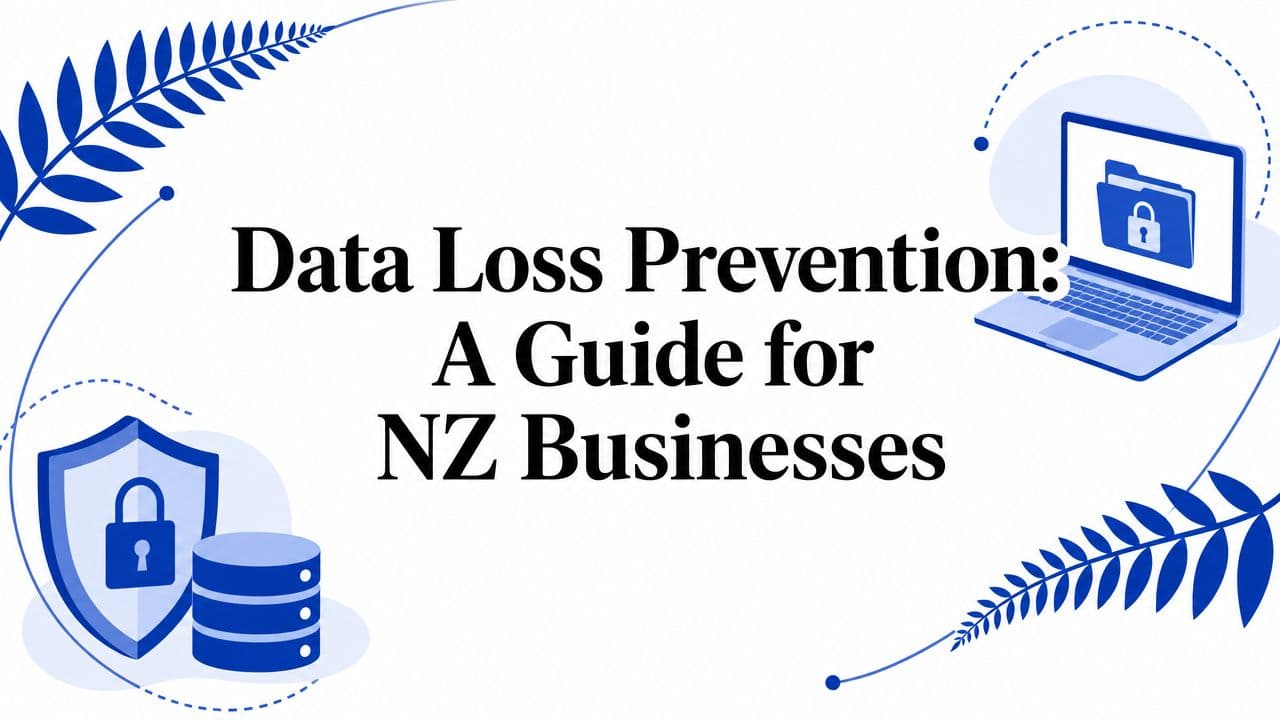
Data loss prevention is a set of controls that identifies sensitive information and applies rules to how that information can be used, shared, copied, or moved. The simplest way to think about it is a digital security guard. Not a guard standing at one front door, but one checking what the data is, who is handling it, and where it's going.

A decent DLP system doesn't just ask, “Is this file leaving?” It asks better questions. Is it customer information? Is it going to a personal email account? Is the user on a managed device? Is this a Teams chat, a USB copy, a browser upload, or a public sharing link?
The three places DLP has to work
Businesses often hear the terms data at rest, data in motion, and data in use. They matter because each one maps to a different kind of leak.
| Data state | What it means in practice | Example risk |
|---|---|---|
| At rest | Data sitting in SharePoint, OneDrive, file shares, laptops, or cloud apps | Sensitive files stored in the wrong place |
| In motion | Data moving through email, Teams, web uploads, sync tools, or APIs | A spreadsheet sent externally |
| In use | Data being viewed, edited, copied, printed, or pasted by a person | Staff copying records into an unauthorised app |
Most SMBs focus on only one of those. Usually email. That leaves major gaps. A business can block an outgoing attachment yet still allow the same file to be shared through a public OneDrive link, copied to removable media, or pasted into a browser tool.
What good DLP looks like
Good DLP is more than a keyword filter. It combines policy, context, and technical control. It should recognise your sensitive data, apply sensible restrictions, and leave an audit trail when something risky happens.
That's also why it helps to pair DLP thinking with broader visibility into where exposed information may surface. GoSafe data leakage insights are useful in that broader picture because they connect internal prevention with external monitoring of leaked or exposed data signals.
Practical rule: If your DLP only watches email, you don't have DLP. You have one control covering one channel.
For a Microsoft 365-heavy business, that digital guard often starts with tools already in the stack. The challenge isn't understanding the concept. It's applying it in a way that protects sensitive data without making staff hate the controls.
Why DLP Is Now a Business Essential in New Zealand
In New Zealand, the argument for DLP isn't theoretical. It sits directly inside the legal and operational environment most businesses already work in.
The Privacy Act 2020 came into force on 1 December 2020, replacing the earlier regime and introducing stronger obligations around handling personal information, including mandatory notification of eligible privacy breaches. From the Act's commencement to 31 March 2025, the Office of the Privacy Commissioner recorded 3,061 notifiable privacy breaches, as noted in this summary of NZ breach figures. That's the clearest sign that mishandling personal information isn't rare. It's a recurring business risk.
What this means in practice
For an SMB owner, DLP matters because it links three things that used to be treated separately.
- Prevention: Stop sensitive data leaving through the wrong channel.
- Detection: Identify risky sharing, copying, or disclosure quickly.
- Response: Produce evidence and context when an incident needs review or notification.
If you can't see where personal information lives, you can't protect it properly. If you can't track how it moved, you can't investigate properly. If you can't prove what controls were in place, your compliance position weakens fast.
Compliance is only one part of the problem
Many firms frame DLP as a regulatory checkbox. That's too narrow. The business impact usually lands in three places at once.
First, there's compliance exposure. If staff disclose personal information improperly, the legal issue doesn't disappear because the mistake was accidental.
Second, there's operational drag. Someone has to investigate what left, who received it, whether access can be revoked, whether clients need to be told, and whether the same issue exists elsewhere.
Third, there's reputation. Customers don't usually care whether data was leaked by an advanced attacker or by a simple mis-share in SharePoint. They care that their information wasn't handled properly.
A privacy incident often starts as an IT problem and ends as a management problem.
Why NZ SMBs feel this differently
Smaller NZ organisations usually don't have a dedicated DLP analyst, privacy engineer, or in-house compliance team. The same IT manager who handles devices, onboarding, backup, and vendor issues may also be expected to sort out cloud governance and data protection. That's why DLP for SMBs has to be practical, not aspirational.
If you're already reviewing your broader cybersecurity services and controls, DLP should sit alongside identity, endpoint security, and incident response. It isn't a standalone purchase that magically fixes poor data handling. It's part of a business resilience stack.
The real threshold
You don't need to be a large bank or health provider to justify DLP. You need only a few conditions, and most SMBs already meet them:
- You hold personal information
- You rely on Microsoft 365 or cloud collaboration
- You use external advisers, contractors, or shared workspaces
- You want fewer preventable incidents and clearer accountability
That's enough. For many NZ businesses, data loss prevention has become a normal operating control, much like backup, MFA, or endpoint protection.
A Practical DLP Roadmap for Your Business
Most SMBs get DLP wrong by trying to deploy it like a big enterprise project. They buy a capable tool, turn on too many policies, trigger a wave of false positives, annoy staff, and eventually back the controls off until they do almost nothing.
A better approach is phased and boring. That's a compliment. Boring security tends to be the security that survives contact with real operations.

For SMBs in New Zealand, effective DLP is shaped by the Privacy Act 2020 and NZISM guidance, which make data classification, access control, and auditable protection of information the practical baseline. IBM's overview of data loss prevention fundamentals also points to the need for coverage across endpoints, network traffic, and cloud apps rather than email alone.
Step 1: Find where sensitive data actually lives
Start discovery before you write policy. In Microsoft 365, that usually means checking Exchange, SharePoint, OneDrive, Teams, and endpoint sync habits. Outside Microsoft 365, include any file transfer tools, CRM exports, payroll systems, form platforms, and browser-based AI tools staff use.
You're looking for concentration points, not perfection. Typical examples include:
- Finance repositories: invoices, bank details, payroll exports, budgets
- Customer data stores: CRM exports, onboarding records, support attachments
- People data: employment files, ID documents, leave records
- Commercial files: proposals, pricing, contracts, board papers
Step 2: Define what needs protection first
Don't classify everything with the same urgency. Start with data that would create a clear problem if it left the business. Financial records, identity data, customer information, and employee information usually belong in the first wave.
That doesn't mean writing a twenty-page policy manual. It means deciding things like:
| Data type | First control question |
|---|---|
| Customer information | Should this ever be shared outside approved domains? |
| Employee records | Who should access these, and from where? |
| Financial data | Can this leave by email, or only through approved channels? |
| Confidential project files | Should external sharing require approval? |
Step 3: Turn on alert-only policies first
Many teams save themselves weeks of pain by running policies in monitoring or alert mode before blocking anything. You need to learn how data moves in your business before you start interrupting it.
A simple first set often includes alerts for:
- External sharing of sensitive files
- Bulk downloads from SharePoint or OneDrive
- Email containing protected data sent outside the company
- Copying sensitive files to USB or unmanaged locations
- Uploads to unsanctioned browser-based tools
This stage exposes messy reality. You'll usually find workarounds, legacy folders, broad permissions, and staff doing sensible work in insecure ways because nobody gave them a safer path.
Here's a practical explainer worth watching before you build too much too quickly.
Step 4: Block only the high-risk events
Once the alert data stabilises, move selected scenarios to enforcement. Not everything needs a hard block. In fact, too much blocking is the fastest route to shadow IT.
Start with controls that most businesses can justify without much debate:
- Public sharing links for sensitive files
- Sending protected data to personal email accounts
- Copying high-risk data to removable media
- Uploading sensitive content to unsanctioned apps
- External sharing from users who don't need that capability
If a control breaks a valid business process, the process wins. Your job is to redesign the process, not pretend the control will hold anyway.
Step 5: Review and tune regularly
DLP is never “set and forget”. Teams change. Contractors come and go. New SaaS tools appear. A policy that worked six months ago can become noisy or irrelevant.
A useful review cycle should cover:
- Which alerts were real issues
- Which rules generated noise
- Which departments need exceptions
- Whether staff have an approved way to do legitimate sharing
- Whether reports support incident response and compliance needs
The businesses that get value from DLP aren't usually the ones with the most features. They're the ones that keep the scope tight, review outcomes, and improve steadily.
Building Effective DLP Policies and Controls
A DLP policy should describe a business risk in a way the platform can enforce. If it's too broad, it creates noise. If it's too narrow, it misses obvious leaks. The sweet spot is specific enough to catch meaningful events and flexible enough not to punish normal work.
Modern platforms help because they don't rely only on crude keyword matching. Microsoft explains in its Purview DLP overview that modern DLP uses deep content analysis, secondary matches, and machine-learning-based classification across Microsoft 365 services, endpoints, and web traffic. For SMBs, the practical lesson is to focus first on high-risk data and tune enforcement to avoid unnecessary friction.
What a useful policy looks like
Bad policy: “Protect confidential information.”
Useful policy: “Alert when a file classified as confidential is shared with anyone outside approved domains.”
Bad policy: “Block sensitive data in email.”
Useful policy: “Block external email that contains protected financial or customer data unless sent by an authorised group.”
The second version gives the tool a chance to do its job. It also gives users and administrators something they can understand and challenge if needed.
Practical policy examples for NZ SMBs
These examples are deliberately simple. They're the kinds of controls lean teams can operate.
- External sharing control: Alert when staff create anonymous or broadly accessible links for files marked confidential or stored in restricted sites.
- Email exfiltration control: Block or require override justification when a message contains customer or financial data and is addressed to a non-business email domain.
- Endpoint copy control: Alert when a user copies a sensitive spreadsheet to removable media, then review whether that role needs an exception.
- Browser upload control: Block uploads of protected documents to unmanaged web apps where the business has no approved use case.
- Teams and chat control: Warn or block when staff attempt to post sensitive information into channels with external participants.
Why content-aware detection matters
Keyword-only rules create miserable DLP. They fire on harmless documents, miss context, and train users to ignore alerts.
Content-aware detection is better because it looks deeper. It can weigh document patterns, labels, location, supporting matches, and sometimes user context. That reduces false alarms and lets you write rules around actual business data rather than guesswork.
A sensible policy often combines several signals:
| Signal type | Why it helps |
|---|---|
| Content match | Identifies likely sensitive information inside the file or message |
| Sensitivity label | Reflects how the business has classified the item |
| Location | Distinguishes a restricted SharePoint site from a public team area |
| Destination | Treats an approved partner differently from a personal address |
| User context | Allows tighter control for users who don't need external sharing |
Tune for behaviour, not just detection
A strong DLP programme doesn't just say yes or no. It uses different responses for different risks.
Some events should log. Some should warn the user. Some should allow an override with business justification. A small set should block outright.
“The most effective DLP policies are the ones users can understand before they trigger them.”
That's especially true in Microsoft 365. If staff receive a clear message like “This file contains protected customer information and can't be shared publicly”, they learn the boundary. If they just get random failures, they'll work around the system.
Three controls that usually work well together
Classification and labelling
Teach the system what matters. Sensitivity labels in Microsoft 365 can help distinguish internal files from confidential or highly restricted material. Labelling isn't enough on its own, but it gives your downstream controls better context.
Access and sharing restrictions
Limit who can access what, and under what conditions. This includes SharePoint permissions, OneDrive sharing defaults, guest access settings, and controls around unmanaged devices. In many SMBs, tightening sharing defaults reduces risk faster than rolling out dozens of advanced DLP rules.
Incident response hooks
Every meaningful DLP event should support follow-up. You need logs, user context, file details, and a documented path for review. A policy without an operational response path becomes an alert graveyard.
Keep the policy set small at first. Five well-tuned controls beat fifty noisy ones every time.
Choosing the Right DLP Tools and Approach
There isn't one correct DLP architecture for every business. The right fit depends on where your data lives and how your team works. For most NZ SMBs, the answer isn't a huge standalone DLP platform. It's usually a combination of native controls in existing tools plus a few targeted add-ons where those tools fall short.

The three tool categories that matter
| Approach | Best fit | Watch out for |
|---|---|---|
| Endpoint DLP | Businesses concerned about USB, print, copy, local apps, and device-level actions | Can be heavier to manage across mixed fleets |
| Network or inline controls | Organisations that need visibility into web traffic and uploads | Less useful if staff work remotely outside controlled paths |
| Cloud or SaaS DLP | Microsoft 365 and SaaS-heavy businesses | Coverage varies between apps and vendors |
For many SMBs, Microsoft Purview DLP is the obvious first place to look if the business already relies heavily on Microsoft 365. It's close to the data, understands the collaboration stack, and avoids another disconnected console. If you run Google Workspace or a more mixed stack, cloud-focused tools may make more sense.
What to prioritise as an SMB buyer
Don't buy on feature count. Buy on fit and manageability.
Look for these decision criteria:
- Native integration: Does it work cleanly with Exchange, SharePoint, OneDrive, Teams, endpoints, and your key SaaS apps?
- Policy simplicity: Can an administrator understand why a rule fired without vendor training and detective work?
- Reporting quality: Can you see user, file, destination, and action clearly enough to investigate incidents?
- Exception handling: Can legitimate work continue through overrides, approvals, or role-based allowances?
- Operational load: Will your team realistically maintain this after the implementation project ends?
What often doesn't work
A lot of SMBs overbuy. They end up with an enterprise platform built for a full-time DLP team, then use only a tiny fraction of it. The issue usually isn't the technology. It's the mismatch between tool complexity and internal capacity.
A better pattern is to start with the controls already available in your cloud stack, then add specialist capability only when you've found a real gap. If your business is already modernising workloads through managed cloud services, DLP selection should be part of that architecture discussion rather than a separate purchase made in isolation.
Choose the toolset your team can operate on a bad week, not the one that looks impressive in a demo.
There's also room for service-led options. Some providers help configure and run Microsoft 365 and adjacent security controls as part of a broader managed environment. Wisely is one example of that operating model for businesses that want support across cloud, IT, and security rather than a standalone software resale.
A sensible default for SaaS-heavy firms
If you're a lean NZ business with Microsoft 365 at the centre, a practical starting point usually looks like this:
- Native Microsoft 365 controls for classification, sharing governance, and DLP.
- Endpoint visibility where removable media or unmanaged devices are a concern.
- Tight identity controls so the wrong person can't access the right data.
- Clear reporting and review processes.
That won't solve every data protection problem. It will solve more real ones than an oversized enterprise rollout nobody can sustain.
Managed DLP When You Lack In-House Experts
This is the point where many SMBs stall. They understand the risk, they know where the gaps are, and they may even own the right licences. But they still don't have the time to build policies, tune alerts, review incidents, and keep the rules aligned with changing business processes.
That's normal.
DLP takes ongoing care. Somebody has to decide which alerts matter, which exceptions are valid, whether staff are bypassing approved workflows, and whether a control still makes sense after a new client portal, payroll provider, or SaaS platform is introduced.
What managed DLP actually helps with
A good managed approach doesn't just “monitor alerts”. It closes the operational gap between the platform and the business.
That usually includes:
- Policy design: translating business risk into practical DLP rules
- Platform configuration: setting up Microsoft 365, endpoint, and cloud controls properly
- Alert triage: separating real issues from noise
- Incident support: collecting evidence and guiding response when something goes wrong
- Executive reporting: giving leadership a clear view of recurring risks and control coverage
When outside help makes sense
You probably don't need a dedicated in-house DLP specialist if your business is under a few hundred staff and your environment is mostly cloud-based. You do need someone who owns the outcome.
Outside support makes sense when:
| Situation | Why managed support helps |
|---|---|
| Lean internal IT team | Daily IT support already consumes the team's time |
| Microsoft 365 complexity | Native tools are available, but configuration and tuning are uneven |
| Compliance pressure | The business needs evidence, auditability, and repeatable handling |
| Fast-changing workflows | New apps, contractors, and collaboration models keep changing the risk |
What to look for in a managed partner
Don't just ask whether a provider “does DLP”. Ask how they run it.
Look for a partner that can explain:
- How they discover data flows in your environment
- How they reduce false positives before enabling blocking
- How they handle exceptions without weakening the policy set
- How they report incidents to management in plain English
- How DLP connects to identity, endpoint, cloud, and response services
A managed provider should also be honest about trade-offs. Some controls will slow down unsafe workflows. Some users will need coaching. Some edge cases won't fit neatly into policy. If a provider promises perfect prevention with no user friction, they're selling a fantasy.
The best managed DLP engagements feel less like outsourced tooling and more like outsourced judgement.
For businesses that need that kind of support, managed security services can provide the day-to-day operational layer that most SMBs can't justify hiring for internally. That matters because DLP isn't a one-off deployment. It's a living control that needs review, tuning, and ownership.
Handled well, managed DLP gives a smaller business something valuable. Not just more alerts. More confidence that sensitive information is being handled with intent rather than hope.
If your business runs on Microsoft 365, cloud apps, and lean internal IT, Wisely can help you design a practical data loss prevention approach that fits the way your team works. See how Wisely supports NZ businesses with security, cloud, and operational technology services.