You've probably seen this already. Your team has moved more work into the cloud, monday.com boards are filling up with automations and dashboards, files now live across Microsoft 365, Google Workspace, AWS or Azure, and yet the office still feels slow. Pages lag. Sync jobs drag. Video calls wobble. Large attachments crawl across the network even though you're paying for business internet.
When that happens, troubleshooting typically begins with the ISP, the router, or Wi-Fi coverage. Those are valid places to check. But a less obvious choke point sits inside every workstation and server: the network interface card, or NIC. If that hardware can't move data cleanly and fast enough, your expensive software stack never feels as responsive as it should.
For New Zealand businesses pushing harder into workflow automation, cloud collaboration, and hybrid infrastructure, the NIC has stopped being a background component. It's become part of the performance conversation.
Why Your Network Interface Card Is a Business Bottleneck
A NIC is easy to ignore because it usually works until it doesn't. Staff can still log in. Email still arrives. Shared folders still open. The problem is that modern work doesn't depend on “working” in the old sense. It depends on low-friction, near-real-time movement of data between devices, cloud apps, file stores, and internal systems.
That matters when monday.com is pulling updates from other platforms, when finance is exporting reports from a cloud system, when operations teams rely on dashboards to make decisions, or when a media team is moving large files through a secure review process. In those environments, the NIC is the gatekeeper between local compute and the rest of the business.
Where the bottleneck shows up
A poor NIC fit usually doesn't announce itself with a dramatic hardware failure. It shows up in day-to-day friction:
- Cloud apps feel inconsistent: A board loads quickly one moment and stalls the next.
- Automations miss the rhythm of work: Updates arrive late, so teams make decisions from stale information.
- File handling eats time: Uploads, downloads, and sync jobs compete with other traffic.
- Staff blame the wrong thing: The application gets blamed when the transport layer is struggling.
Practical rule: If your internet connection looks fine but cloud tools still feel slow under load, the NIC deserves a closer look.
The business case is getting harder to ignore. The global NIC market is projected to grow from US$6.3 billion in 2026 to US$11.4 billion by 2033, and data centres account for over 38% of the market share in 2026, according to Persistence Market Research on the NIC market. That isn't just a hardware industry footnote. It reflects how seriously organisations now treat data movement as part of core performance.
For firms operating across regions, the same pattern shows up in other markets. If you're comparing operational pain points across distributed teams, this guide on addressing network bottlenecks in the Philippines is useful context because it shows how often “slow systems” turn out to be network design issues, not application defects.
Why business owners should care
The NIC affects three outcomes leaders notice:
| Business outcome | NIC impact |
|---|---|
| Productivity | Faster, steadier data transfer reduces waiting between tasks |
| Reliability | Better handling of sustained traffic lowers friction during busy periods |
| Tool adoption | Cloud platforms feel more usable when updates, dashboards, and integrations respond properly |
A weak NIC doesn't just slow a computer. It slows the flow of work.
What Is a Network Interface Card Anyway
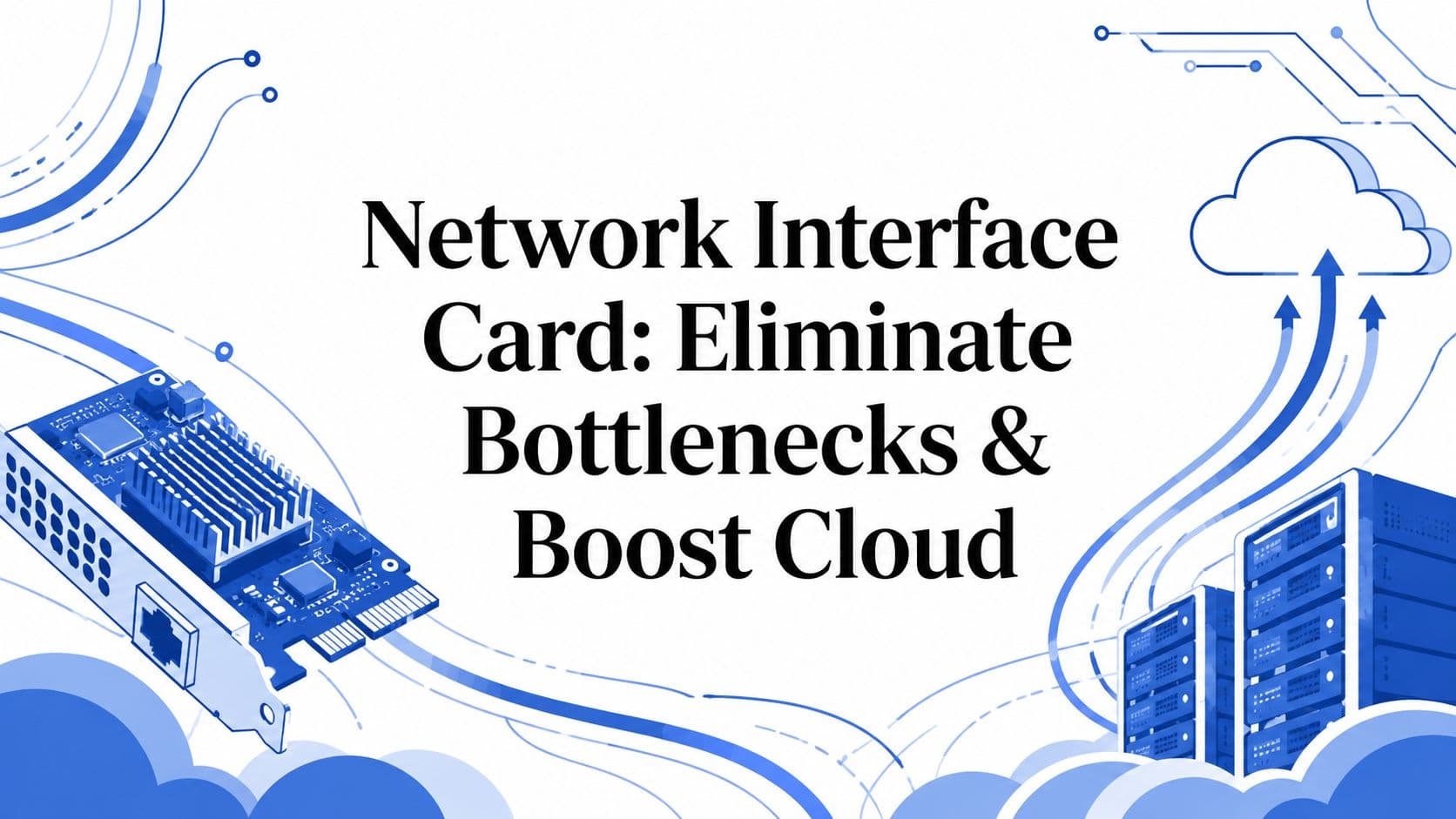
A network interface card is the hardware that gives a device access to the network. It converts data from the computer into signals the network can carry, then converts incoming signals back into data the system can use. Lenovo's NIC glossary describes it as the bridge between the machine and the network, and notes that wired and wireless are the main NIC categories.
For a business, that matters because every click in monday.com, every file sync to SharePoint, and every update moving between office systems and cloud services passes through this component first. If the NIC is poorly matched to the job, the bottleneck shows up as lag, retries, dropped sessions, and inconsistent sync behaviour. Staff usually blame the app.

How the NIC actually works in day-to-day business use
A practical way to explain it is to picture the computer as a warehouse and the NIC as the loading dock.
Applications, files, and records sit inside the warehouse. Your team updates them all day, while cloud platforms, backups, automations, and integrations keep sending traffic in and out. The NIC manages that exchange. If the loading dock is undersized, badly configured, or handling the wrong traffic type, the rest of the operation slows down even when the internet service itself looks fine.
That is why the NIC deserves more attention than “the place where the cable plugs in.” It affects how well each device participates in the wider environment, especially in businesses that rely on constant cloud communication rather than occasional file transfers.
Wired and wireless NICs
Businesses typically encounter two broad NIC types:
- Wired NICs: These connect through Ethernet. They suit desktops, servers, storage systems, VoIP handsets, and any workstation where consistent speed and low interruption matter.
- Wireless NICs: These connect over Wi-Fi through an antenna. They suit laptops, flexible work areas, meeting rooms, and devices that need mobility, but performance depends more on signal strength, interference, and building layout.
Both have a place. For general office mobility, wireless is often the right fit. For stable cloud sync, large file transfers, database access, and always-on integrations between business tools, wired is usually the safer choice.
The NIC does not increase the network capacity you buy from your provider. It affects how efficiently each device uses that capacity.
Internal cards and external adapters
Form factor matters as well, especially when a business is deciding whether to patch a problem quickly or fix it properly.
- PCIe NICs: Internal cards fitted directly to the motherboard. These are the better option for workstations and servers that carry steady network load.
- USB adapters: External NICs used for quick replacements, temporary upgrades, or adding a second connection without opening the device.
- Built-in motherboard NICs: Common in office PCs and often good enough for routine work, but not always the best fit for sustained traffic, virtualisation, or higher-speed requirements.
Here's the practical difference:
| Form factor | Best fit | Trade-off |
|---|---|---|
| PCIe | Workstations, servers, fixed desktops | Better throughput and consistency, but requires installation time |
| USB | Laptops, temporary fixes, quick upgrades | Fast to deploy, but usually less reliable for sustained business workloads |
| Onboard | General office devices | Lower cost, but less flexibility for specialised performance or redundancy needs |
I usually advise clients to treat NIC choice like any other business hardware decision. Match it to the role. A receptionist's PC, a warehouse dispatch terminal, and a server handling monday.com integrations should not all be judged by the same standard. That small hardware choice can affect automation speed, cloud responsiveness, and how dependable your data flows are under real working conditions.
Key NIC Technologies and What They Mean for You
A lot of NIC discussions get buried in specs. That's useful for engineers, but most business owners and operations managers need a simpler question answered: what does this feature change in real work?
Speed tiers and workload fit
NIC speed defines how quickly a device can move data across the network. So you can match the workstation or server to the actual workload, rather than forcing every role into the same baseline.
A standard office user handling email, browser tabs, and light cloud work may cope perfectly well on a basic setup. A team moving larger files, syncing heavier datasets, or relying on live dashboards won't get the same experience from the same hardware.
The blind spot in many upgrades is staying at single-gigabit while everything else around the business changes. Hybrid cloud tools, connected dashboards, and workflow automations create more constant traffic than older office patterns did.
Controller quality and offloading
The NIC controller acts like a small processor on the card itself. So you can reduce the amount of network handling your main CPU has to do, leaving more system resources available for the applications your staff use.
That matters on busy workstations and especially on servers. Trenton Systems notes that a modern NIC controller supports features like auto-negotiation and full-duplex behaviour, which can reduce CPU utilisation and improve throughput in high-speed server environments, as outlined in Trenton Systems' NIC card resource hub.
In practical terms, this means:
- Your accounting platform is less likely to feel sluggish while large sync jobs are running.
- Your monday.com workspace remains more responsive when multiple users update boards at once.
- Your server spends more energy serving applications instead of wrestling with traffic handling.
Full-duplex and auto-negotiation
Full-duplex means a NIC can send and receive data at the same time. So you can avoid avoidable delays and messy communication behaviour that hurt real-time tools.
Auto-negotiation lets the NIC and connected equipment agree on the best supported settings. In some tightly controlled setups, IT teams may tune this manually for specific latency-sensitive environments. In ordinary business networks, the key point is simpler: if NIC settings don't align with the switch and the workload, performance becomes erratic.
Virtualisation support
Some NICs include features built for virtualised workloads, including support that helps network traffic move more efficiently between virtual machines and physical hardware. So you can run virtual servers and hybrid environments with fewer performance penalties.
This matters if your business is consolidating systems, hosting application layers on virtual infrastructure, or running cloud-connected services from local servers. A commodity NIC can be fine for a file share. It may not be the right choice for a host managing several virtual workloads at once.
Buy the NIC for the job the machine actually does, not for the label on the device. “Office PC” can still be a heavy network user if it sits at the centre of reporting, integrations, or large file movement.
Data integrity matters too
A NIC doesn't only move packets quickly. It also helps reconstruct incoming data into usable information by handling frames properly. In business terms, that matters when finance systems, budgeting tools, and operational reports depend on clean, uncorrupted transmission, as described in QSFPTEK's explanation of NIC definition, types and functions.
Speed gets attention. Clean, accurate delivery is just as important.
How to Choose the Right NIC for Your Business
A slow network card rarely looks like a hardware problem at first. It looks like monday.com boards taking too long to refresh, dashboards lagging during busy periods, file syncs stalling, or cloud integrations finishing later than they should. For a business owner or operations manager, the result is the same. Staff wait, workflows stack up, and small delays spread across the day.

The best NIC choice starts with workload, not brand. A receptionist checking email and a staff member pushing large reports between cloud platforms do not need the same card. Standardising on one low-cost option can save money on the purchase order and create a bottleneck everywhere else.
Match the NIC to the business role
Use the machine's actual job as the guide.
| Business role or environment | What matters most | NIC guidance |
|---|---|---|
| Admin and general office staff | Stable access to cloud apps, email, shared files | A standard wired NIC is usually enough for light, predictable traffic |
| Finance and operations teams | Fast report loading, reliable dashboard refreshes, fewer delays in cloud systems | Choose a NIC that can handle sustained traffic cleanly, especially if teams live in browser-based platforms all day |
| Developers and integration teams | Consistent transfer rates, lab environments, API and platform connectivity | Prioritise good driver support, compatibility, and headroom for burst traffic |
| Media and production users | Large-file movement, low transfer delays, secure handling of assets | Higher-throughput NICs often pay for themselves in recovered staff time |
| Servers and virtual hosts | Throughput, redundancy, steady performance under load | Use server-grade NICs with features suited to business infrastructure |
Look at the workflow, not just the device
The wrong buying decision usually happens when businesses size the NIC for yesterday's office habits. Many NZ firms have moved core work into cloud platforms, added automation, shifted reporting online, and connected more systems through integrations. The NIC sitting in a desktop, server, or edge device still decides how cleanly that traffic enters the network.
That matters more in hybrid environments. If a team updates records in monday.com, pushes data to finance tools, syncs files to cloud storage, and runs reporting from a local office, weak NIC capacity shows up as friction across several systems at once. The card does not need to be exotic. It does need to fit the traffic pattern.
Cases where a better NIC is justified
Some environments deserve more than a basic office adapter.
- Teams running cloud-heavy operations: If staff spend most of the day in SaaS platforms, browser dashboards, and synced file systems, a better NIC can reduce delays that get mistaken for "internet slowness."
- IoT and smart device deployments: NICs with PoE support can simplify rollouts where devices need both network connectivity and power, as noted by IT Nest's NIC overview.
- Media, design, and production teams: Large assets expose weak network hardware quickly. Waiting on transfers is expensive when several people depend on the same files.
- Hybrid cloud and branch infrastructure: Local servers, firewalls, and edge systems need stable throughput and dependable driver support because they sit in the path of many business processes.
A practical buying checklist
Before approving a NIC purchase, check four things.
- User behaviour: Review what staff do all day. Job titles hide heavy network use.
- Business impact: Identify where delays affect billing, customer response times, reporting, automation, or project delivery.
- Network path: Confirm switches, cabling, and internet services can support the NIC you buy.
- Support model: If the upgrade affects important users, include it in your wider managed IT services plan so procurement, rollout, and troubleshooting sit under one process.
One more point matters. If the NIC will need a static address, VLAN changes, or manual network settings, confirm who will handle that work before the hardware arrives. This step-by-step IP address guide is a useful reference for the addressing side of setup.
The right NIC is the one that removes delay from a real business process. That could be invoice reporting, cloud backups, production file movement, or the speed at which your team updates work in monday.com. Choose for the workflow under load, and the hardware decision starts supporting productivity instead of limiting it.
Installation and Configuration Essentials
A NIC upgrade is usually straightforward, but the difference between a clean deployment and a week of annoying troubleshooting comes down to a few basic checks.

What should happen during installation
For a PCIe card, the process normally involves powering the machine down, fitting the card into the correct slot, reconnecting the network cable, then installing the proper driver and confirming the operating system recognises the hardware correctly.
That sounds simple because it is. Problems usually appear when teams skip compatibility checks, use an old driver, or assume the card's default settings are automatically right for the environment.
A managed rollout is often worth it for server hardware or business-critical user groups. If you need support around planning, deployment, and maintenance, it helps to align the NIC project with broader managed IT services instead of treating it as an isolated hardware task.
The configuration points that matter
Once the card is installed, these are the settings worth discussing with your IT provider:
- Driver version: Use the correct, current driver for the operating system and the exact NIC model.
- Speed and duplex settings: Confirm the NIC and switch agree on how the link should run.
- IP assignment method: Decide whether the device should receive settings automatically or hold a fixed address.
- Power management: Review any options that may reduce performance to save power on always-on business devices.
For managers, the IP discussion is the one that usually needs translating. DHCP assigns network settings automatically and suits most ordinary endpoints. A static IP is more appropriate when a device needs a predictable identity on the network, such as a server, network printer, or infrastructure device. If you want a plain-English reference before that conversation, this step-by-step IP address guide is a handy primer.
Don't skip the verification stage
After installation, IT should confirm more than just “the link is up”. They should verify that the NIC is negotiating correctly, the driver is stable, the system can sustain normal traffic, and the user's applications behave as expected.
A short walkthrough helps non-technical stakeholders see what “good” looks like:
The deployment isn't finished when the machine reconnects. It's finished when the business workload runs cleanly on it.
Optimising NICs for Performance and Security
Buying the right NIC is only half the job. Configuration is where a good card either delivers value or gets left running like a generic commodity part.
Performance tuning that actually matters
Some NIC settings aren't worth touching unless you have a clear reason. Others can make a noticeable difference in the right environment.
A strong example is Jumbo Frames. Fibermall notes that enabling Jumbo Frames allows larger data packets to move across the network, which can significantly boost throughput by reducing CPU oscillation, and highlights this as particularly useful for New Zealand media production studios that need high-speed transfer for TPN-compliant infrastructure, as outlined in Fibermall's NIC card guide.
That doesn't mean every office should enable Jumbo Frames tomorrow. It means if your team moves large files constantly, especially in post-production or other data-heavy workflows, tuning the NIC is no longer a “nice to have”. It's operational hygiene.
If large transfers are central to the business, leaving NICs on untuned defaults is like buying a delivery van and never checking tyre pressure.
Another area is duplex and link behaviour. A NIC should operate in a way that avoids unnecessary communication issues between the endpoint and the switch. If the link configuration is wrong, users experience random slowness that looks like application instability.
Security starts lower than most people think
The NIC sits at the edge of device connectivity, which makes it part of your security posture whether teams think of it that way or not.
Good practice includes:
- Keep drivers current: NIC drivers can carry bugs and vulnerabilities like any other system component.
- Review unused interfaces: Disable connections the device doesn't need.
- Control device access: Basic controls such as MAC-based policies can help in the right network design.
- Watch for unusual traffic behaviour: Sudden changes in throughput, collisions, or error patterns can signal misconfiguration or something worse.
That's why visibility matters. If you're refining your network operations, this overview of key features of network monitoring is a useful companion because it shows what teams should watch instead of relying on user complaints alone.
Security teams should also treat network hardware as part of the broader defensive stack. A well-run environment ties NIC health, endpoint controls, and access policy into a wider cybersecurity service approach, rather than handling them as separate conversations.
What works and what doesn't
Here's the practical view.
| Works well | Usually fails |
|---|---|
| Tuning NIC settings to match a known workload | Changing settings blindly because a forum post recommended it |
| Updating drivers as part of routine maintenance | Leaving old drivers in place for years because “it still works” |
| Monitoring link health and traffic patterns | Waiting for users to report slow systems |
| Treating specialised workloads differently | Applying one default config to every device in the business |
A NIC shouldn't be left on autopilot if the business depends on speed, secure transfer, or consistent cloud access.
The Bigger Picture NICs in Your IT Strategy
A NIC choice rarely gets boardroom attention. It still affects whether staff experience fast, reliable access to the systems they use all day.

Here's the practical scenario. A business rolls out monday.com across operations, finance, and service teams, then expects quicker approvals, cleaner handoffs, and fewer manual follow-ups. If desktops, laptops, or servers are still relying on older or poorly matched NICs, staff see lag during file sync, dashboard refreshes, integrations, and peak-hour traffic. The software gets blamed first, but the underlying issue can sit one hardware layer lower.
The same pattern shows up in hybrid cloud projects. Data has to move cleanly between local devices, office networks, SaaS platforms, and cloud-hosted workloads. If the NIC is undersized for the traffic profile, automation jobs run slower, shared files take longer to open, and API-driven workflows become less predictable. For an NZ business trying to get more value from cloud subscriptions, that is not a technical footnote. It affects throughput, staff time, and confidence in the tools.
That's why NIC planning belongs in IT strategy, not just procurement.
A sensible NIC standard supports four business outcomes:
- Better user experience in cloud tools: Staff spend less time waiting on syncs, uploads, and shared dashboards.
- More reliable automation: Data moves between systems with fewer delays, which matters when monday.com boards, forms, and integrations trigger downstream actions.
- Fewer avoidable upgrade cycles: Hardware choices made now are less likely to hold back future bandwidth needs.
- Stronger alignment between infrastructure and growth plans: Network capacity keeps pace with cloud adoption instead of trailing behind it.
In practice, I advise clients to treat NICs as part of the same planning discussion as endpoint refreshes, switching, Wi-Fi capacity, and SaaS rollout. A business can spend heavily on workflow design and cloud migration, then lose the benefit through avoidable bottlenecks at the device edge. If your roadmap includes platform consolidation, cloud file services, or hybrid workloads, review NIC capability alongside your broader cloud infrastructure and migration strategy.
The goal is not to buy the fastest card for every machine. The goal is to make sure a small hardware decision does not slow down good software, good process design, and the day-to-day work your team depends on.
If your business is rolling out monday.com, refining hybrid cloud operations, or trying to remove friction from everyday workflows, Wisely can help connect the business process side and the underlying IT decisions so your systems don't just go live, they perform properly.