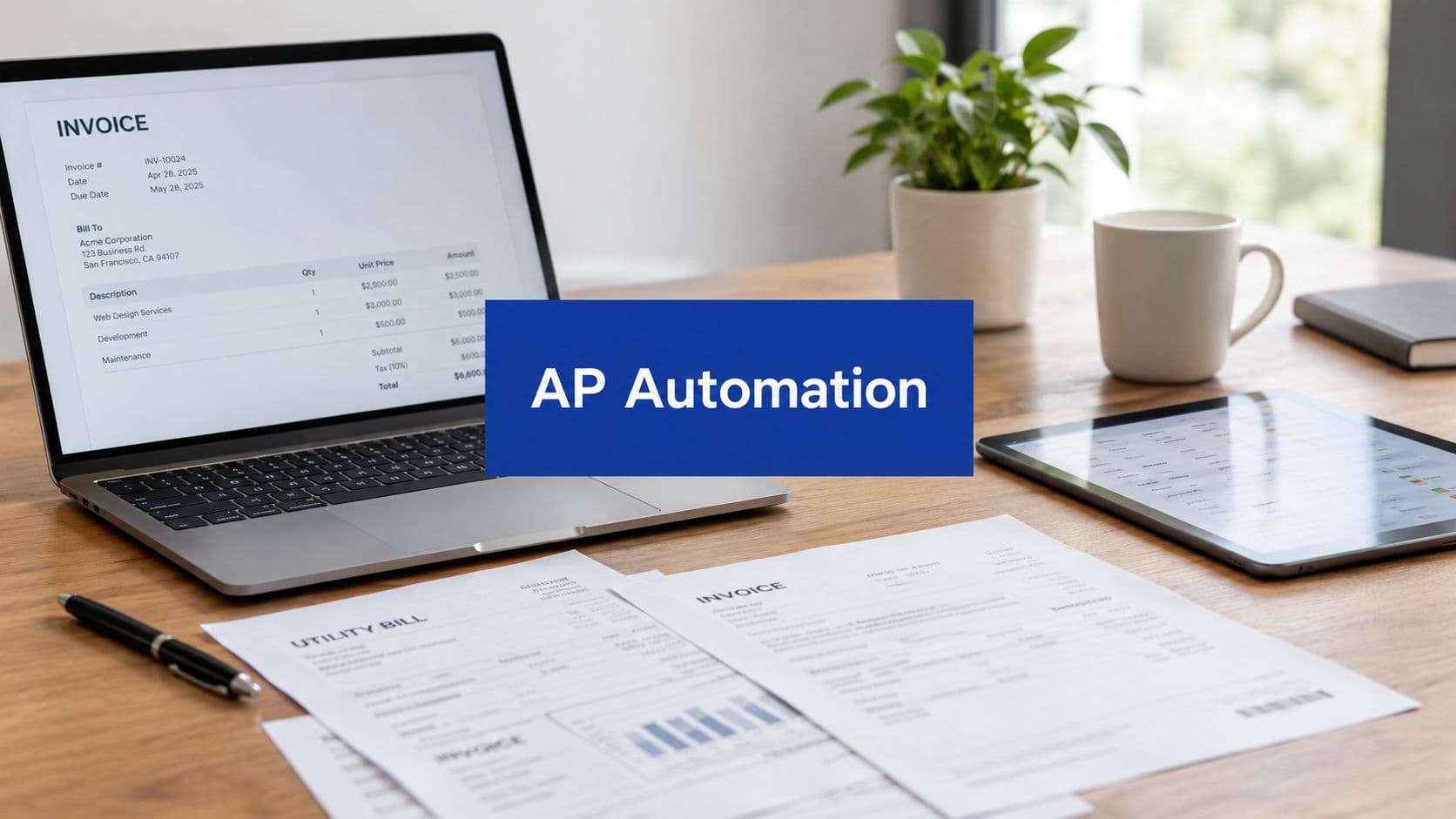
The popular advice is to start accounts payable automation with OCR. That's the wrong starting point for most New Zealand SMEs. Reading a PDF faster doesn't fix an approval queue, an unmatched purchase order, an inaccurate supplier record, or a payment that misses its intended date.
Modern accounts payable automation should connect invoice intake, validation, matching, approval, payment scheduling, reconciliation, audit evidence, and eInvoicing. The business case is therefore larger than reduced data entry. It's about giving finance leaders control over cashflow, working capital, supplier relationships, and compliance while reducing the number of invoices that require manual intervention.
New Zealand's adoption curve makes this shift difficult to ignore. MBIE reported that more than 52,000 businesses were registered for eInvoicing by April 2026, with more than 650,000 eInvoices exchanged to that point, and growth of more than 400% over the previous 24 months (MBIE's update on government eInvoicing and prompt payment rules). For an SME, that means the question isn't whether invoices can be digitised. It's whether the whole invoice-to-pay process is ready to operate in a more connected, rule-based environment.
Redefining Accounts Payable Automation
Calling OCR “AP automation” is like calling a scanned contract a digital legal process. The document has changed format, but the work may still depend on people copying fields, emailing approvals, checking purchase orders, resolving exceptions, and manually updating the accounting system.
A stronger definition is technology-enabled control of the invoice-to-pay lifecycle. The workflow receives an invoice, extracts or receives structured data, validates the supplier and tax information, matches the invoice to purchasing evidence, applies approval rules, schedules payment, records the outcome, and preserves an audit trail. OCR can support that process for PDFs, but it's only one input method.
The cashflow dimension
Manual AP creates uncertainty about when liabilities will become payments. Finance staff may know that an invoice exists, but not whether it's waiting for a purchase order, sitting with an approver, blocked by a price variance, or ready for payment. That weakens cash forecasting and makes supplier conversations harder.
The problem remains visible in New Zealand. A 2025 NZ survey found that 61% of respondents had automated less than 25% of their AP process, while average invoice processing took 11–20 days and 47% reported frequent approval delays caused by manual workflows (the NZ accounts payable automation survey). Those findings point to a workflow problem, not merely a capture problem.
Practical rule: If your team still has to chase approvers manually, automation hasn't reached the part of AP that controls payment timing.
The working-capital benefit comes from making every invoice visible and actionable. A finance manager can see what's approved, what's disputed, what's due, and what requires escalation. That supports better payment scheduling without encouraging late payment or losing control of supplier commitments.
Compliance belongs in the definition
New Zealand's eInvoicing direction also changes the scope of the project. The country's public-sector rules require relevant agencies receiving or sending more than 2,000 domestic trade invoices annually to support eInvoicing through their primary AP systems (New Zealand eInvoicing compliance guidance). Central government agencies have been required to receive eInvoices since 1 March 2022, broader public-sector send and receive capability was targeted for 1 January 2026, and large suppliers to public entities are required to send eInvoices from 1 January 2027, according to the same guidance.
That makes tax and recordkeeping design part of the operating model. Teams assessing the wider obligations around invoice records can also use this resource on GST and BAS compliance for AP. The system should preserve source data, approvals, coding, tax treatment, and payment evidence rather than store an image.
For SMEs, the best starting point is a process map. Document how an invoice arrives, who touches it, what evidence is checked, where delays occur, and what gets posted to the ledger. Then use workflow automation consultancy to connect the finance process with the broader controls that govern purchasing and delivery.
Key Features and Modern AP Workflows
A mature AP workflow separates straight-through processing from exceptions. It doesn't try to make every invoice invisible to people. It lets compliant, well-supported invoices move quickly while directing unusual or incomplete invoices to the right person with enough context to resolve them.

Start with controlled digital intake
Invoices can arrive through eInvoicing networks, supplier portals, shared mailboxes, or document upload. The platform should centralise them and identify the supplier, invoice number, invoice date, tax details, purchase order reference, line items, and payment terms.
Structured eInvoices should pass data directly into the workflow. PDFs and scans need extraction, but extracted fields should be validated rather than trusted automatically. The system should flag missing tax information, duplicate invoice numbers, changed bank details, inconsistent supplier records, and other conditions that require review.
Match before you approve
For purchase-based invoices, three-way matching compares the invoice with the purchase order and goods receipt. If the supplier billed what was ordered and the business confirms receipt, the invoice can progress under the relevant rules. A mismatch should create an exception with the specific variance visible to the person responsible.
Non-purchase-order invoices need a different control. The workflow can require a business owner to confirm the service, select the general ledger account and cost centre, and attach supporting evidence. Treating non-PO invoices as a separate route is more reliable than forcing every invoice through a purchasing pattern it doesn't fit.
Route approvals using rules
Approval routing should reflect authority, spend category, entity, project, and delegation status. A small invoice may move to a budget owner, while a higher-risk or unusual transaction may require finance review or additional approval. Automated reminders and escalation should prevent invoices from disappearing in an inbox.
A useful workflow also records who approved the invoice, when they approved it, what evidence they reviewed, and whether the approval occurred within the required authority. That audit trail is more valuable than a simple email saying “approved”.
Resolve exceptions with ownership
Exception handling is where many systems lose their value. A message such as “invoice failed validation” leaves AP staff to investigate the problem manually. A workable design assigns the exception to a named owner, explains the cause, sets a due date, and records the resolution.
RPA can help with repetitive actions around established systems, but it shouldn't be used to hide unclear policies. Teams considering automation sequencing can review this practical RPA implementation roadmap for Australia, while NZ finance leaders should adapt the principles to their own accounting, tax, and eInvoicing environment.
Close the loop after payment
Once an invoice is approved, the workflow should support payment scheduling and send the result back to the accounting or ERP system. Reconciliation then confirms that the approved liability, payment instruction, bank transaction, and ledger record agree.
The strongest implementations combine these controls with AI solutions for business workflows, but AI should assist classification, extraction, and prioritisation. It shouldn't replace approval authority, segregation of duties, or exception accountability.
Measuring ROI and Cashflow Impact
AP automation earns executive support when leaders can show stronger financial control, not merely fewer data-entry hours. Set a baseline before implementation, then compare the same measures after the workflow has stabilised.
Track:
- Invoice cycle time: Measure receipt to approval, then approval to payment readiness.
- Cost per invoice: Include AP labour, rework, scanning, storage, exception handling, and reconciliation.
- Exception rate: Record how many invoices need investigation and the reasons.
- Approval ageing: Measure the time invoices remain with each approval group.
- On-time payment rate: Compare payment dates with supplier terms and internal policy.
- Payment forecast accuracy: Compare expected payment timing with actual bank outflows.
- Duplicate and rejected invoices: Monitor control failures that create rework or payment risk.
New Zealand's current baseline gives finance leaders a reason to examine cycle time closely. The cited survey found average invoice processing of 11–20 days and frequent manual approval delays for 47% of respondents (NZ AP automation survey findings). These figures do not establish one required technology choice, but they show why approval routing and exception management deserve the same attention as document extraction.

Connect process speed to working capital
Faster processing does not automatically mean faster payment. An organisation may approve invoices quickly but hold them for a scheduled payment run. Another may pay promptly while lacking reliable visibility of upcoming cash requirements.
The available New Zealand invoice payment dataset reports an average payment time of 23.2 days and 5.1 days late (the New Zealand invoice payment dataset). Because that source is a dataset shared through LinkedIn rather than a primary government report, treat the figures as directional rather than definitive. The operational objective remains clear: configure automation to pay against agreed terms, not to accelerate every payment. That supports supplier confidence while preserving control over cash timing.
Measure the promise: Track whether automation removes avoidable delays between receipt, approval, and payment release. Claim a cash benefit only after bank outflow data confirms it.
Pāmu, the state-owned farming enterprise, shows why intake and workflow design need to be assessed together. After adopting eInvoicing, its process reduced the time from supplier submission to approval readiness from up to 48 hours for data scraping and overnight ingestion to as little as one hour, as recorded in a NZ government case study. The example does not set an expected result for every SME. It shows that removing intake, ingestion, and approval friction together has greater value than scanning documents faster.
Finance teams can connect AP measures with margin improvement services to assess the commercial effect. The business case should identify which delays, control risks, and cashflow uncertainties the workflow will reduce, then assign each expected benefit to a measurable operational outcome.
Implementation Roadmap and Change Management
An AP automation rollout fails when the project team configures software before deciding how the business wants invoices approved, challenged, paid, and recorded. Start with the operating rules, then configure the technology around them.

Phase one is process discovery
Map the current path from supplier submission to ledger posting. Include email addresses, shared folders, spreadsheets, approval conversations, purchase order creation, receipt confirmation, payment runs, and reconciliation. Ask staff where invoices wait and why.
The output should be a prioritised list of problems, not a wish list of software features. Identify the invoice types that create the most rework, the approval groups that cause the longest queues, and the supplier records that need cleaning.
Phase two is configuration and integration
Configure supplier master data, approval authorities, general ledger coding, cost centres, tax rules, purchase order matching, exception categories, and payment controls. Connect the AP platform with the accounting system or ERP so approved data doesn't need to be re-entered.
Integration with a broader work management platform such as monday.com can help procurement, project, and finance teams share ownership of non-standard invoices. The design should make accountability clear without turning the work management tool into an uncontrolled substitute for the finance ledger.
Phase three is a controlled pilot
Select a representative group of suppliers and invoice types. Test clean PO invoices, non-PO invoices, credit notes, GST treatment, duplicate detection, approval delegation, rejected invoices, and payment status updates.
Train users on decisions, not just buttons. An approver needs to know what evidence to check and when to reject an invoice. AP staff need to know how to classify exceptions and when to escalate a supplier or master-data issue.
Adoption depends on ownership: People use a workflow consistently when the organisation agrees who must act, what “complete” means, and what happens when someone misses a deadline.
Phase four is optimisation
After go-live, review exception reasons, approval ageing, supplier adoption, coding corrections, and reconciliation breaks. Remove unnecessary approval steps, refine matching tolerances, and improve supplier instructions.
Change management should continue after training. Give staff a clear support route, publish short operating procedures, and review the workflow with finance, procurement, operations, and project leaders. If the system creates more manual work for an exception than the old process, fix the design rather than blaming users.
A structured plan-build-deliver approach also makes governance easier. It separates requirements from configuration, creates a controlled testing point, and gives leaders evidence for deciding when the workflow is ready to scale.
Common Pitfalls and How to Avoid Them
A common failure starts with a well-intentioned promise: “The system will read every invoice.” The business buys an extraction tool, uploads PDFs, and discovers that queue sits with managers who approve through email. AP now has digital documents, but payment timing hasn't improved.
The fix is to define the workflow around decisions. Every invoice needs a route, an owner, a validation rule, and an exception path. Extraction accuracy matters, but it's only useful when the system can move validated data to the next responsible person.
Automating poor master data
Supplier records often contain inconsistent names, duplicate accounts, outdated payment details, and incomplete tax information. If the project imports those records without cleaning them, the new system can process errors faster and make them harder to spot.
Before launch, review supplier identities, bank-change controls, tax fields, payment terms, and duplicate records. Require sensitive changes to follow an independent verification process. Don't let an automation project become an uncontrolled master-data migration.
Ignoring non-standard invoices
A business may test only invoices with purchase orders and clean line items. Real operations include subscriptions, utilities, professional services, employee reimbursements, credit notes, partial deliveries, and invoices that arrive without the expected reference.
Build those routes into the design. Non-PO invoices should have clear coding and approval ownership, while mismatches should display the evidence needed for resolution. A queue without ownership is still a manual process, even if it sits inside a modern dashboard.
Treating exceptions as failures
Some exceptions are legitimate controls. A price difference, missing receipt, or unfamiliar bank account should receive attention rather than being forced through automatically. The problem is unstructured exception handling, where staff investigate without a priority, deadline, or audit trail.
Use categories such as missing evidence, supplier master data, purchase variance, tax information, and suspected duplicate. Measure the volume and age of each category, then improve the upstream process that creates the most avoidable work.
Vendor Selection and eInvoicing Compliance
Vendor selection in New Zealand should start with interoperability, not an AI demonstration. A platform can extract fields accurately from a PDF yet still create operational problems if it cannot receive structured eInvoices, validate the local billing specification, connect with the finance system, or retain an auditable approval history.
Government Procurement Rules require relevant agencies to support eInvoicing by 1 January 2026, pay 95% of eInvoices within 5 business days, and have large suppliers sending eInvoices from 1 January 2027. Central agencies must use the Peppol-based PINT A-NZ billing specification for business-to-government transactions. Confirm these requirements against the official Government Procurement Rules before treating them as vendor selection criteria.
The official NZ eInvoicing site reports 113,306 registered businesses and more than 1.1 million eInvoices received, according to New Zealand's official eInvoicing network update. That volume shows a functioning network, but it does not prove that a vendor can manage your exceptions, GST requirements, supplier onboarding, or accounting integration.
Compare the selection criteria
| Criteria | Why It Matters |
|---|---|
| Native Peppol connectivity | The platform should support direct participation in the relevant eInvoicing network rather than relying on a fragile manual workaround. |
| PINT A-NZ support | Schema validation helps ensure business-to-government invoices meet the required local specification. |
| Mixed-format intake | SMEs still receive PDFs and other supplier formats, so the system must handle them without creating a second disconnected process. |
| GST and tax data controls | The workflow should preserve tax fields, validation rules, coding, and evidence for review and reporting. |
| Exception management | Staff need clear reasons, owners, due dates, and resolution history for invoices that do not match. |
| Approval and segregation controls | The platform should enforce authority limits, delegations, role access, and independent payment safeguards. |
| Accounting integration | Approved invoices, supplier data, coding, payments, and reconciliation outcomes should move reliably into the finance system. |
| Auditability | The system should retain the source invoice, changes, approvals, exceptions, and payment record in a searchable history. |
| Reporting | Leaders should be able to see invoice ageing, approval bottlenecks, exception causes, and payment timing. |
| Supplier transition support | The vendor should help suppliers move towards structured submission without abandoning suppliers that still use other formats. |
The trade-off is clear. A generic global tool may provide broad configuration and polished AI features. A locally suitable platform may give more attention to Peppol connectivity, PINT A-NZ validation, GST handling, and public-sector workflows. For NZ SMEs, those capabilities can protect cashflow and reduce compliance risk more effectively than a marginal improvement in PDF extraction. A structured invoice that reaches the right approver, preserves evidence, and enters the ledger on time supports working-capital decisions. Basic OCR alone does not.
SME Use Cases and the Wisely Approach
An SME doesn't need to automate every finance activity at once. It needs to remove the constraint that currently delays payment decisions, obscures commitments, or consumes skilled staff time.
A construction or engineering business might begin with supplier invoices linked to purchase orders and project codes. The workflow can send unmatched invoices to the project manager, route approved costs to finance, and preserve the evidence behind the coding decision. A professional services firm may prioritise recurring supplier invoices, non-PO approvals, and visibility of upcoming commitments.
A growing distributor may need structured eInvoicing for government customers while continuing to accept PDFs from smaller suppliers. Its system must support both channels without splitting the audit trail. A finance team with multiple entities may focus first on consistent approval rules, supplier master data, and reconciliation across the group.

Build around the operating model
The technology should follow the way the organisation makes commitments. That means involving finance, procurement, operations, project managers, and whoever confirms goods or services were received. If those people aren't part of the design, the workflow will encode assumptions that break as soon as an invoice falls outside the ideal path.
A partner-led approach is useful when the business lacks internal capacity to map processes, configure integrations, train users, and monitor adoption. Wisely provides services across business process automation, platform integration, financial services, and ongoing workflow support. Its work can include invoice generation and approval workflows, alongside broader systems that connect finance and operational teams.
The practical method is plan, build, deliver, and optimise:
- Plan: Establish the current process, risks, data requirements, approval authorities, and measurable outcomes.
- Build: Configure the workflow, connect the accounting stack, prepare supplier data, and test standard and exception scenarios.
- Deliver: Train users, run a controlled rollout, provide support, and make the new process the default route.
- Optimise: Review performance, refine rules, improve reporting, and keep governance aligned with business growth and eInvoicing obligations.
That approach avoids the common trap of buying software first and searching for a process later. It also gives founders and finance leaders a practical way to connect AP performance with cashflow planning, supplier confidence, compliance readiness, and management reporting.
For NZ SMEs, accounts payable automation is now a finance control decision, not a scanning project. The right implementation will reduce avoidable manual work while making payment commitments more visible, auditable, and predictable.
Wisely helps NZ businesses design, integrate, and support accounts payable workflows that connect invoice intake, approvals, finance systems, and cashflow visibility. Visit Wisely to discuss a practical plan for automating your AP process and preparing for connected eInvoicing requirements.