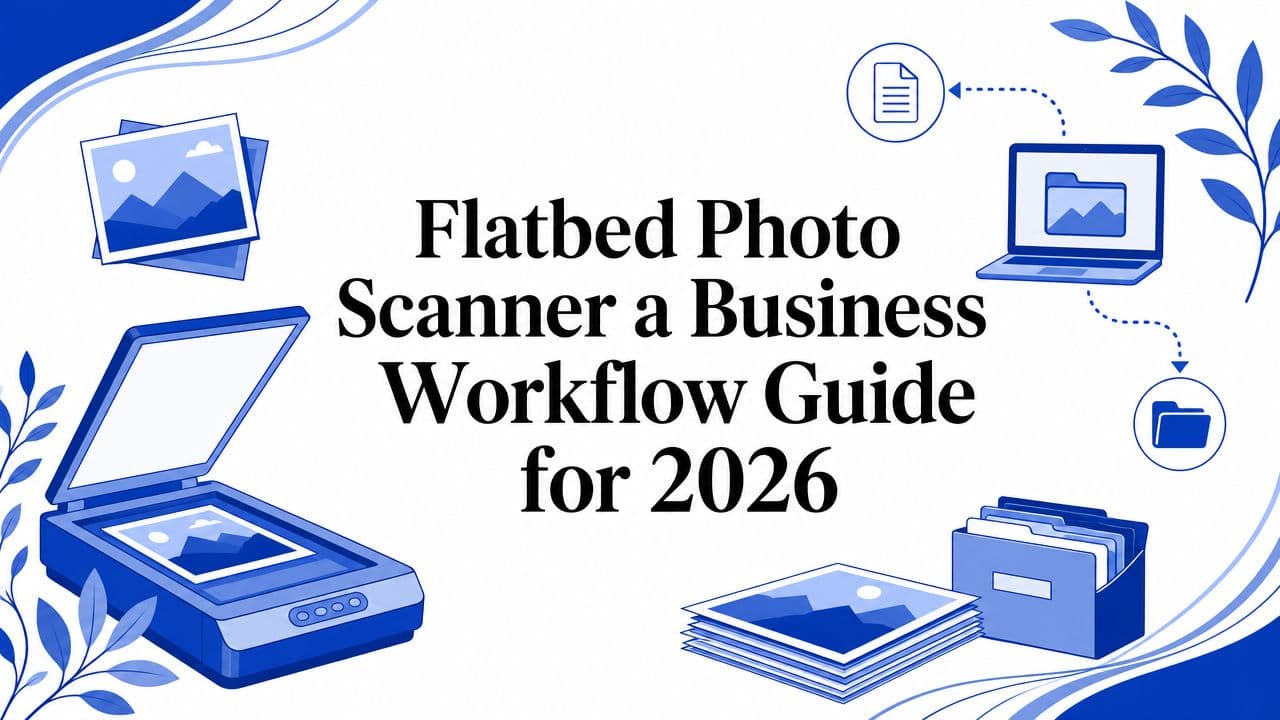
A flatbed photo scanner usually enters the conversation when a team is already feeling pain. The archive cupboard is full. Staff keep asking who has the original signed document. Marketing wants old campaign photos for a rebrand. Operations needs records in a searchable system, not in boxes. Someone eventually realises the problem isn't just storage. It's access, control, and the cost of handling physical material every time the business needs to use it.
That's why the scanner matters more than most buying guides suggest. For a business, a flatbed photo scanner isn't a gadget for occasional admin. It's the front door to a digital workflow. Once a physical item becomes a clean, well-named, searchable file, it can move into review, approval, storage, retrieval, and automation. That shift is what turns clutter into a usable business asset.
From Physical Clutter to Digital Clarity
A common scenario looks like this. A business is preparing for an anniversary campaign and discovers decades of printed photographs in filing drawers, envelopes, and old albums. Some are labelled. Many aren't. The team spends more time hunting than using the material. Every photo request becomes a manual job.
A similar problem shows up in professional services. Signed agreements, marked-up plans, and client reference images often sit in cabinets because they're too awkward or too delicate to run through a feeder scanner. Staff know the material exists, but they can't search it, tag it, or route it through the same systems they use for current digital work.
The drag isn't only operational. It affects risk and responsiveness. If one person knows where the physical file lives, that person becomes the workflow. If the original is damaged, bent, or misplaced, the business loses more than paper or a print. It loses evidence, context, and reusability.
Where flatbeds fit
A flatbed photo scanner solves the first hard problem. It creates a controlled way to digitise originals that shouldn't be pulled through rollers. That includes photographs, bound material, mounted artwork, certificates, and fragile records. The glass platen gives the operator control over placement, alignment, and handling.
Once scanned properly, those files can move into a document management system instead of staying trapped in local folders and desk drawers. Teams looking at the wider storage and access side of the puzzle often start with resources on Cloudvara's cloud solutions because the scanner only creates value if the files end up somewhere organised, secure, and easy to retrieve.
A flatbed scanner doesn't remove archive chaos by itself. It removes the first bottleneck, which is getting fragile physical material into a reliable digital form.
What changes for the business
When businesses get this right, several things improve at once:
- Retrieval gets faster: Staff stop walking to cabinets and start searching by filename, client, date, or project tag.
- Handling risk drops: Originals can be stored safely once a usable digital copy exists.
- Collaboration improves: Multiple people can review the same asset without passing around the physical item.
- Downstream work becomes possible: OCR, metadata tagging, approvals, and reuse all depend on a decent initial scan.
That's the essential move from physical clutter to digital clarity. The scanner isn't the whole workflow. It's the point where the workflow finally begins.
What Is a Flatbed Scanner and Why Does It Matter
A marketing team needs 200 legacy product photos in the DAM by Friday. Some are curled prints. Some are mounted samples. A few include handwritten notes on the back that need to be preserved for compliance and future reference. A phone camera creates inconsistent files. A sheet-fed device risks damaging the originals. A flatbed scanner solves the capture problem at the point where the workflow starts.
A flatbed scanner uses a glass platen to hold the original still while the scan head reads it line by line from below. That matters in business because the item stays under operator control. Placement is precise. Fragile materials are handled with less risk. The result is a cleaner source file for OCR, metadata tagging, approval routing, and ingestion into a DAM or a monday.com process built around review and production steps.
That first capture affects everything downstream.

Why the format stayed relevant
Flatbed scanners became standard office equipment because they handled mixed originals reliably, not because they were the fastest devices on the desk. The category matured over several hardware generations, from early flatbed systems for digital image processing in the mid-1970s to CCD-based models and then mainstream office adoption with Hewlett-Packard's 1987 ScanJet, which brought grayscale scanning at 300 dpi to personal computing, as noted in the Image scanner history summary on Wikipedia.
That history still matters for one reason. The flatbed was built around careful capture of reflective originals, which is still the requirement when a business is digitising photos, certificates, presentation boards, signed records, or bound material that will feed a searchable archive.
CCD and CIS in practical terms
Sensor type affects daily output quality more than many buyers expect.
- CCD scanners usually perform better when the original is not perfectly flat. They are often the safer choice for curled photos, textured prints, mounted items, and book pages near the spine.
- CIS scanners are often thinner and less expensive, but they tend to be less forgiving when the source lifts off the glass or has surface variation.
The trade-off is straightforward. If the scanner will process routine office paperwork and occasional reference images, a CIS model can be enough. If the scanner will feed production assets into a DAM, preserve records for long-term access, or reduce rescans by handling difficult originals properly, CCD usually pays back the higher upfront cost through better first-pass capture.
Why flatbeds still earn a place beside sheet-fed devices
Sheet-fed scanners are built for throughput. Flatbeds are built for control. Businesses usually need both, because exceptions create the expensive delays.
| Device | Best for | Poor fit for |
|---|---|---|
| Flatbed scanner | Photos, books, artwork, delicate originals, mixed media | Fast batches of standard loose pages |
| Sheet-fed scanner | Repetitive office documents, high-volume admin work | Fragile, curled, thick, or bound items |
In practice, the flatbed handles the material that would otherwise stall the process or produce poor files that someone has to fix later. That is why it matters. The scanner is not just a capture device. It is the quality gate at the front of an automated workflow, where a better input file means fewer manual corrections, cleaner indexing, faster retrieval, and less friction across the teams that depend on that asset next.
Decoding Key Scanner Specifications for Business
Most scanner spec sheets are written as if the buyer is comparing trophies. More dpi. More features. More modes. In practice, only a few specifications shape business outcomes, and they need to be read in context.

Optical resolution is the first number that matters
If you ignore most of the marketing language and focus on optical resolution, you'll make better decisions. Optical resolution reflects what the hardware can capture. It's different from software-enhanced claims that create extra pixels after the fact.
Epson's Perfection V30/V300P specification lists a CCD line sensor with an effective capture size of 40,800 × 56,160 pixels at 4800 dpi, as shown in the Epson Perfection V30/V300P specifications. That's useful because it shows how true optical sampling density supports fine detail capture and reduces the need for interpolation during restoration or reproduction work.
Practical rule: Buy resolution for the end use, not for bragging rights. If the file only needs to support basic internal reference, don't build a slow, oversized workflow around extreme settings.
The business reading of common specs
A scanner spec becomes useful when you translate it into workflow impact.
- Optical DPI: This determines how much real detail the scanner can sample. It matters for archiving prints, reusing historical marketing assets, and capturing originals that may need editing later.
- Interpolated DPI: This is software-created enlargement. It can have a place in output workflows, but it shouldn't drive the purchase decision.
- Bit depth: This affects how much tonal information the scan can hold. For faded photos, artwork, and post-processing, more tonal information gives editors more room to recover detail cleanly.
- Scan area: This determines whether the device fits your real originals or forces stitching, cropping, or outsourcing.
- Connectivity: USB is fine for one workstation. Shared teams often need a clearer ingest process around designated operator stations, monitored folders, or network-accessible storage.
What matters more than headline specs
Many teams overbuy on resolution and underbuy on process fit. A scanner can look impressive on paper and still create friction if it doesn't match your originals, your naming process, or your handoff workflow.
Use this quick decision lens:
| Spec | Business question |
|---|---|
| Optical resolution | Will this preserve enough detail for reuse, editing, or evidence? |
| Sensor type | Will it handle curled or textured originals without constant rescans? |
| Platen size | Will staff scan the real item in one pass or improvise? |
| Software support | Can operators produce consistent files without manual cleanup every time? |
Don't treat speed as the sole productivity metric
A slow, accurate scan can be cheaper than a fast, inconsistent one if your team avoids rescanning, rotating, renaming, and quality correction later. This is especially true when the business needs files for a DAM, client delivery, audit support, or downstream automation.
The best flatbed photo scanner for business use is rarely the one with the longest feature list. It's the one that captures the right original, at the right quality, in a way that your team can repeat consistently.
Core Business Use Cases for Flatbed Scanning
The most useful way to assess a flatbed scanner is to ignore the generic “home office” label and look at what work it enables. In business settings, flatbeds earn their place when the original itself is the constraint.
Archive work with fragile records
A heritage organisation, school, or long-established business often has boxes of prints, certificates, clippings, and bound records that can't go through rollers safely. The flatbed gives staff a controlled capture surface and a repeatable way to digitise items one by one without stressing the original.
Careful geometry and handling matter more than raw throughput here. If the item is irreplaceable, speed comes second.
Design and marketing reproduction
A marketing agency or design studio may need to digitise old campaign photography, paper textures, sketches, or client-supplied artwork. Those originals often aren't standard documents. They may be mounted, slightly warped, or larger than routine office media.
For larger originals, flatbed geometry becomes a practical buying issue. The Image Access WideTEK 25 is a large-format colour flatbed scanner with a bed up to 18.5 × 25 inches and includes a backlight for transparent source material, according to the WideTEK 25 product page. That illustrates a point many buyers miss. Once artwork, transparencies, or oversized material enter the workflow, scanner bed size and media support drive the process.
Legal and operational record capture
A legal office, consultant, or operations team may have fragile case files, annotated originals, or presentation materials that need careful digitisation before they can move into a searchable internal system. A sheet-fed unit can handle routine office pages. It can't replace a flatbed when the physical source is delicate or non-standard.
That's where automation consulting starts to matter. Teams trying to connect digitised records with operational tasks often look beyond the device itself and into services such as AI workflow consultancy to decide what should happen after the scan is created.
The business value of a flatbed scanner is highest when it removes a handling constraint that would otherwise keep the original out of your digital systems.
A better way to choose by use case
If you're evaluating fit, don't ask “What's the best flatbed scanner?” Ask these instead:
- What are the originals? Photos, books, marked-up files, mounted artwork, transparencies.
- What happens after capture? Archive, review, legal reference, campaign reuse, DAM storage.
- What would damage cost? If the original is unique, the scanner has to protect handling first.
- What level of consistency is needed? Internal reference, public archive, client-facing reproduction, or evidentiary record.
Those questions usually cut through the noise faster than another list of consumer model rankings.
Best Practices for Flawless Scanning Results
Most poor scanning outcomes don't come from bad hardware alone. They come from loose handling, inconsistent settings, and a workflow that assumes the scanner will fix problems automatically. It won't.

Start before the lid closes
The quality of the file is shaped before the scan begins. Operators should inspect the original, clean the platen, and decide whether the item needs protective handling. Dust, fingerprints, and slight skew are small at the scanner and expensive in batch correction later.
Use a basic pre-scan routine:
- Clean the glass: Dust and oils create repeat defects across multiple files.
- Check the original: Loose debris, curled corners, and tape edges can affect focus and alignment.
- Place deliberately: Use consistent positioning so your crop and file naming rules stay predictable.
- Run a preview scan: Catch skew, cut-off edges, and orientation before producing the master file.
Choose files for the workflow, not convenience
A flatbed photo scanner can create files that look fine on-screen but fail in archive, editing, or approval workflows if the format is wrong.
For business use, the practical split is simple:
| File type | Best use |
|---|---|
| TIFF | Master archive files, editing, long-term retention |
| JPEG | Quick sharing, reference copies, lighter operational use |
| Multi-page records, admin packs, review bundles |
If the scan may be edited, preserved, or reused in future campaigns, keep a high-quality master. If the scan is only for light access, produce a derivative file for day-to-day use. That separation keeps the archive clean and the workflow efficient.
Geometry matters more than many teams realise
One of the least discussed issues in flatbed scanning is geometry drift across the platen. Independent users have reported measurable drift, and guidance discussed in the flatbed geometry accuracy discussion on pixls.us also points to the need to check alignment and skew. The important takeaway is practical. Higher dpi doesn't automatically fix positional accuracy.
If your work depends on proportion, don't assume the scanner is geometrically perfect. Test it with known references before you trust it for archival or reproduction work.
This matters for artwork, cataloguing, and any workflow where dimensions or alignment affect downstream use. If you see drift or inconsistent edge-to-edge accuracy, you may need a correction routine, controlled placement guides, or a process for verification on critical work.
CCD still has a place
A lot of current buying advice treats newer consumer models as automatic upgrades. That's often wrong for old photographs. In practical use, CCD-based flatbeds are often preferred when prints are curled, textured, or slightly warped because the greater depth of field can produce more reliable captures than a thinner, less forgiving design.
That's why many archive and restoration workflows still favour older-style capture characteristics over the newest shelf model. The right scanner for imperfect originals is the one that gives you fewer compromised scans, not the one with the freshest packaging.
Keep operator judgment in the loop
The fastest way to damage quality is to over-automate the capture stage. Auto-crop, auto-exposure, and aggressive clean-up features can help, but they can also introduce inconsistency across collections.
A stronger operating model is:
- create a clean preview,
- set a stable profile for the collection,
- scan to a master format,
- review a sample before continuing.
That discipline is what separates a usable archive from a folder full of files that nobody completely trusts.
Integrating Scanning into Your Digitised Workflow
The scan itself isn't the end product. It's the input. The value appears when the file moves into a controlled process that other systems can use.

A practical workflow usually follows a pattern like this: capture, review, name, tag, store, route. If any of those steps are missing, the business ends up with digital clutter instead of a usable archive.
Build the handoff properly
A flatbed photo scanner should feed a system, not a desktop download folder that one person manages by memory. The handoff needs standards.
Start with a simple ingestion model:
- Naming convention: Include project, date, asset type, and version logic that humans can understand.
- Metadata rules: Add client, campaign, document class, rights status, or archive tags at the point of intake.
- Master and derivative separation: Keep original scan files separate from edited, compressed, or shared versions.
- Quality control checkpoint: Someone should confirm orientation, completeness, and readability before the file is treated as final.
Without those controls, search gets messy and duplicate handling becomes normal.
Connect the scanner to a real workflow
A digitised file becomes operational when it enters your broader business stack. That may be a DAM for media, a document management platform for records, or a project system for review and approvals. For teams trying to streamline handoffs across operations, workflow automation services become relevant because the useful question isn't “Can we scan this?” It's “What should happen the moment the scan exists?”
Here's a practical example using a monday.com-style pipeline:
| Stage | What happens |
|---|---|
| Scan received | File lands in a monitored folder or intake queue |
| QC review | Team member checks alignment, completeness, and naming |
| Metadata applied | Asset is tagged by project, department, or record type |
| Stored | Master file moves into DAM or secure repository |
| Ready for use | Stakeholders are notified and the asset becomes searchable |
That process is where efficiency shows up. Teams stop sending ad hoc emails asking whether the scan is done. Status becomes visible.
A visual walkthrough helps make that flow concrete:
Where monday.com fits
monday.com works well when scanning is part of a larger project or controlled intake process. A board can track:
- incoming physical items,
- scan status,
- quality review ownership,
- approval state,
- publishing or archive destination.
That's especially useful when multiple departments touch the same asset. Marketing may want the image. Legal may want retention control. Operations may want searchable access. The scanner creates the file, but the board creates accountability.
A scanned file with no owner, no metadata, and no next step is just another loose item. It's digital now, but it still isn't managed.
Don't isolate the device
The weakest implementation is buying a scanner and letting each staff member invent their own process. The strongest implementation treats capture as a formal intake point with naming, review, storage, and visibility built in from day one.
That's how a flatbed scanner stops being a standalone machine and becomes part of a modern automated workflow.
Calculating the ROI of In-House Scanning
The purchase decision often starts in the wrong place. People compare scanner prices and stop there. A more relevant question is what the current manual process costs in staff time, retrieval friction, risk, and delayed use of information.
If a team repeatedly searches for physical photos, files, or marked originals, that labour cost is already in the business. It just isn't labelled clearly. The scanner makes that cost visible because it offers a different model. Scan once, store properly, retrieve repeatedly.
Where the return actually comes from
In-house flatbed scanning usually creates value in four places:
- Access: Staff can find digital files without handling the original again.
- Protection: Fragile or unique material gets used less often in physical form.
- Consistency: Capture standards reduce rework and make downstream storage cleaner.
- Workflow speed: Once the file is digital, it can move into approvals, DAM systems, OCR, or operational processes.
The strongest return often comes when the same archive is referenced again and again. Historical marketing assets, signed records, design source material, and institutional archives all benefit from that repeated access pattern.
Include total cost, not just hardware
A realistic in-house decision should consider more than the scanner body. Include operator time, setup discipline, software fit, quality review, and where the files will live. A cheap scanner with awkward software and constant rescans can cost more than a better device that staff can trust.
There's another market reality to factor in. Long-recommended consumer flatbeds have been discontinued, and the DPReview discussion on modern flatbeds for photographic prints highlights why that matters. Buyers need current guidance because the best option for old, curled, or textured photos may be a CCD-based model rather than the newest lightweight replacement.
Build versus buy
Outsourcing can make sense when the archive is one-off, highly specialised, or too large for internal staff to process without disruption. In-house scanning makes more sense when:
- originals are accessed regularly,
- material is sensitive,
- capture standards need to be controlled closely,
- the workflow continues well beyond the scan itself.
For finance and leadership teams, the useful lens is operational visibility. A scanner investment should support a process you can govern, review, and improve. That's the same thinking behind disciplined reporting and decision support, which is why many organisations also strengthen adjacent controls such as management reporting systems when they modernise records and workflows.
If the scanner sits on a desk and feeds random folders, ROI will be disappointing. If it feeds a structured process, the return compounds through access, control, and reuse.
A scanner purchase is easy. Building a workflow that turns physical records and images into searchable, governed business assets takes more thought. Wisely helps organisations connect tools, teams, and processes so digitisation doesn't stop at capture. It becomes a working system.