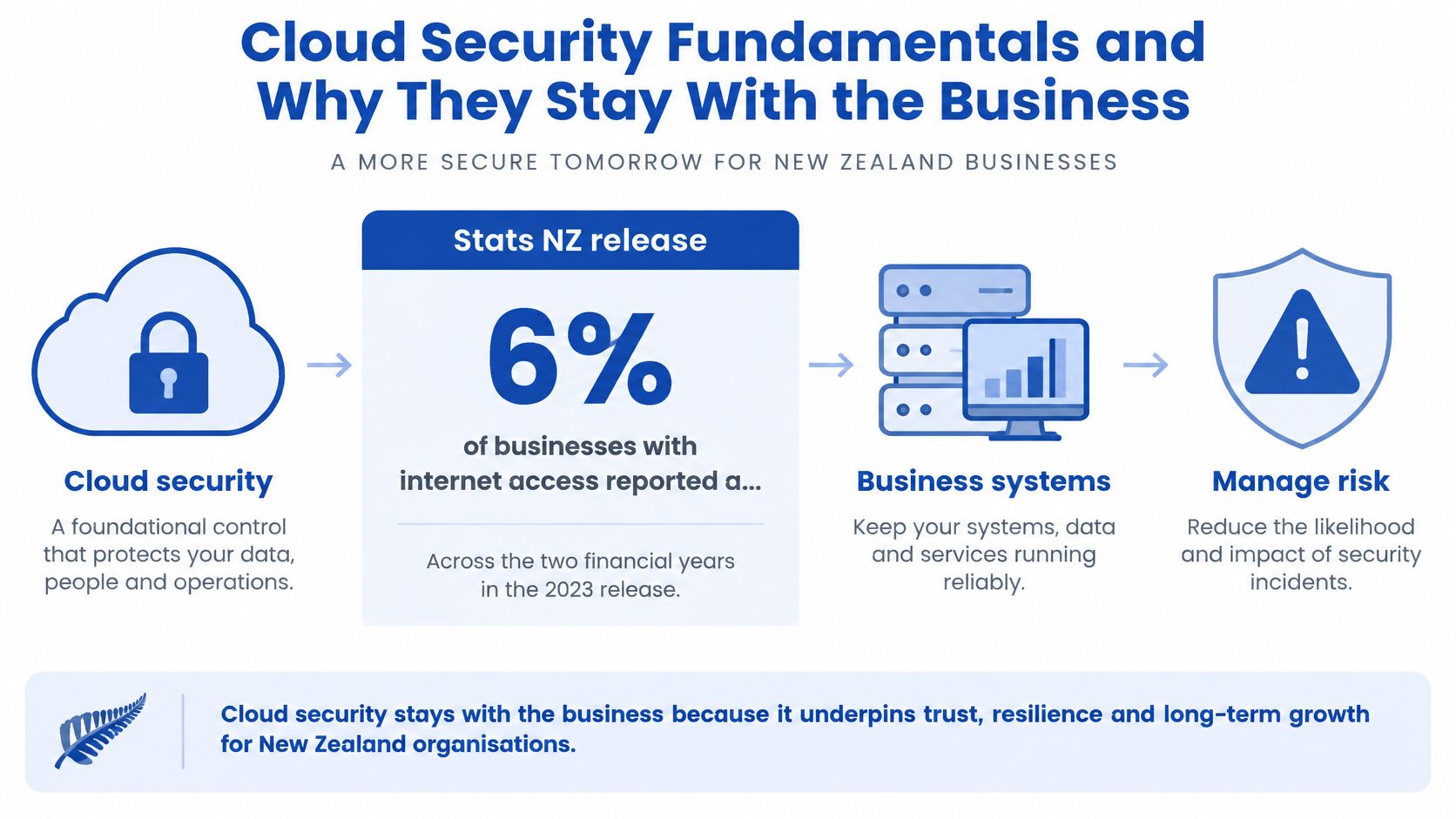
In the two financial years covered by Stats NZ's 2023 release, 6% of businesses with internet access experienced a direct ICT security attack that caused loss or damage. That was the lowest proportion recorded since measurement began in 2014, and below the 15% peak reported in 2018. Among affected businesses, malware was identified as the attack method by 60%, while illegal access by a third party, such as hacking, accounted for 42%. Downtime was the most common consequence, affecting 58% of businesses that reported attack-related loss or damage. The same survey found 51% of businesses purchased cloud computing services, and 59% of those cloud users purchased security software applications.
A well-known logo on the login page doesn't retire that exposure. Cloud security fundamentals are the governance, configuration, and recovery decisions that stay with the New Zealand customer.
Cloud Security Fundamentals and Why They Stay With the Business
Say a distributor in Tauranga moves invoicing, stock counts, and customer files into a hosted workflow platform and a cloud file store. The provider patches the service and runs the data centre. The distributor still chooses who can approve a credit note, which laptop may connect from home, and what accounts does if the tenant is frozen on a Friday.
That split is why cloud security is a foundational control, not an optional add-on. The platform can be competently run and the business can still lose a week, because the costly mistakes sit in access, setup, and the plan for when the service stops.
Five ideas, in plain terms
Shared responsibility is who operates each control in SaaS, PaaS, and IaaS, rather than a hope that the contract covers the lot.
Identity is which person, guest, or app may sign in, and which actions that sign-in is allowed to take.
Network is the path traffic takes to a workload, and the separation between a public form and the finance system behind it.
Data protection covers classification, encryption, who holds the keys, where copies live, and whether a restore works as intended.
Monitoring is the log and the alert that show a privileged change or a bulk export while there is still time to act.
Four habits a small team can run
Protect identities and endpoints. A phish that captures a password is enough to open the cloud app if that account has no second check and the laptop is unpatched.
Control third-party access. The bookkeeper, the implementer, and a vendor engineer each need a named account, an end date, and removal when the job finishes.
Keep layered prevention. Hosted software doesn't retire device protection, filtering, or spam controls. Those layers still stop trouble before it reaches the tenant.
Plan for disruption. Write what invoicing and customer updates look like if the platform is down. Don't treat the provider's uptime promise as the continuity plan.
If that model needs an outside pair of hands, cloud services can sit beside the internal owner who still signs off the risk.
Who Owns Each Control in the Shared Model
Choosing a reputable cloud or workflow platform doesn't transfer ownership of information risk. New Zealand's official cloud guidance is explicit that an external provider doesn't take accountability for protecting the customer's data. Responsibility changes with the service and deployment model. The customer still owns the risks tied to its information.
SaaS often creates the false comfort. The vendor runs the application, so it feels as if the vendor has secured the whole workflow. Configuration, who is an admin, and what happens at exit remain commercial decisions, not gifts that arrive with the subscription.
What each model actually hands over
| Control | SaaS | PaaS | IaaS |
|---|---|---|---|
| Physical facilities and hardware | Provider | Provider | Provider |
| Virtualisation and host | Provider | Provider | Provider |
| Operating system and runtime | Provider | Provider | Customer |
| Network configuration | Mostly provider | Shared | Customer |
| Application and workflow setup | Shared configuration | Customer | Customer |
| Identity, admins and guest access | Customer | Customer | Customer |
| Data classification and content | Customer | Customer | Customer |
| Log export and access reviews | Customer | Customer | Customer |
| Backup use, recovery and offboarding | Customer | Customer | Customer |
Read the rows from the bottom up if you're a small team on SaaS. Facilities, hardware, and the host stay with the provider in every model. The operating system and runtime are the provider's job in SaaS and PaaS, and yours in IaaS. Network setup is mostly the provider's in SaaS, split in PaaS, and yours in IaaS. The application is shared configuration in SaaS, and something you build in PaaS and IaaS. Identity, classification, guest and admin access, exported logs, and continuity stay with you in all three.
The provider locks the building. The business still decides who holds keys, what is stored in each room, and how it leaves.
Questions to ask before you sign
Who controls administrator accounts? If only the vendor can create them, you can't remove a departed manager on the day they leave.
Can logs be exported? A console you can't extract from won't help a later investigation or a board report.
Where do backups and replicas live? A primary region in Australia doesn't tell you where the snapshot sits.
What evidence supports the security claims? Ask for the report scope, not a logo on a webpage.
What happens to data at termination? Export, deletion, and the clock for both should be written down.
The gap that hurts isn't a missing certificate. It's an unwritten assumption about who configures the service.
Identity Network and Monitoring You Still Configure
The GCSB's NZISM cloud baseline treats this as an architecture problem, not a shopping exercise. Before a workload goes live, define the intended use, write down risk tolerance, and map which control the provider runs and which you run. Require evidence that the control operates continuously. A generic compliance certificate isn't that evidence.
Zero Trust is a door rule. Every user, device, workload, and service request is checked, because sitting on the office network is no longer a pass. You wouldn't leave the server room open because the visitor already got past reception.
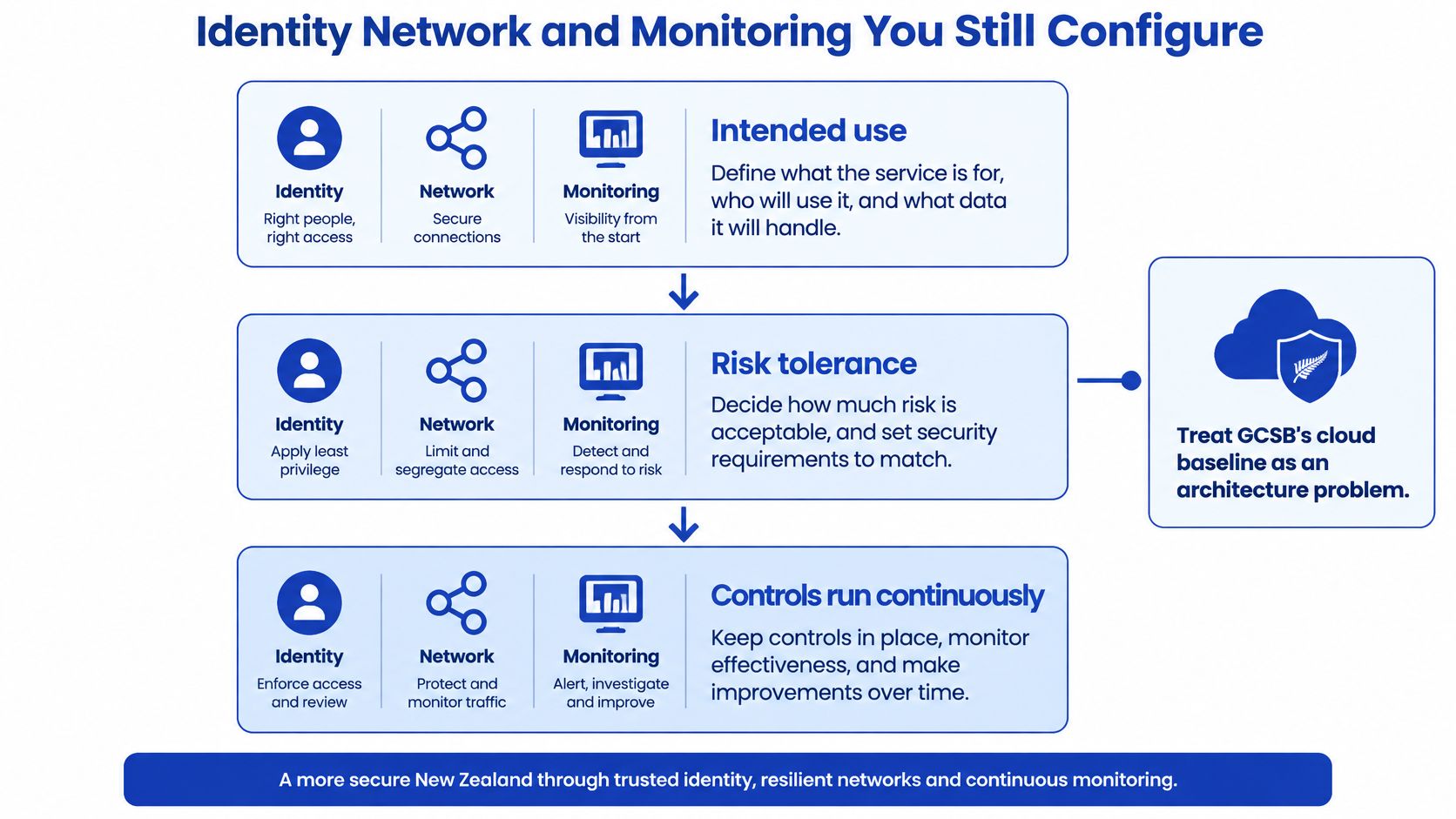
During Q3 2024, phishing and credential harvesting accounted for 37% of incidents affecting organisations reported to New Zealand's NCSC. That's why the first settings you touch are sign-in settings, not a new firewall brand.
Settings that fail at the default
Phishing-resistant or multifactor authentication on every admin and remote account. A password alone is the usual path in. SMS-only codes are weaker than an authenticator or a hardware key, so prefer the stronger option for admins.
Least-privilege roles, split from day-to-day accounts. A global admin used for email is one phish away from the whole tenant. Daily work happens in a normal account. Admin rights are a second sign-in, used rarely.
Conditional access. A login from an unusual device or country should demand a stronger check, or be blocked. Left off, a stolen password works from anywhere.
Segmentation. Don't put finance, guest file shares, and the public website in one flat virtual network, and don't rely on a perimeter firewall alone. Restrict management interfaces to approved address ranges. Log traffic between segments so a jump from a compromised mailbox server to payroll is visible.
Central audit logs and alerts on privileged changes. If logs stay inside one SaaS console that nobody opens, you won't see a new admin created at 2am.
Access reviews on a set cycle. Quarterly for admins, and the same day a staff member leaves. A review that exists only in a policy document doesn't remove the old account.
Explicit mapping stops gaps caused by assuming the provider did it. Continuous identity telemetry stops a stolen credential becoming unrestricted access. Teams that want those controls watched, not just switched on once, can fold them into cybersecurity services with a named internal owner still accountable for the result.
Data Location Encryption and Recovery Tests
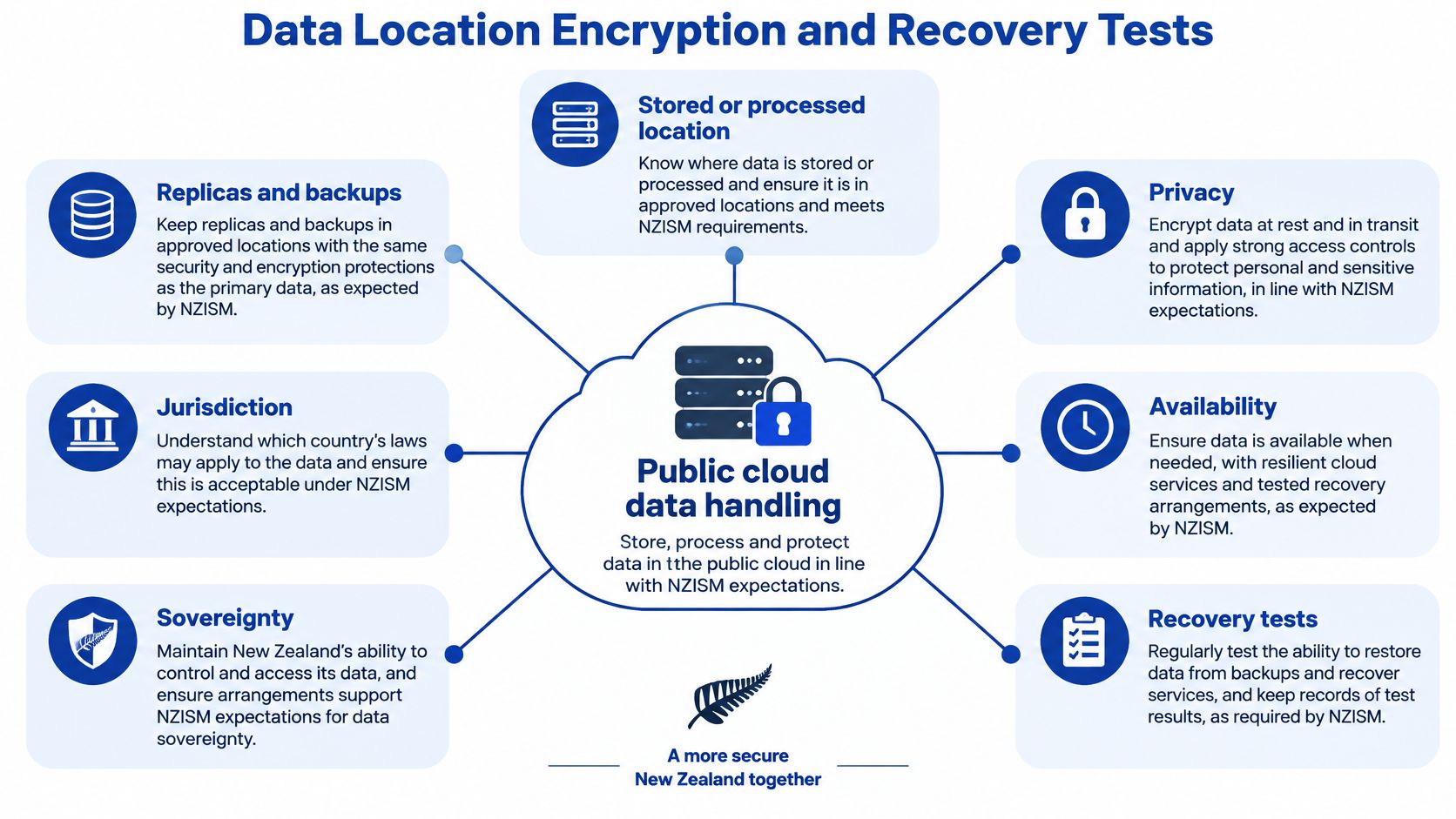
GCSB's NZISM requires New Zealand agencies using public cloud to identify where data is stored or processed, including replicas and backups, and to assess jurisdiction, sovereignty, privacy, availability, and recovery before go-live. Offshore hosting isn't automatically unsafe. It has to be formally assessed. Higher classifications and NZEO material face strict limits on public, hybrid, and offshore cloud that most SMBs won't hit. The habit still applies to customer, financial, health, and production files.
The register, row by row
| Copy or access path | What to record | Check that matters |
|---|---|---|
| Primary workload | Region and service | Matches the approved country or region |
| Snapshots | Region and retention | Not silently copied elsewhere |
| Disaster-recovery replica | Region and recovery point | Restore time and integrity tested |
| Vendor support access | Who can connect and from where | Access is time-bound and logged |
| Subprocessors | Name and processing location | Listed in the contract |
| Termination | Export and deletion path | Deletion evidenced, not assumed |
Contractually block unapproved regions. A support engineer connecting from a country you never assessed is a location, even if the disks stay put. At exit, test the export and insist on evidence of deletion. A ticket that says "data removed" without a date and a scope isn't evidence.
Keys, then a timed restore
Encrypt data in transit and at rest. Then decide whether the business or the provider holds the keys. A key you can't revoke isn't an offboarding control, because the copy remains readable to whoever still has it. Customer-managed keys add work, and they're the right trade when the file set is health, finance, or production designs you must be able to cut off.
Resilience is a test, not a backup tick. Pick a real file set, restore it to a clean location, record the time, and open the files. A job that "completed" can still restore rubbish, or restore so slowly that Monday's orders can't be raised.
Alert on unusual egress by volume, destination, or identity. A large copy to an offshore bucket should page someone, not sit in a log until the quarter's review.
An unknown replica is an unassessed legal exposure. An untested restore turns a provider outage, ransomware event, or accidental deletion into a long outage.
When a Supplier or Workflow Platform Is Breached
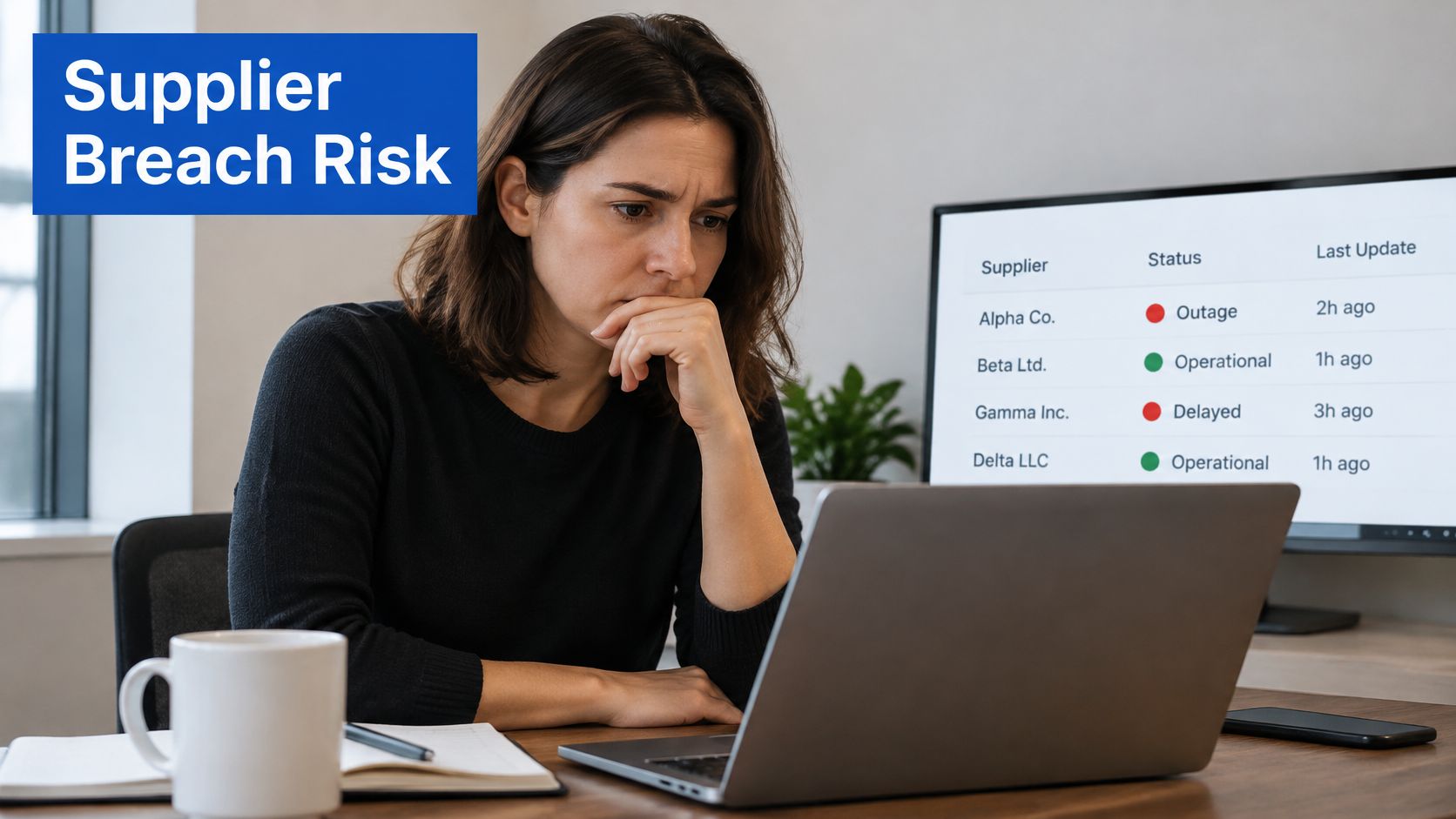
The National Cyber Security Centre reported that digital supply-chain compromises caused major New Zealand incidents during the past year. One 2026 breach of the cloud-hosted Canvas learning platform affected more than 30 New Zealand education institutions and an estimated 110,000 to 120,000 students and staff. Those organisations didn't have to misconfigure their own network for the disruption and exposure to land.
Two kinds of harm
Confidentiality risk is data leaving the platform. Names, files, or messages are copied.
Availability risk is the platform stopping. Invoicing, job tracking, or client delivery stalls even if no file is stolen. A provider can keep customer data private and still make the working day impossible.
Picture a six-person agency whose jobs, client comments, and invoice triggers all live on one board. Guest links are open on three client columns. One shared admin is used by the owner and a contractor. There's no offline way to raise an invoice if the tenant is locked. The network in the office can be fine. The week still stops.
A short supplier playbook
Name the critical suppliers and the concentration. If three daily jobs depend on one tenant, that tenant is a single point of failure, not a convenience.
Map which tasks depend on each one. Invoicing, dispatch, and client sign-off are the usual three. Write them down.
Agree notification timelines in the contract, so you hear in time to tell your own customers and your insurer.
Keep a short alternate way to operate. A spreadsheet and a known bank process beat a blank screen.
Preserve evidence. Don't wipe the tenant or reset every account before you've captured logs and timestamps.
Test recovery on a date you choose, not on the morning the vendor is down.
Government guidance expects availability to be considered in architecture, supporting controls, and governance before adoption. The question an operations lead should be able to answer is simple. Can the business still invoice, collaborate, serve customers, and restore access if that platform is compromised?
Compliance and Governance Duties in New Zealand
The legal duties don't move to the vendor when the files do. Under the Privacy Act 2020, personal information sent offshore still has to be protected. Before it moves, confirm the overseas recipient has comparable safeguards, or that the individual authorised the disclosure after being told those safeguards may not apply. Record that assessment. A region ticked in a console isn't the record.
Notifiable privacy breaches must be reported to the Privacy Commissioner and to affected people when serious harm is likely. Supplier contracts need notification timelines that let you meet that duty. If the vendor has five days and you have a shorter practical window to assess harm, you will miss it.
Use the GCSB's NZISM and cloud guidance as the reference baseline even when your organisation isn't bound by it. The same questions, intended use, location, logging, and exit, are the ones a customer or insurer will ask.
Owners and the papers you can produce
One accountable executive signs the residual risk. IT can run the tools. Someone in the leadership team owns the decision to accept what's left.
A risk register lists each cloud service, its data classes, and the residual risk. If a service isn't on the register, it isn't governed.
A short policy set covers data classification, access, acceptable use for SaaS, and incident response. Four pages that people can find beat a manual nobody opens.
Quarterly reporting to leadership covers access reviews and recovery results, not a green dashboard with no dates.
Independent evidence from suppliers, such as an audit report, and a check that the audit scope covers the services you buy. A report on a different product tier doesn't help you.
Review the set each year, and again after any material change of supplier, region, or service tier. If you want an external yardstick for the basics, the Cyber Essentials certification steps for 2026 from Purple Shield are a useful companion to that annual pass, not a substitute for the register.
The SMB Migration Checklist and Next Step
Work in this order. Each step files a piece of evidence you can show a director, an insurer, or a new IT lead without reconstructing the project from chat history.
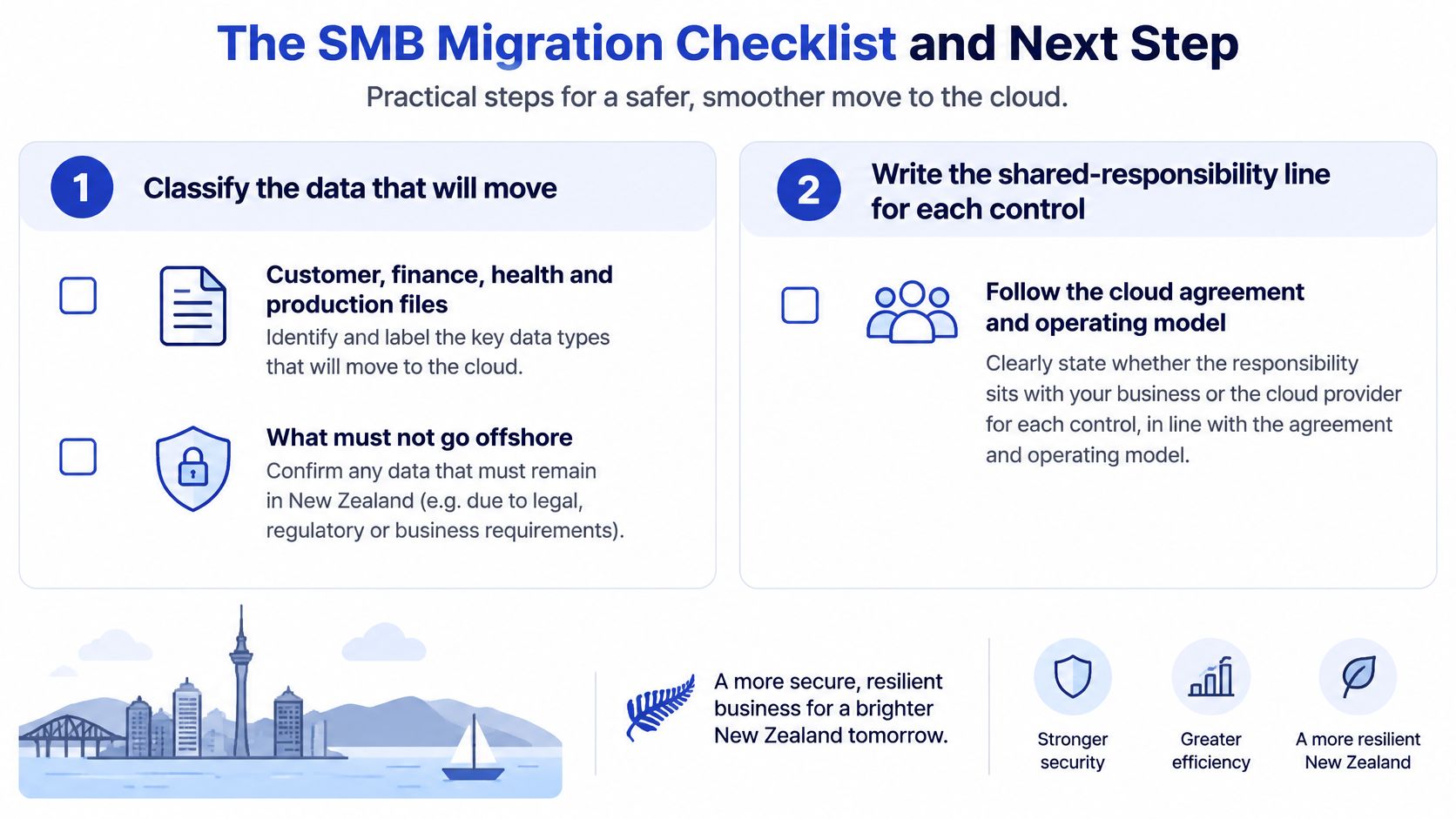
- Classify what will move. Mark customer, finance, health, and production files, and mark what must not go offshore. File a signed classification sheet.
- Write the responsibility line for each control, using the matrix for SaaS, PaaS, or IaaS, and name an internal owner. File the owner list.
- Confirm sign-in is live. Phishing-resistant sign-in, separate admin accounts, least privilege, and a leaver process. File a role export.
- Record regions for primary data, snapshots, recovery copies, support access, and subprocessors, and block unapproved locations in the contract. File the completed register.
- Turn on central logging with alerts for admin changes and unusual exports. File an alert test, including who received it.
- Run one restore of a real file set. Record the time taken and whether the data was intact. File the timed restore log.
- List the three workflows that stop if the platform stops, and write an alternate procedure for each. File the procedure sheets.
- Agree supplier notification timing, evidence preservation, and access removal at termination. File the signed terms.
- Review admin and guest access within 30 days of go-live, and again each quarter. File the dated review.
The first platform to fix
Pick the platform the business can't invoice or deliver without. Confirm who the admins are, where copies sit, and whether a restore has been timed. Any unknown answer makes that platform the first remediation. Keep the vendor certificate on file as evidence, not as the control.
For monday.com or a similar workflow platform, a bounded first engagement is a health check. Wisely, a monday.com Platinum Partner that also provides managed IT and cybersecurity for New Zealand and Australian organisations, can limit that check to one tenant, a written owner for each responsibility row, and a dated restore test. Broader day-to-day care of devices, identities, and suppliers sits more naturally with managed IT, once the single tenant is no longer a guess.
If you can't name the admins, the copy locations, and a restore time, you don't have a secure migration. You have a subscription.
Wisely helps New Zealand teams put cloud security fundamentals into practice, from tenant configuration and identity controls through to recovery tests and managed IT. If your invoicing or client work sits on a platform you haven't timed a restore for, start with a focused health check rather than a full rebuild. Visit Wisely to talk through the first tenant.