A site manager checks the recorder and sees that last week's footage has already overwritten. A studio producer, meanwhile, is trying to retrieve a large project file while deciding which version is the approved master. Both problems involve video storage, but the right answer isn't just to buy a bigger drive.
Good video storage solutions start with purpose. Decide what footage you need, who should reach it, how long it must remain available and whether it can leave the premises. Those choices shape the storage capacity, system design and safeguards you'll need.
Video Storage Approaches Compared at a Glance
Choosing video storage is like choosing between a garage, a self-storage unit and a courier warehouse. Each holds your belongings, but the cost, access and risk differ.
| Approach | Where footage lives | Best fit | Main trade-off |
|---|---|---|---|
| On-premises NVR or NAS | Server or recorder in the building | Single site with fixed retention and low internet use | Upfront hardware and maintenance |
| Cloud video storage | Provider's data centre, streamed over the internet | Multi-site operations needing remote access without a server room | Ongoing subscription and upload bandwidth |
| Hybrid | Recent footage stored locally, key clips copied to the cloud | Sites needing fast local playback plus an off-site copy | Two systems to manage and secure |
| Edge recording | Camera SD card or local gateway, with events uploaded | Small sites with limited bandwidth | Unuploaded footage is lost if the device fails |
An on-premises network video recorder (NVR) or network-attached storage (NAS) keeps recordings in your building. You control the hardware and can view footage over the local network, but your team is responsible for maintenance, capacity and protecting the equipment. Cloud storage shifts the recording destination to a provider's data centre, which can make access across several sites more convenient, but it relies on a suitable internet connection and adds recurring fees.
Hybrid storage keeps recent recordings nearby for quick playback while sending selected clips off-site. That can give you a useful balance, but you'll need to manage and secure both locations. With edge recording, the camera or a small gateway stores footage locally, often uploading only selected events. It can suit a site with limited bandwidth, but a device failure could erase footage that hasn't uploaded.
Compare the full cost, not just the drive
The cost ranking can change once you include the whole system. On-premises storage brings hardware and maintenance costs; cloud storage adds subscription fees and may charge for upload or retrieval; cold storage can carry fees when you need to retrieve archived footage. For a broader look at cloud service choices, see this guide to cloud services for business.
Network decisions matter in other small-business systems too. If you're reviewing how staff communicate across sites, this resource on modern phone systems for small businesses offers useful context on planning business technology around access and connectivity.
Choose the row that best answers three questions: How many days must you keep footage? Who needs remote access? Is the footage allowed to leave the premises?
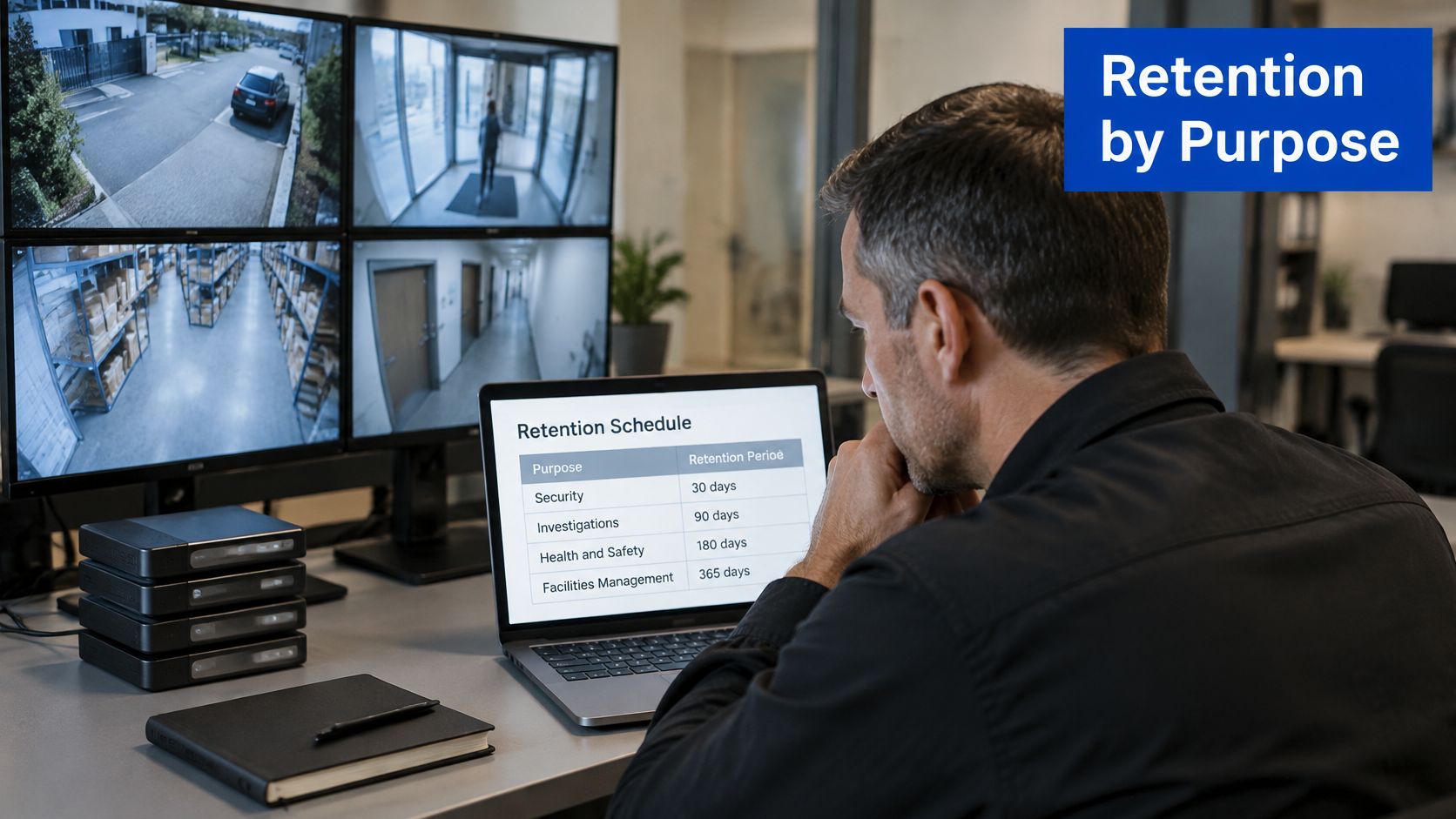
Matching Retention Periods to Footage Purpose
A doorway camera produces two kinds of footage: hours of routine video nobody will ever replay, and the occasional thirty seconds that matter after an incident. Keeping both for the same period means either deleting evidence too early or paying to store recordings that have already served their purpose.
A retention schedule works like a set of use-by dates. Each footage type gets its own, and nothing stays on the shelf once its reason for existing has expired.
New Zealand transport settings show what this looks like in practice. The NZ Transport Agency Waka Kotahi CCTV privacy statement says footage outside its premises is usually held for 3 to 7 days, while footage inside its premises is retained for no longer than 31 days before deletion or overwriting, unless an access request or lawful reason requires preservation. Even within a single organisation, the retention period shifts with the setting and the purpose of the recording.
| Footage type | Typical retention | Source benchmark |
|---|---|---|
| Operational CCTV outside premises | 3 to 7 days | NZ Transport Agency |
| Operational CCTV inside premises | Up to 31 days | NZ Transport Agency maximum |
| Routine public-area footage | A short overwrite cycle matched to its purpose | Set by organisation policy |
| Anonymised metadata or analytics | Can be kept longer than the source footage | Set by organisation policy |
| Incident evidence | Until the preservation hold is released | Set by organisation policy |
The pattern behind the rows matters more than the numbers. Retention follows the reason for collection rather than the capacity of the system, and anonymised data often outlives footage because removing identifying detail removes what made it sensitive. A count of people passing a camera is a different asset from the video they appeared in. Extending retention for one category should never extend it for everything.
Set a rule for every camera group
For each camera group, record why the footage is collected, how long it is needed and what event would require it to be kept longer. Configure automatic deletion or overwriting to follow those rules, and give staff a clear way to pause the cycle when a clip must be preserved. A hold that exists only as a verbal instruction will fail the first time the overwrite runs.
The doorway example shows the split in action. Its recordings serve a routine safety purpose, so they can cycle out quickly. When an incident occurs at that doorway, the relevant clip moves to a separate hold while the rest of the footage keeps expiring on schedule. The system should make the exception visible and avoid keeping unrelated recordings by default.
These decisions belong at the design stage, before hardware is ordered. A retention schedule agreed up front tells you how much capacity each category needs, which footage deserves its own storage location, and whether one central archive is the right shape at all. Writing the rules afterwards usually means the system was sized for a policy nobody had settled.
How Much Capacity Your Cameras Really Need
A site with 16 cameras can fill a 4 TB drive in about a week if nobody has checked the stream bitrate. That's a hypothetical warning, not a forecast for every system: the actual result depends on each camera's settings, recording schedule and compression.
Start with the bitrate shown in the camera settings. For a constant stream, calculate storage per camera per day in gigabytes as:
Bitrate (Mbps) × 86,400 seconds ÷ 8 ÷ 1,000
The result is bitrate × 10.8 GB per day. For 4K video at 8 Mbps, that works out to 86.4 GB per camera per day, or 2,592 GB for 30 days.
| Camera stream | Per camera per day (GB) | Per camera for 30 days (GB) |
|---|---|---|
| 4K at 8 Mbps | 86.4 | 2,592 |
Scale the estimate to your site
Multiply the daily amount by the camera count and the retention days. Then allow 20 percent headroom for overhead, bitrate peaks and file-system needs. This is a planning estimate: check how your recorder measures capacity and whether its stated disk space is raw or usable.
For a worked example, suppose 12 cameras each record at 1080p and 4 Mbps for 14 days. At 4 Mbps, each camera uses 43.2 GB per day. The calculation is 12 × 43.2 × 14, or about 7.3 TB; adding 20 percent headroom brings the estimate to about 8.7 TB.
Mirroring or replicating storage roughly doubles the raw disk capacity you need, because the system keeps additional copies. Motion-triggered recording can lower the total, but don't assume every scene will be quiet. Busy activity, night footage and rain can push variable-bitrate encoding higher, so measure actual recordings before settling on a drive size.
H.265 can deliver similar picture quality at a lower bitrate than H.264, but the camera and playback software both need to support it. For another practical perspective on CCTV storage calculations, consult the ABCO Security Services Australia storage guide.
Quick check: Read the average bitrate from one camera's settings and run the daily calculation. Use the result to estimate your own retention requirement before you choose storage hardware.
Protecting Stored Video From Loss and Misuse
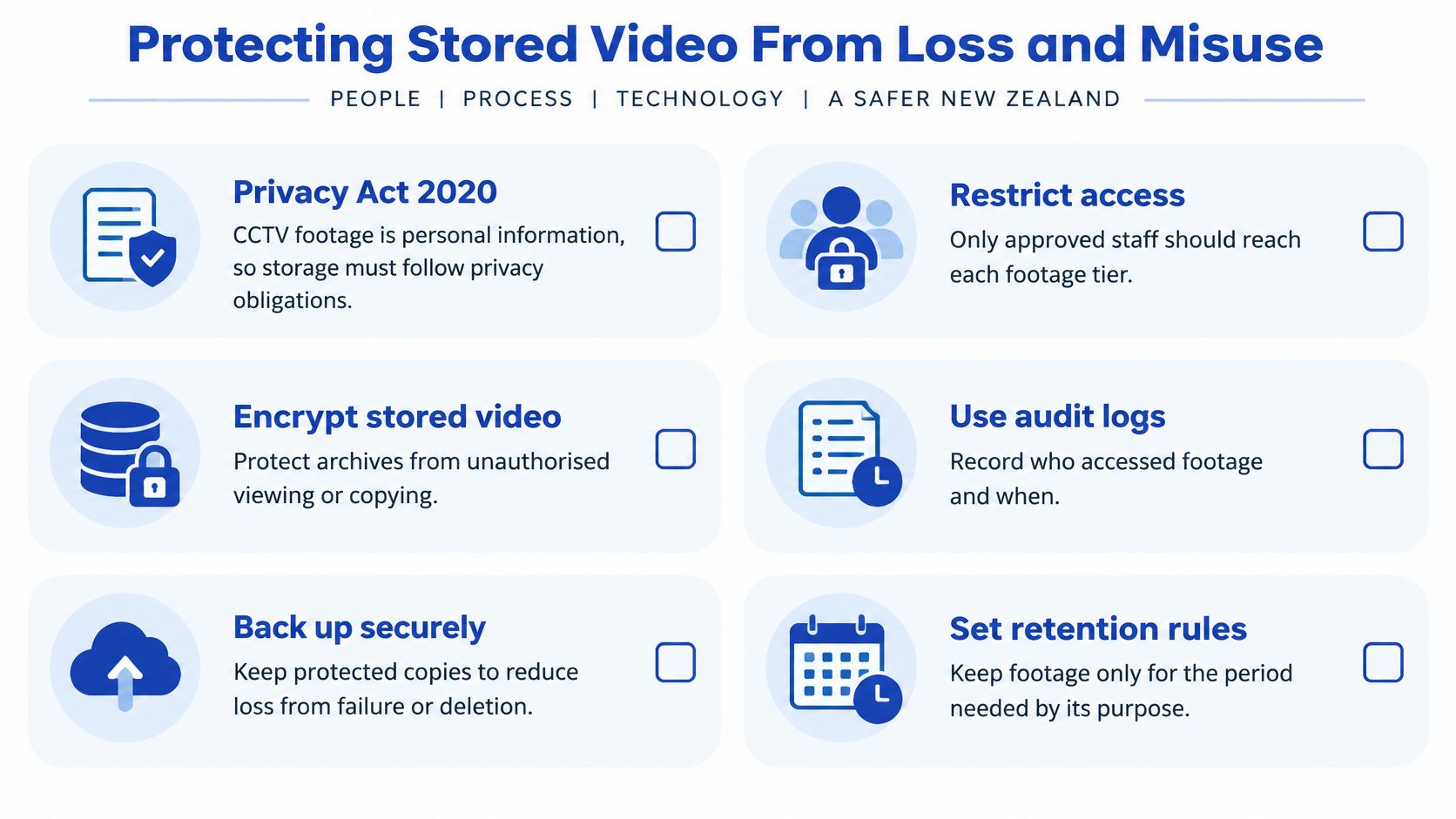
The Office of the Privacy Commissioner treats CCTV footage of people as personal information, so organisations must handle it in line with the Privacy Act 2020 and the Commissioner's CCTV guidance. That makes security and deletion controls part of the storage design, not optional extras.
Use the following controls to reduce the risk of unauthorised viewing, lost footage or unclear handling:
- Encrypt in transit and at rest. Encryption helps protect recordings while they move across a network and when they sit on a recorder or storage system.
- Restrict access by role. Give staff the least access they need, so a person responsible for routine playback can't automatically export every camera's footage.
- Require multifactor authentication. A second verification step makes a stolen password less useful.
- Use separate administrator accounts. Keep system configuration privileges distinct from ordinary viewing, rather than letting one shared login control everything.
- Keep tamper-evident audit logs. Record who viewed, exported or deleted footage so you can investigate what happened.
- Patch cameras and recorders. Updates address known weaknesses that could otherwise expose the system.
- Secure physical equipment. Locked rooms and cabinets help protect recorders and removable media from theft or interference.
- Delete securely when retention ends. Configure deletion or overwriting, and keep a record showing that it occurred.
Make responsibility visible
Imagine a retail chain that lets several staff use one shared recorder login. When a clip goes missing, the audit trail can't show who exported it. Named accounts and access logs make it possible to trace actions to a user and review whether the export was authorised.
A preservation request also needs a clear owner. The NZ Transport Agency camera-security standard described in the Commissioner's CCTV guidance requires relevant footage to be preserved when a Privacy Act request is received, preventing routine overwriting while the request is processed. Set up the same practical capability in your own workflow: identify who can place a hold, how they alert the system owner and how the hold is removed when it's no longer required.
For organisations that also need to protect creative media as it moves between teams, Wisely's guide to content security for media and entertainment provides related context. For broader resilience planning, this resource on content backup planning with Contesimal can help teams think through recovery alongside day-to-day access controls.
Ask your team this week: Who can export footage today, and how would you prove what they did afterwards?
Who Can Access Footage and When
Access should follow the purpose of each footage tier, rather than giving everyone entry to one shared archive. Routine operators, investigators and production editors handle different material, so each group needs a clear role and export rule.
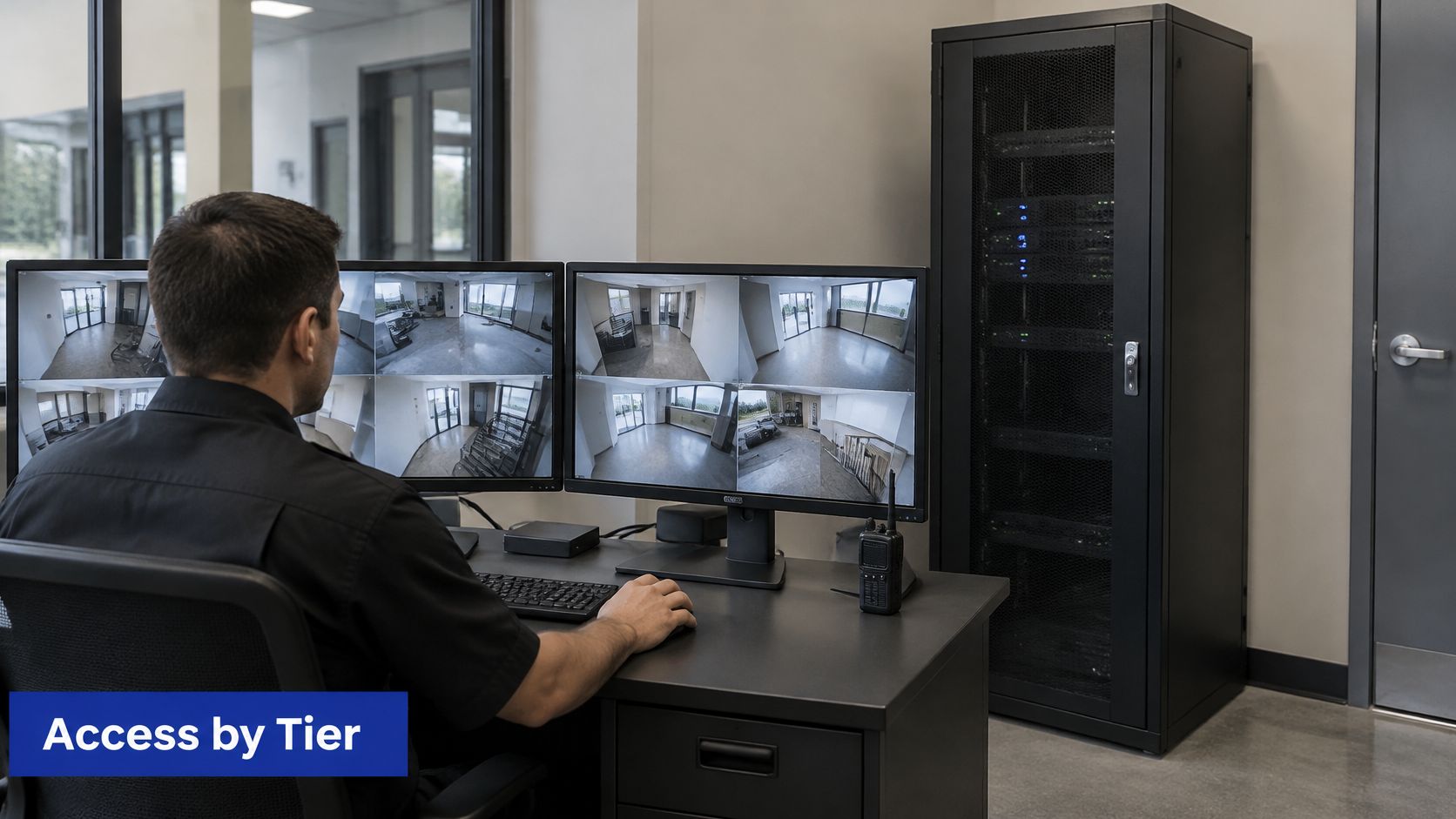
The Privacy Commissioner identifies safeguards such as encryption, need-to-know access, edit-proof recordings and audit trails. The Commissioner's speech on recording safeguards also supports a practical distinction between operational recordings, controlled evidence and production material. Use a governance matrix to spell out how each group is handled.
| Footage tier | Purpose | Sensitivity | Retention trigger | User role | Storage location | Export rule | Deletion evidence |
|---|---|---|---|---|---|---|---|
| Operational | Site safety and premises security | Personal information, medium to high | Automatic overwrite after the retention window | Named site staff | Local recorder or NAS | Export only with supervisor approval | Overwrite log entry |
| Evidence | Incident investigation or privacy request | High | Preservation hold until the hold is released | Named investigators | Locked, encrypted evidence store | Every export logged with reason | Hold release and secure deletion record |
| Production | Masters, edits and proxies for delivery | Depends on the people shown and project | Project close or delivery sign-off | Editors and producers | NAS with versioning | Versioned copies with provenance metadata | Retention schedule record per project |
The original evidence file should remain distinguishable from any edited review copy. If an editor trims a clip for easier viewing, preserve the original and label the review version as an edit. Keep chain-of-custody details with the file: who copied it, when they did so and why. That context helps a reviewer understand how the clip moved through the organisation.
A privacy request can arrive on day 6 of a 7-day overwrite cycle. Staff should identify the relevant footage, copy it into the controlled evidence tier and apply a preservation hold before the recorder overwrites it. The hold should cover the requested material, not unrelated recordings from the entire archive.
A single central archive can concentrate access and retain personal information that has no connection to an investigation or project. Segmented access is often more defensible than maximum centralisation, provided staff can still retrieve the specific footage they're authorised to use.
The following video can help teams think through how surveillance systems are monitored and managed. Use it as a discussion prompt, then map the relevant responsibilities to your own roles and export rules.
Tiering Storage for Recent, Archived and Production Video
Think of storage as a stack, from the fastest layer at the top to the slowest at the bottom. Recent footage belongs close at hand; older material that's rarely opened can move to a cheaper, slower location, while production files need a workflow that protects versions.
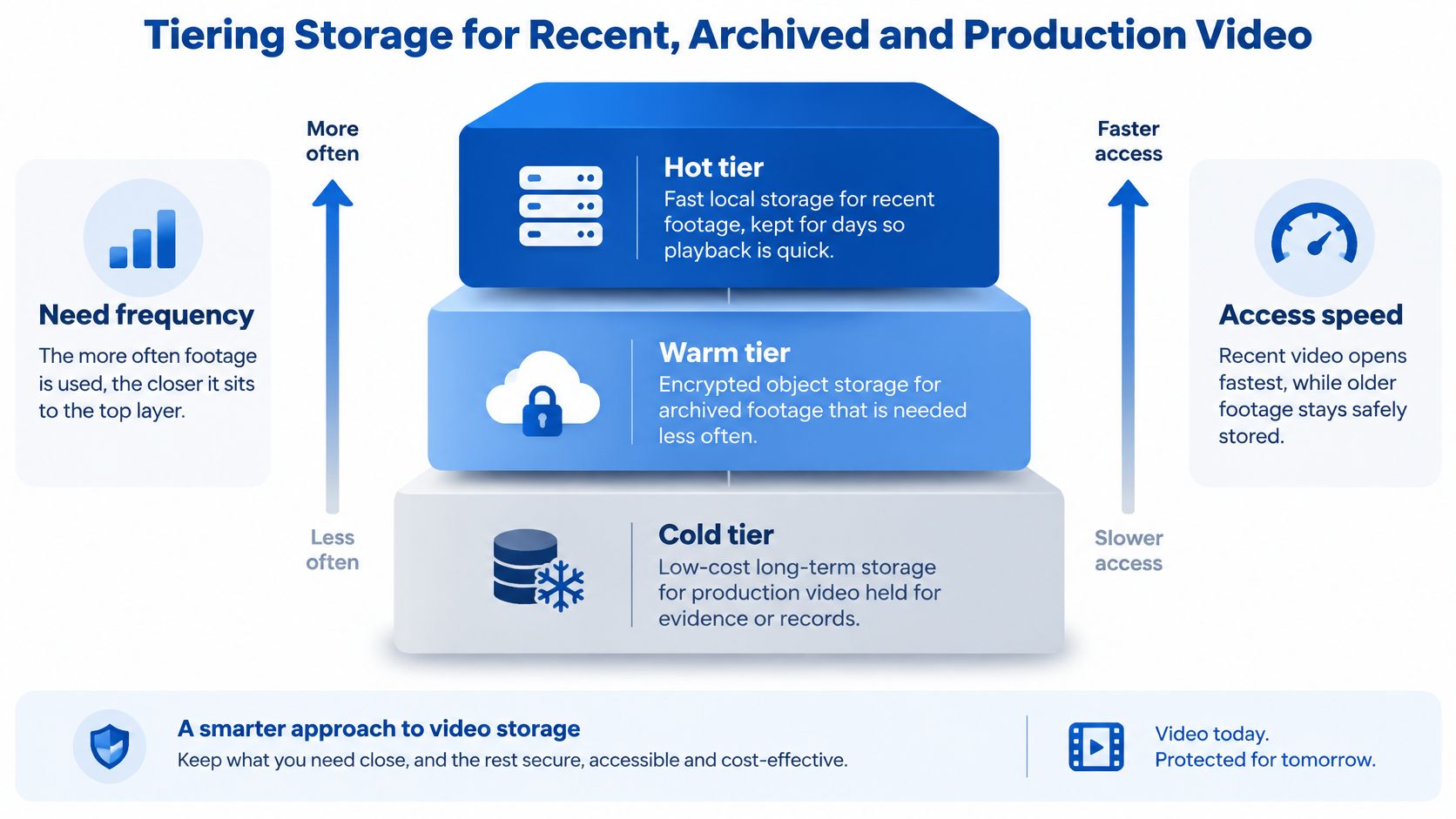
A hot tier is fast local storage for recent footage that staff may need to review quickly. A warm tier can hold approved retention copies in encrypted object storage. A cold tier suits material that must remain available for longer but can take more time to retrieve. Production storage is a separate workflow need: a NAS with versioning can hold masters, edits and proxies without treating every working file as ordinary CCTV.
Minimise what you collect
When a system generates biometric information, such as face templates from analytics, minimise what you retain and protect the raw material carefully. The Office of the Privacy Commissioner notes that the less biometric information an organisation holds, the less it must protect, and that raw biometric samples require stronger safeguards than derived templates. Its biometrics guidance describes safeguards including encryption, patching, locked facilities, access policies, staff training and audits.
Where it suits the purpose, process raw streams at the edge and centralise only selected events or derived templates. That reduces how much material travels into a shared repository. Ordinary CCTV still needs careful privacy handling, even when the system doesn't generate biometric data.
Backups protect against a different problem: losing footage through hardware failure, accidental deletion or a wider disruption. A familiar 3-2-1 backup rule means keeping three copies, on two media types, with one off-site. Put the rule into practice by recording where each copy lives and scheduling restore tests; a backup that nobody has successfully restored is an assumption, not a proven recovery plan.
For example, a studio might edit on a NAS, keep online proxies for current work and move approved masters to tape after delivery, accepting slower retrieval for archived material. Cloud retrieval or egress charges can affect whether that archive belongs in the cloud or on another medium. Wisely's Archiware media archiving service is relevant to teams evaluating storage management for production workflows.
Map each footage type to a tier by asking how often you need it, how quickly you must retrieve it and who is permitted to access it.
Choose and Document Your Storage Setup
Before buying equipment or changing a service, write down the decisions that define how your system should work. A short, current record gives your team a practical reference when staff change, a new camera is added or an incident requires a preservation hold.
- Count cameras and read a real bitrate. Check one camera's settings, then calculate the space required for your intended recording schedule.
- Set a retention period for each footage type. Don't apply the same duration to routine recordings, incident evidence and analytics.
- Choose a storage approach. Match local, cloud, hybrid or edge recording to your sites, bandwidth and remote-access needs.
- Define roles and exports. Name who can view, export and place a preservation hold, and document how each action is recorded.
- Choose a backup pattern. Identify the off-site copy and schedule a restore test so you know the footage can be recovered.
- Write a one-page storage policy. State why footage is collected, who may access it, how long it's kept and how deletion is recorded. Review the policy each year.
For high-volume production and post-production workflows, Wisely offers scalable media archiving and data management with Archiware P5 and is a certified Archiware partner. Keep the design and policy with your own staff, and check any vendor's security claims against the controls your system needs before signing.
A sound setup has capacity that matches the calculation, retention that matches the purpose and an audit trail that answers who accessed footage. If one of those answers is missing, document the gap before expanding the archive.
Wisely offers managed cloud backup and disaster recovery alongside media archiving support for production teams. Visit Wisely to discuss a storage approach that fits your footage, access rules and workflow.