In 2023, CERT NZ recorded 7,935 cyber security incident reports. 24% involved some form of financial loss, and the combined reported loss was NZ$18.3 million, according to the CERT NZ 2023 report. That figure is the part a product brochure never leads with. A licence for antivirus doesn't tell you whether Tuesday's payroll file can come back, or which contractor still has a login from a job that finished in March.
For a New Zealand small or mid-sized business, data protection solutions are the controls that keep customer, staff and financial records available, private and explainable. I would treat them as governance and recovery work first. Another security subscription, bought before anyone owns access removal or a restore test, is how the same budget gets spent twice.
What Data Protection Solutions Cover
The National Cyber Security Centre reported that 53% of New Zealand small and medium-sized businesses experienced a cyber threat in the six months to June 2025, compared with 36% in the comparable 2024 research period; more than half of affected businesses reported some business impact. The research also found that 94% of small businesses recognise cybersecurity as important, although many believe they are doing enough. The practical test is whether your business can show who has access to important information, whether that access is appropriate, and how to restore the information if it is lost.
A 30-person professional firm might keep client files in Microsoft 365, jobs in a workflow board, invoices in Xero, and older records on a shared drive. Mail filtering and antivirus help, but do not answer every data protection question. Can staff export a client list to a laptop? Does a former employee's account stay active over a long weekend? Is there a separate, usable backup, or only the cloud service's default retention? Without clear answers, the owner may not know who can open the payroll folder or whether last month's invoices can be restored.
Data protection combines safeguards, recovery arrangements and clear responsibility. A data protection solution helps keep information available, confidential, accurate and provable across laptops, file shares, cloud apps, workflow platforms, accounting systems and the connections between them. The controls work together: a preventive measure may reduce the chance of a loss, while recovery and records help limit the impact and explain what happened.
Seven types, and the owner each one needs
Most businesses already have some of these controls in place. The gaps that show up in small-business reviews often include backups that have never been restored, access that is not removed when people leave, and logs nobody checks. Buying another tool does little to close those gaps if nobody owns the day-to-day work.
| Solution type | What it protects against | What a small business typically needs |
|---|---|---|
| Backup and recovery | Data loss, ransomware, accidental deletion | Versioned copies, including one isolated from admin accounts |
| Encryption | Stolen devices and intercepted data | Encryption at rest and in transit, managed keys |
| Identity and access management | Wrong people seeing or changing data | Multi-factor authentication, role-based permissions, quarterly reviews |
| Endpoint and email protection | Malware and phishing reaching staff | Antivirus or endpoint detection, mail filtering, staff training |
| Monitoring and audit logging | Undetected misuse and unclear accountability | Centralised logs, alerts on unusual access |
| Retention and archiving | Keeping data too long or losing records | Retention schedule, secure deletion, legal hold process |
| Incident response | Escalating damage after a breach | Contact list, response runbook, evidence preservation steps |
Endpoint and email protection blocks common threats, but it cannot prevent misuse of a valid account by itself. Identity and access management defines who holds which permissions and provides a way to review them. Backup and recovery gives the business a route back after deletion, ransomware or another disruption, but only if the copies are protected and restoration has been tested. Monitoring supports a clear account of access and events. Retention sets limits on keeping information, including identity documents, without a business reason. Incident response assigns actions for the first hours: who assesses the issue, who can suspend access, who preserves evidence and who communicates with affected people.
Practical rule: If a control has no named owner, it is a brochure, not a control.
To prove who can access what, keep a current list of systems and accounts, record each person's role and permissions, and assign someone to review changes and remove access when a person leaves. Keep evidence of those reviews and of restore tests. The trade-off is straightforward: more frequent reviews take staff time, but relying on a stale permissions list makes it harder to contain a compromised or abandoned account.
Also check whether business information has already appeared outside the organisation. White-label data leak prevention solutions can help smaller firms monitor for customer or staff records turning up where they should not, without building an in-house security operations team.
Before pricing another product, look across the seven rows. For each one, name the person responsible and the evidence they can produce this quarter. Where no one can show that evidence, start by assigning ownership and testing the existing control.
Why Privacy Rules and Breaches Make It Urgent
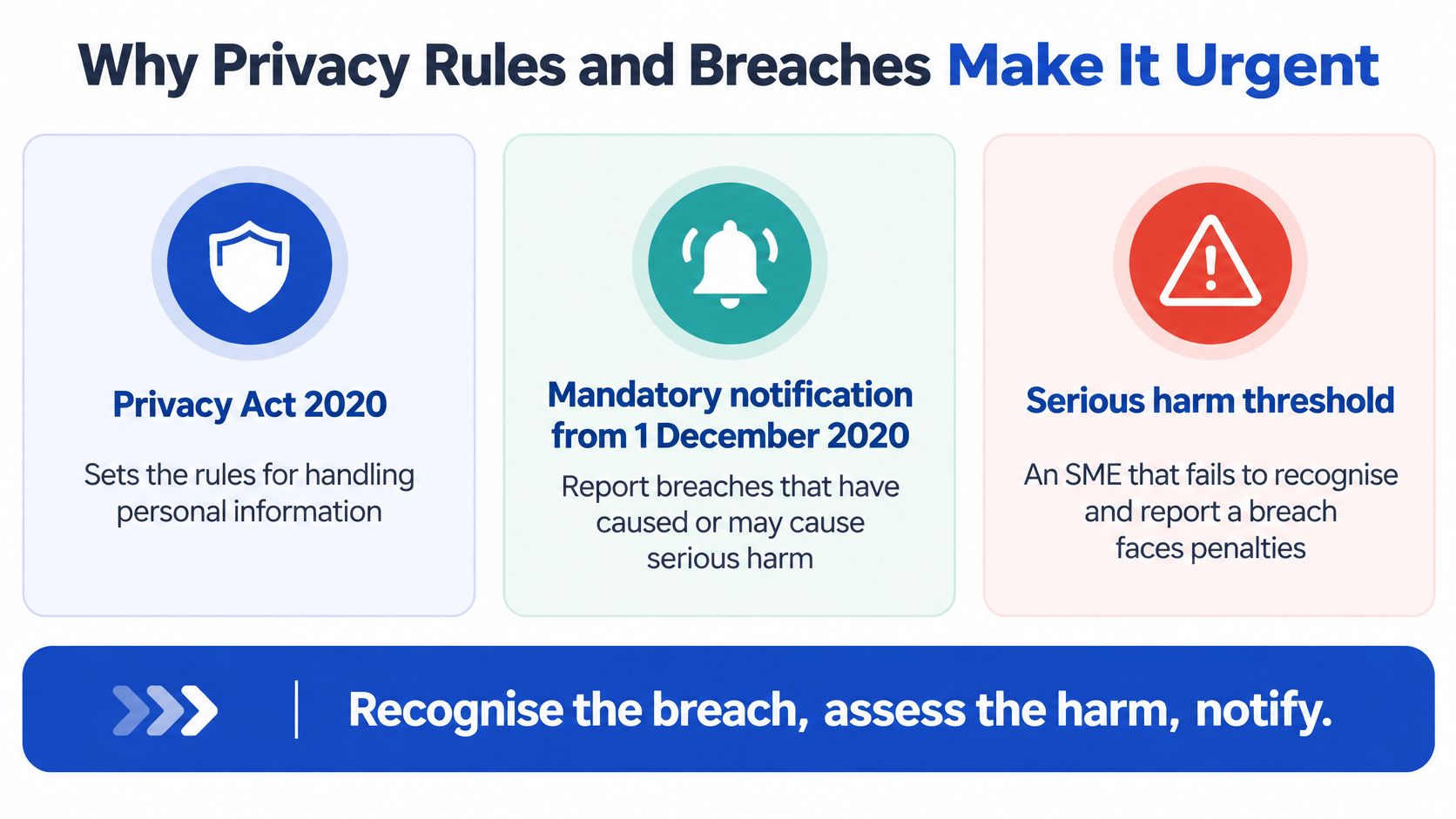
The Privacy Act 2020 made notification of privacy breaches mandatory from 1 December 2020 where a breach has caused, or may cause, serious harm. An SME that fails to recognise and escalate that kind of breach now carries legal, operational and reputational exposure. "We didn't realise it was serious" is not a process.
In the first reporting period under the new regime, 1 December 2020 to 30 November 2021, the Office of the Privacy Commissioner received 750 breach notifications, nearly four times the number in the comparable period from 1 December 2019 to 30 November 2020, as set out in the December 2021 insights report on privacy breach reporting. The jump is what mandatory reporting looks like when organisations have to count incidents.
The trend did not settle. In the 2022/23 financial year, privacy complaints increased by 79% compared with the previous year, while serious privacy breaches rose by 59%, according to the Office of the Privacy Commissioner's briefing.
The same briefing highlights two incidents that translate cleanly into owner-level cost, even if your firm is nowhere near their scale.
Waikato District Health Board, 2021. Ransomware severely disrupted services. Sensitive health information relating to thousands of people was later offered on the dark web. The harm was not a stolen laptop. It was care that could not be delivered, and health records that left the organisation's control.
Latitude Financial, 2023. Records belonging to more than one million New Zealanders were exposed, including driver-licence details, passport information and sensitive financial data. Identity documents are expensive to replace and hard to "unshare".
Three kinds of exposure a smaller firm actually feels
A clinic, a lender, an agency or a trades business with customer records faces the same three bills, at a smaller absolute size.
Regulatory. Someone has to decide whether the incident has caused or may cause serious harm, and whether the Privacy Commissioner and the affected people must be told. That decision needs facts: what left, how many people, how sensitive, and whether it is still spreading. Guessing, or waiting until a journalist calls, is the failure mode.
Operational. Services stop. Rosters, job cards, invoices and inboxes sit in systems you cannot safely turn back on. Days without the main system cost wages, missed jobs and frantic workarounds on personal email, which usually makes the privacy problem worse.
Financial and trust. Recovery labour, replacement devices, credit monitoring for customers, lost work and customers who do not return. Health, identity and financial records carry the longest tail, because the people affected cannot change a password and move on.
Privacy protection here is a business-continuity and compliance job. It runs through third-party systems and needs a decision from leadership, not only from whoever looks after the laptops. If your team is thin, cybersecurity support can sit beside that decision. It does not replace it.
An SME that cannot name its personal information cannot make a serious-harm call under pressure.
Before any tool shortlist, the owner should be able to answer four questions in writing. What personal information do we hold? Where does it sit, including copies in workflow tools and exports? Who can reach it today? How would we know if it left?
How the Core Technologies Work Together
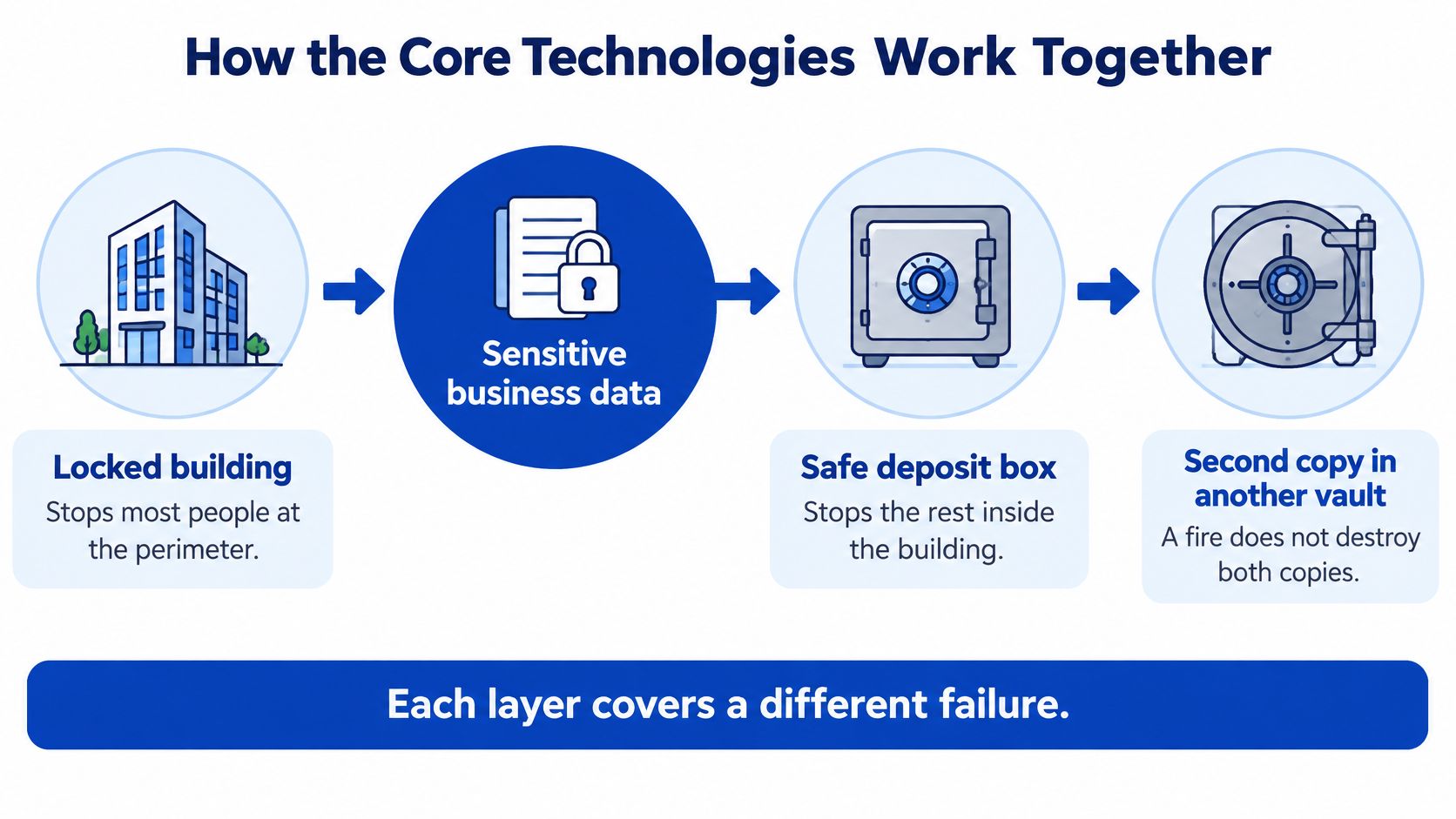
Think of sensitive records as valuables in a safe deposit box inside a locked building, with a second copy in another vault. The building lock stops casual intruders. The box stops the ones who get through the door. The second vault means a fire, or a ransom note, does not wipe both copies. Each layer covers a different failure. Stacking three copies of the same lock does not.
New Zealand's National Cyber Security Centre handled 1,292 incident reports in Q1 2025. 97 incidents specifically affected organisations, and phishing or credential harvesting represented 60% of those organisational incidents. The same quarter recorded 73 data-loss incidents involving unauthorised copying or loss of business records, personal records or intellectual property, in the NCSC quarter one 2025 cyber security insights.
The chain, and the control that breaks each link
The cause and effect is direct, and it is why endpoint antivirus alone is a weak design for an NZ SME.
A phish hands over a valid identity. The attacker does not smash a window. They log in as your accounts person. Multi-factor authentication breaks that link for ordinary accounts. For administrators, I would go further and use phishing-resistant passkeys, because a one-time code can still be relayed in a live phish. Mail filtering and staff training reduce how often the phish arrives. They will not catch every one.
Excessive permissions turn that identity into broad access. A compromised user who can open every SharePoint library, every monday.com board and the accounting file is an open archive. Least privilege and role-based permissions on shared drives and workflow platforms break this link. So does same-day disabling of leavers, and a quarterly access review that includes contractors. Conditional access, such as blocking sign-in from a country you never trade with, narrows it again.
Weak or reachable backups make recovery impossible. This is the vault problem. Follow the 3-2-1 principle in practice: three copies, on two kinds of storage, with one copy isolated from production. Isolation means the backup cannot be deleted with the same administrator credentials that run day-to-day Microsoft 365, AWS or Azure. Immutability or a retention lock stops even a logged-in admin from wiping history during the attack window. Encryption in transit and at rest belongs on those copies, with keys the attacker does not automatically inherit.
Nobody notices. Centralised audit logs, with an alert when a user downloads far more than usual, are how you see the copy leaving. A green "backup job completed" email is not evidence. It only proves a job ran.
Cloud backup and disaster recovery only counts if the copy is separated from the identity that was just stolen. A snapshot in the same account, protected by the same global admin, fails the vault test.
What a real restore test checks
Pick one priority workflow, payroll or invoicing, not a random folder of photos. Restore it from the isolated copy onto a clean location. Time it. Confirm the latest transactions you are willing to lose, which is your recovery point, and how long the business was without that workflow, which is your recovery time. Write both numbers down. If the test needs the one person who is on leave, the test failed.
Quarterly is a sensible rhythm for a small firm. Record the result where leadership can see it. A job that "succeeded" and a payroll run you can open are different facts.
How to Compare Solutions Against Your Needs
Choose against your data map and your recovery targets, not against a feature grid. Two backup products can both tick "immutable" and still fail you, if one can be deleted by the same admin who runs production, or if neither has ever been restored.
| Criterion | Question to ask | Strong answer looks like |
|---|---|---|
| Recovery targets | What is the maximum data loss and downtime we can accept? | Stated recovery point and recovery time per priority system, tested |
| Data location | Where does each data set live and who holds a copy? | Written data map covering cloud apps and integrations |
| Administrative separation | Can one admin account delete everything? | Backups protected from normal admin credentials |
| Access removal | How quickly are leavers and contractors removed? | Same-day disabling, documented quarterly access reviews |
| Evidence and logs | What can we show a regulator or insurer? | Centralised logs with defined retention, exportable reports |
| Three-year cost | What does it cost as storage and users grow? | Clear pricing per user and per terabyte, no hidden tiers |
What a strong answer sounds like, criterion by criterion
Recovery targets. Ask for the recovery point and recovery time on the system that takes your money, not on a demo tenant. A strong answer names hours of acceptable data loss and hours of downtime, then shows a restore log from the last quarter with the clock times written down. "We back up nightly" is not a target.
Data location. You want a map that includes the CRM, the accounting file, the workflow platform, email, and any integration that copies records between them. If the vendor only talks about servers, they have not looked at where your personal information sits.
Administrative separation. One global admin who can delete production and the only backup is a single point of failure dressed up as convenience. The strong design uses a separate identity, a retention lock, and an alert when anyone tries to shorten retention.
Access removal. Same-day disabling of leavers, including contractors and integration accounts, plus a quarterly review with a named person who signs it. A portal you could use, but never open, does not count.
Evidence. Logs kept for a stated period, exportable without a support ticket, and clear enough that a non-specialist can see who opened a folder. That pack is what you hand an insurer or use when you decide whether a breach is notifiable.
Three-year cost. Price per user and per terabyte, including what happens when retention grows. Year two is where cheap backup becomes expensive, because you are paying to keep history, not just last night.
Where the cheaper option usually fails
Watch for three red flags before you sign.
Backups only the main administrator can delete. If ransomware lands in that mailbox, it lands in the vault too.
No written split of responsibility. "The provider handles security" with no schedule of who disables leavers, who runs the restore test, and who decides on notification.
Pricing that hides storage growth. A low per-user fee that meters egress, extra retention or "immutable storage" as a surprise tier will blow the budget you thought you had locked.
A solution you cannot restore from, or that you cannot prove is working, is not protection. It is a subscription.
Managed Services and Integration Blind Spots
Outsourcing IT does not transfer the risk that matters most. A single supplier can cover helpdesk, cloud, security and integration and be accountable when something breaks. That is a real gain for a firm without a full IT team. What does not move across is a simpler question: who is allowed into the data, how you prove it, and who removes them when they leave.
Recent NCSC research found that 43% of NZ SMEs believed their organisation was vulnerable to cyberattack, rising to 59% among businesses with 20 to 49 employees, and that 32% were still taking no action to upskill or train staff. The Privacy Commissioner recorded 1,093 privacy-breach notifications in 2025, a 27% increase on the previous year, as reported by the National Cyber Security Centre. Adding another product on top of an unowned access list does not answer the question those notifications imply. "How do we prove that the right person can access the right data, for the right reason, and that access is removed when roles change?"
What stays on your side of the line
In a shared cloud arrangement, the customer remains responsible for who has access to the cloud, how they prove it, and removing them when they leave. A provider can build the technical switch. The owner still decides that a contractor's project has ended.
We work alongside a client's internal IT person where one exists, and we agree the responsibility boundary in writing. Helpdesk, cloud, software development and security can sit with one supplier so there is a single party accountable for the problem. The boundary still has to say, in plain language, which accounts the client approves, who signs the quarterly access review, and who calls the Privacy Commissioner.
The blind spot in firms running monday.com, a CRM, accounting software, cloud storage and a few bespoke integrations is rarely a dramatic virus. It is uncontrolled access, retention, duplication or export.
API keys and service accounts created for a three-month integration stay valid for years, often with rights broader than any human user.
Former contractors keep a board membership, a mailbox rule, or a JumpCloud or Microsoft 365 group that still opens the client folder.
Exports land in personal OneDrive, a CSV on a laptop, or a Slack file, and those copies sit outside the retention schedule you thought applied to the source system.
Questions to ask of every integration
Before an integration goes live, and again when the project ends, get four answers in writing.
Which accounts it uses. A named service account, not a person's login, with the smallest role that works.
What it can export. Fields, volume, and whether it can pull the whole customer table or only the record in front of it.
Where logs go. Sign-in and export events in a place you can read without asking the vendor to "check the backend".
How it is removed. Who revokes the key, deletes the webhook, and confirms no scheduled export is still running.
Keep tenancies, domains and licences in the client's own name, and keep documentation of the environment so you can leave a provider without negotiating for your own data. Managed IT is useful when the boundary is written down. It is a liability if the contract implies the supplier owns your tenancy and your memory of how it was built.
Governance, a clear owner and a quarterly check will usually cut more risk for a small team than the next security logo on the website.
A Phased Roadmap From Assessment to Tested Recovery
Ninety days is long enough to become recoverable, and short enough that it does not turn into a strategy deck. Do the phases in order. Mapping after you buy tools is how you protect the wrong system.
The ninety days break into four phases: find the data, close the gaps that let a stolen login spread, write the response, then prove a restore.
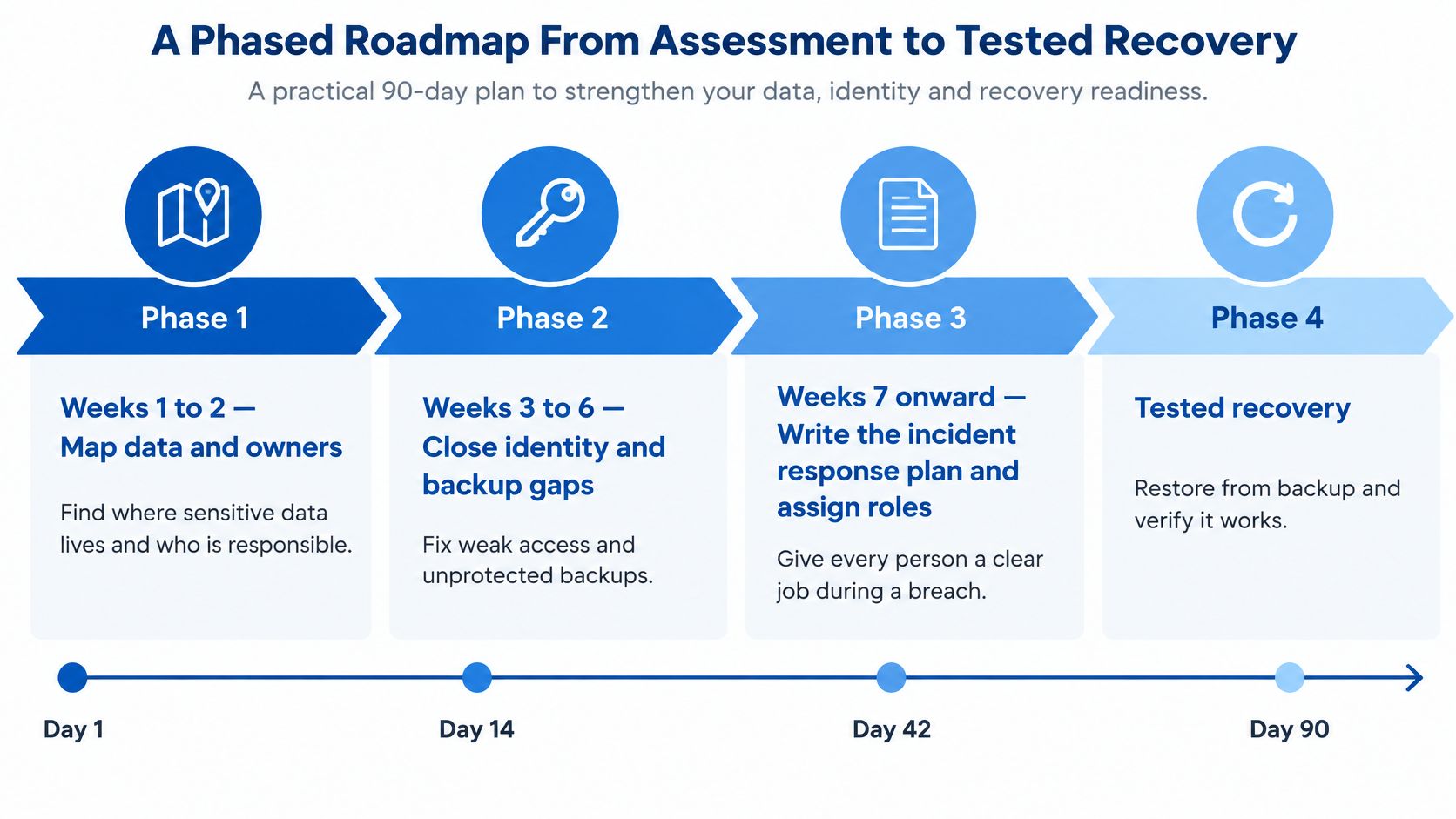
| Phase | Timing | Key actions | Owner |
|---|---|---|---|
| Map and assign | Weeks 1 to 2 | Data inventory, system owners, access list | Owner or operations lead |
| Close the gaps | Weeks 3 to 6 | Multi-factor authentication, least-privilege roles, isolated backups | IT lead or managed provider |
| Plan the response | Weeks 7 to 9 | Incident runbook, contact list, materiality rule, notification check | Owner and finance lead |
| Test and repeat | Weeks 10 to 12 | Restore test of a priority workflow, tabletop exercise, quarterly review schedule | Whole leadership team |
Weeks 1 to 2 are a list, not a workshop series. Every store of personal or financial information gets a name, a system owner and a note of who can export it. Weeks 3 to 6 turn the worst findings into switches: multi-factor authentication on, broad roles cut back, one backup copy that day-to-day admins cannot delete. Weeks 7 to 9 produce a runbook short enough to use at 7am. Weeks 10 to 12 are the only phase that proves the earlier ones worked.
A short walk-through of how a leadership team runs that tabletop, including who speaks and what "done" looks like, is worth fifteen minutes before you book the exercise.
The first 24 hours after a suspected breach
Write this sequence on one page and keep it with the after-hours numbers. Do the steps in order. Skipping ahead to "get back online" is how evidence disappears and a small incident becomes a second one.
- Preserve evidence. Do not wipe devices, do not run a "cleanup" script, and do not ask staff to delete the suspicious email. Photograph screens if you must, and keep logs.
- Isolate affected accounts or devices. Disable the account, force a sign-out, and take the laptop off the network. Do not reuse the same password "just for today".
- Identify what personal information may be involved. Customer, employee, health, financial or identity records, and whether an export or mailbox forward is still running.
- Notify internal decision-makers. Owner and the person who handles finance or clients. One channel, so the story does not fork across text messages.
- Assess whether it is notifiable. If the breach has caused or may cause serious harm, notify the Office of the Privacy Commissioner and the affected people as soon as practicable. Record why you decided it was, or was not, over that threshold.
- Communicate with customers using approved wording. No speculation, no blame, a contact point, and only the facts you have confirmed.
- Restore from verified, isolated copies. Not from a snapshot the compromised admin could have altered. Confirm the workflow, then change the credentials that were in play.
A materiality rule you set before the panic
Any suspected loss of personal or financial records is logged and escalated within one working day, even if the owner judges it minor. Small incidents get left in someone's inbox precisely because they feel insignificant. A written rule removes that judgement from the tired person who found the problem.
Nearly a third of SMEs that experienced a threat did not report or disclose it. A one-day escalation rule is how you stop "it seemed small" from becoming your only process.
Decide Your First Three Controls This Quarter
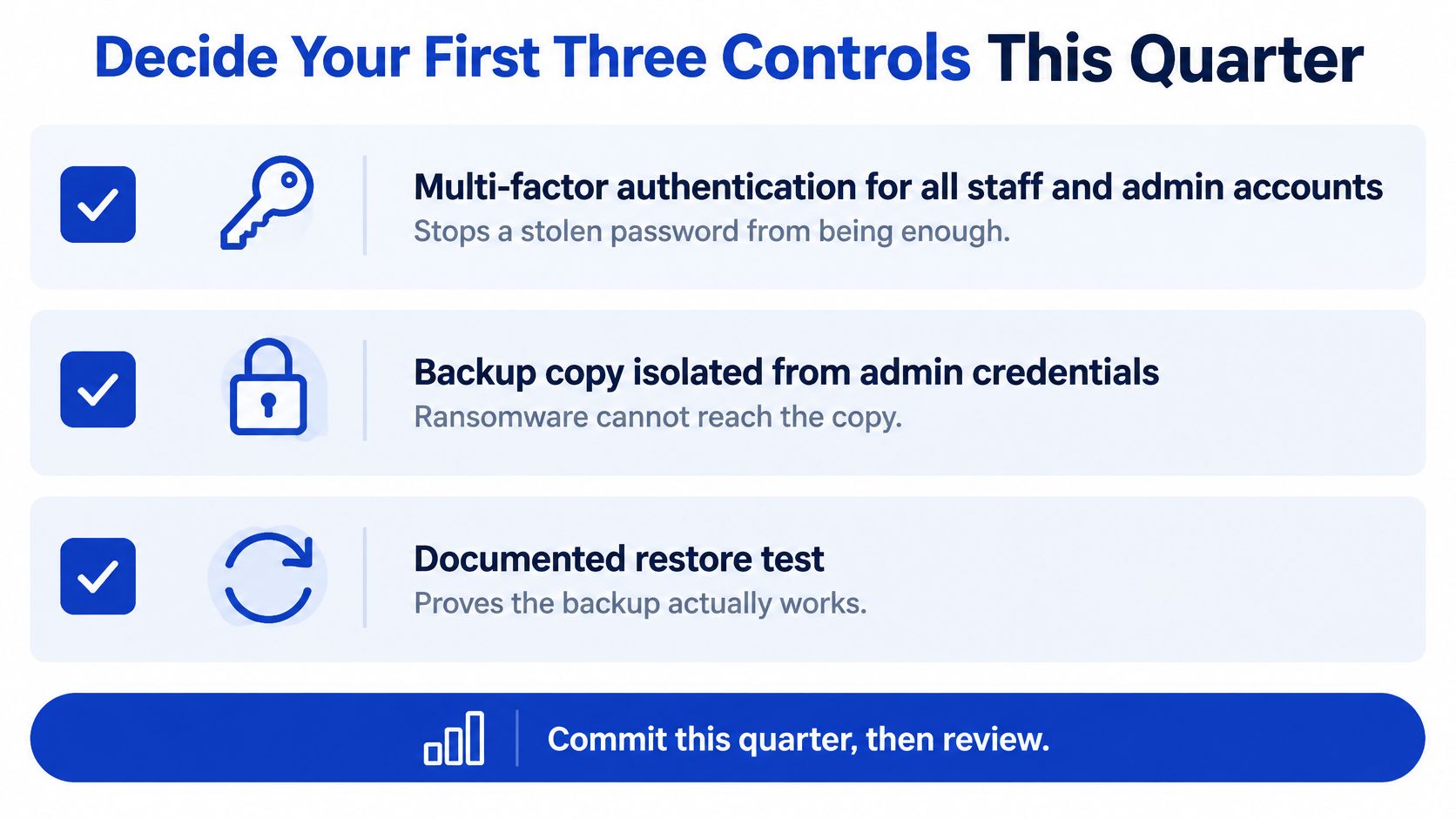
Commit this quarter to three controls, and stop the rest of the shopping until they are evidenced. Multi-factor authentication for all staff and admin accounts. A backup copy isolated from admin credentials, with a documented restore test. A quarterly access review that covers contractors and integration accounts.
Those three match the failure chain that shows up in incident queues: a stolen password, a copy the attacker can delete, and access nobody revoked. Everything else is a later quarter.
The checklist that proves they are real
Do not accept a verbal "that's already on".
Data map signed off by the owner. Systems, personal-information types, and who can export.
Leavers removed within one working day. Staff, contractors and service accounts, with the date written down.
A payroll or invoicing workflow restored and timed. Result recorded, including how much data you would have lost.
Incident contacts confirmed current. Owner, finance, provider, and the path to the Privacy Commissioner.
Access evidence stored for audit. The last quarterly review, exportable, not trapped in one person's laptop.
What to track, and when to bring help in
Compare the annual cost of these three controls with the cost of one week without the main system: wages still paid, jobs not invoiced, customers who ring a competitor. You do not need a precise model. If a week of stoppage dwarfs the year's spend on authentication, an isolated copy and a review, the "we can't afford it" argument is about cash timing, not value.
Each quarter, report three numbers to leadership. Recovery time from the latest test. Access exceptions closed, meaning accounts removed or rights reduced. Time to detect and escalate the last suspected incident, even a drill.
Name one owner who signs the policy. Give leadership a quarterly page, not a slide pack. Set a decision rule now: if internal staff cannot finish the restore test or the access review inside the agreed window, bring in a managed provider for the mechanical work. The business keeps ownership of policy decisions and a written responsibility split.
Our IT services monitor, protect and optimise the environment so a firm can scale without hiring a full IT team, and our managed security services, penetration testing and compliance support are built for New Zealand and Australian businesses. The policy call, including what counts as serious enough to escalate, stays with you.
Wisely helps New Zealand SMEs put recovery, access control and breach decisions into one operating rhythm, covering managed IT, cloud and security without asking you to build a department first. If you want the three controls in this article evidenced this quarter, rather than added to a tool shortlist, start with a written look at who can reach your data and whether you can restore it. Visit Wisely to talk through that boundary.