
Your new CRM is configured, the vendor wants a cutover date, and someone has offered to export the customer list on Friday afternoon. Meanwhile, finance still relies on an old spreadsheet, customer attachments sit in shared folders, and nobody's sure which integrations will stop working when the source system becomes read-only.
Data migration planning is how you turn that situation into a controlled business change. It covers what moves, who approves it, how you prove it's usable, and what happens if validation fails. It also covers the extra exposure you create along the way, including staging databases, vendor downloads and rollback copies. A successful load isn't the same as a successful migration.
The Nine Phases of a Migration Plan
Put the whole plan on a project board before anyone exports production data. Each phase needs a named owner, a due date and an output that someone else can review.
Migration phases, outputs and owners
The durations below are illustrative planning allowances, not delivery benchmarks. Use them for a hypothetical small business moving a single platform, then replace them with estimates based on discovery and rehearsal.
| Phase | Main output | Typical owner | Rough duration |
|---|---|---|---|
| 1. Scope and governance | Signed scope, named owners, go/no-go criteria | Project lead | 1 week |
| 2. Discovery and assessment | Data inventory with owner, age, sensitivity and destination | IT manager | 1–2 weeks |
| 3. Privacy and security review | Privacy impact assessment and access plan | Privacy owner and IT manager | 1 week |
| 4. Mapping and cleansing | Field map, transformation rules and exception list | Data lead | 2–3 weeks |
| 5. Tool and approach selection | Load method, tool decision and integration plan | IT manager with vendor | 1 week |
| 6. Build and rehearse | Staging environment and trial loads | Migration team | 2–4 weeks |
| 7. Testing and validation | Reconciliation report signed against baseline | Business owners | 1–2 weeks |
| 8. Cutover and rollback | Signed cutover runbook and confirmed rollback copy | Project lead | 1–3 days |
| 9. Post-migration checks | Validation log and optimisation backlog | Operations lead | 2–4 weeks |
Put decisions at the gates
Write go/no-go criteria during scope approval, not during the cutover call. Specify which failures block release, who can accept a documented exception, and who can authorise a delay. In a small business, one person might hold several roles, but each approval still needs an identifiable decision-maker.
Discovery and the privacy review should run together when personal information is involved. Don't finish the field map before asking whether the proposed destination, test environment or vendor access is acceptable.
Use this timeline to make the hand-offs visible.
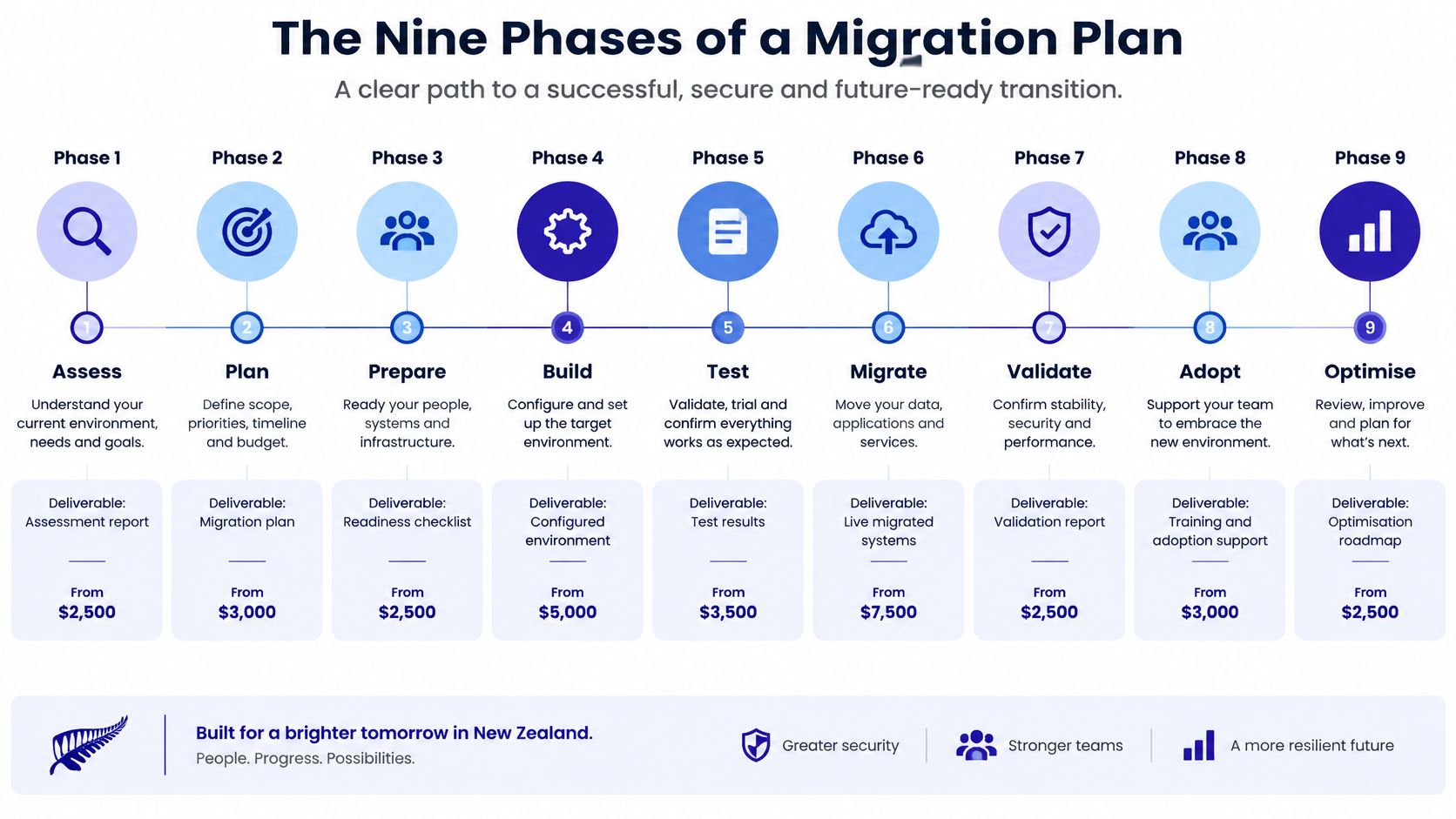
The important gates are scope signed, inventory accepted, mapping approved, trial load reconciled, cutover runbook signed and rollback copy confirmed. Schedule the approvers, not just the technical team. A finance manager who's unavailable to reconcile balances can hold up release just as effectively as a failed import.
Kagool's template for structuring migration projects is a useful starting point for organising those deliverables. Adapt the structure to your actual systems rather than treating every template task as mandatory.
More source systems, custom integrations and reconciliation signatories mean more coordination. Overlapping phases can shorten elapsed time, but starting a dependent task before its inputs are approved creates rework.
Working rule: A phase isn't finished until its output exists in a document the next owner can read.
Copy the phases into your project board as separate groups. Give every approval task an owner and a calendar date, including the business reviews that sit outside IT's control.
Assess and Classify Data Before Anything Moves
Start with an inventory of every source system, spreadsheet, export, attachment store and integration. For each dataset, record its owner, sensitivity, age, destination, retention requirement and validation status. Include files outside the application, especially shared-drive exports used for reporting.
Apply these checks before deciding what belongs in the target:
- Age profile: Group records by year of last update. Ask owners whether apparently stale records are inactive or maintained elsewhere.
- Personal information: Flag identity, financial, contact and employee information, including sensitive details hidden in notes and attachments.
- Disposition: Require the owner to choose keep, merge, archive or delete, with a written reason and an approval date.
Data classes and default migration action
| Data class | Typical examples | Default action | Check before moving |
|---|---|---|---|
| Live operational records | Current customers, open jobs, active projects | Migrate and validate | Owner confirms purpose and currency |
| Duplicate and obsolete records | Repeated client entries, old contact lists | Merge or retire before transfer | Reason for removal documented |
| Personal identity and financial data | Driver licences, passports, bank details, income records | Migrate only with documented purpose and restricted access | Lawful purpose and age review |
| Archived historical records | Closed projects, records past the retention period | Archive separately or leave in source only where retention remains justified | Retention schedule applied |
| Temporary staging copies | Extract files, test copies, backup exports | Encrypt, restrict and delete with evidence | Secure deletion recorded |
Don't carry history without a purpose
The Office of the Privacy Commissioner's quarterly report describes the 2023 Latitude Financial incident, in which 14 million records were stolen across New Zealand and Australia, including 6.1 million records more than 10 years old. That's a concrete reason to challenge automatic transfer of historical identity and financial information.
Remove duplicates from the migration set before loading. Keep a cross-reference between retired identifiers and surviving records so jobs, invoices and correspondence remain attached to the right customer. Don't let a bulk deduplication rule merge unrelated people who share an email address.
Make the privacy impact assessment a gate before extraction or configuration. The Office of the Privacy Commissioner's PIA guidance describes it as a way to identify and minimise privacy risks and assess changed systems and processes handling personal information. Document staging, backups, APIs, recipients and offshore processing, not just the final application.
If an owner can't write down a business or legal purpose, don't move the dataset. That doesn't automatically justify keeping it indefinitely in the source either. Resolve retention, deletion requests and any applicable holds, then record the approved disposal or restricted-retention decision.
Map, Cleanse and Set Acceptance Thresholds
A target system can accept every row and still leave the business with unusable information. A text field containing an invoice date isn't equivalent to a correctly typed date that reports, reminders and payment calculations can use.
The Stats NZ administrative-data assessment evaluates quality through relevance, accuracy, timeliness, accessibility, consistency and interpretability, alongside coverage and linkage accuracy. Apply that principle by defining what fit for purpose means for each business process.
Build the mapping in a controlled sequence
- Define the purpose and critical elements. For an accounts workflow, customer identifiers, invoice amounts and payment status deserve stricter treatment than optional marketing notes.
- Profile the source for missing values, duplicates, invalid codes, stale records and broken relationships. Use spreadsheet filters, pivot tables or database queries to produce an exception list, not just a summary score.
- Write transformation rules. Record source field, target field, type, allowed values, conversion logic and failure behaviour. Resolve ambiguous dates explicitly rather than relying on the importing computer's regional settings.
- Test record linkage. Count unmatched, duplicated and wrongly matched records, then review the matching keys with the business owner.
- Run a representative pilot against a signed baseline. Include unusual statuses, attachments, inactive users and records with long notes.
- Set acceptance thresholds by field and process. Assign rejected records to named owners with deadlines, rather than omitting them from the load.
Data quality checks and acceptance criteria
These are proposed project controls for owners to approve, not statutory thresholds.
| Dimension | Test to run | Acceptance check |
|---|---|---|
| Completeness | Count blank mandatory fields per source | Zero blanks in mandatory fields before load |
| Duplicates | Match records on agreed keys such as email or account ID | Duplicate count reported and signed off |
| Validity | Check formats, codes and value ranges | Every exception routed to a named owner |
| Timeliness | Compare last-updated dates with the cutover date | Stale records flagged for owner review |
| Referential integrity | Check parent-child links such as orders to customers | Zero orphaned records at go-live |
| Accuracy and linkage | Sample migrated rows against source | Error rate per field set agreed by the data owner |
| Relevance and interpretability | Confirm each field has a documented meaning in the target | Field dictionary approved before cutover |
Separate operational and reporting acceptance
Require no unexplained loss of mandatory records as a release condition. Reporting differences may be acceptable only when the owner understands and documents the cause, such as an approved change in status definitions.
For connected applications, include platform integration planning in the mapping review. A field may display correctly while sending an incompatible value to finance.
Preserve source snapshots, migration-run IDs, row-level error logs and rollback copies. Every rejected or changed record should be traceable to a rule and a decision.
Choose the Tool and Load Approach
Choose from the constraints: the target's required format, the permitted outage, the sensitivity of the records and whether both systems must remain active. Don't start with a favourite product and force the project around it.
The comparison below separates transformation choices from delivery choices. You can combine ETL with batch loading, for example, because they answer different questions.
Load approaches compared on the same criteria
| Approach | Best when | Main trade-off | Typical SME example |
|---|---|---|---|
| ETL (transform before load) | Target needs strict formats or sensitive fields must be masked first | Slower build and more pipeline code | Masking personal fields before a CRM load |
| ELT (load then transform) | Large volumes and a cloud warehouse with spare compute | Raw copy sits in the target, so access control matters more | Loading raw finance exports, then modelling them |
| Batch | Fixed cutover window and one-off history load | Data goes stale between runs | Weekend load of closed jobs and archived projects |
| Streaming or change data capture | Two systems must run in parallel for weeks | More moving parts to monitor and reconcile | Keeping monday.com boards in sync while staff move over |
Use the visual comparison to challenge whether your chosen method addresses the actual constraint.
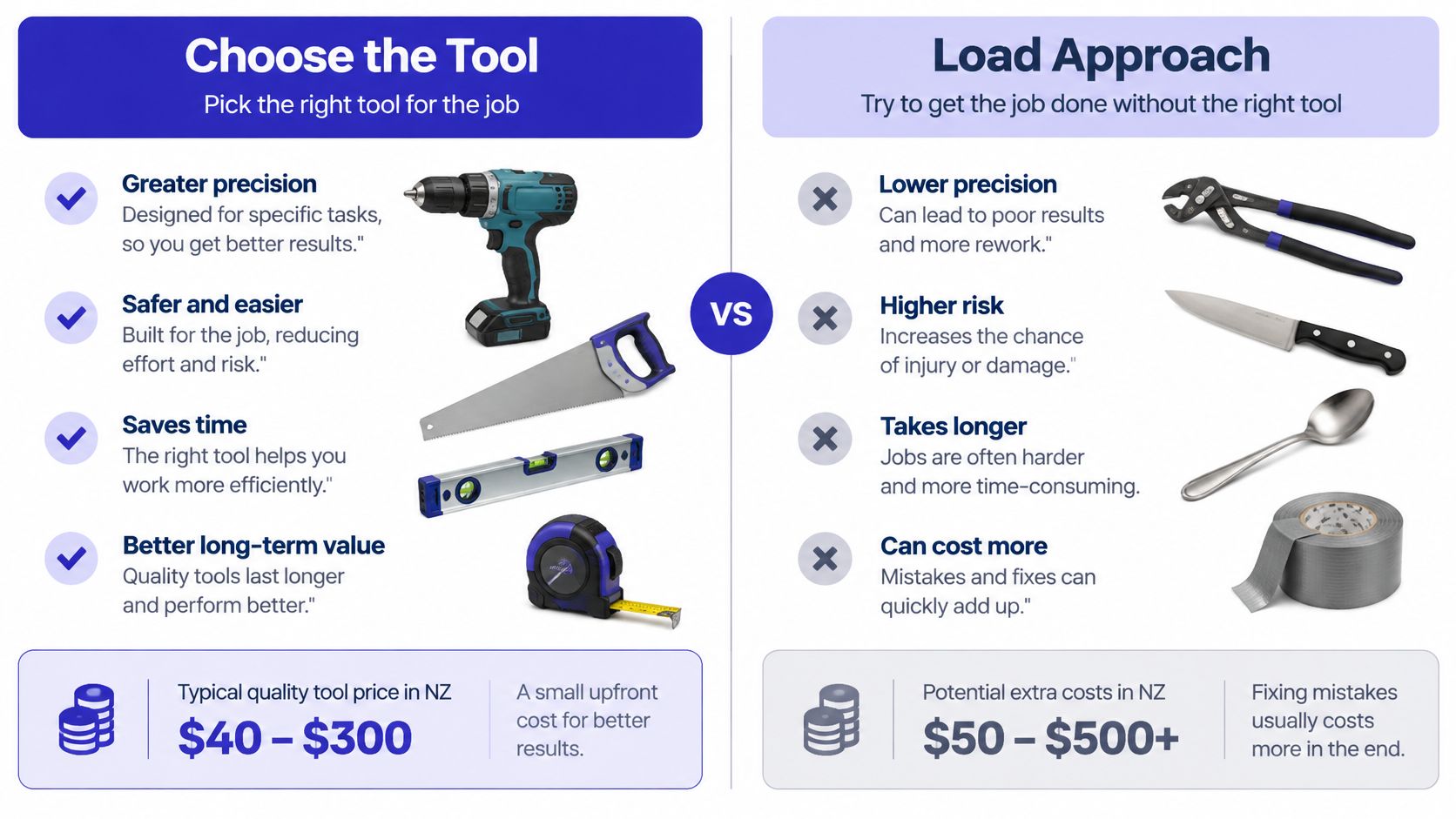
Buy the controls you need
ETL is appropriate when information must be cleansed or masked before reaching the destination. ELT can suit warehouse work, but the raw landing area needs its own access rules and retention decision.
Batch loading is simpler to operate when the business can tolerate a freeze. Streaming or change data capture needs monitoring, replay handling and a clear rule for which system owns updates. Check that both platforms expose the events or APIs your proposed design requires.
For cloud-hosted staging, include environment separation, logging and recovery in the cloud migration design. For service-management moves, DataLunix's Freshservice pricing guide can support the licensing discussion, but confirm current entitlements directly before committing to a migration tool or connector.
The accompanying video provides another reference point for the tool discussion.
Test the workflow, not just the import
For monday.com, map boards, column types, connected items, users and automations separately. An imported status label doesn't prove the automation tied to that status will behave correctly. Trigger each required automation during the trial and inspect the resulting action.
If there's no in-house specialist, involve a monday.com integration partner before mapping starts. Ask who will own transformation code, error logs and connector maintenance after handover. A cheap import becomes expensive if only the contractor can rerun it.
How to Test, Cut Over and Roll Back Safely
Run testing in layers, with business approval after technical checks. The developer who built a transformation can confirm that it ran, but the operations manager must confirm that staff can use the result.
Rehearse with evidence
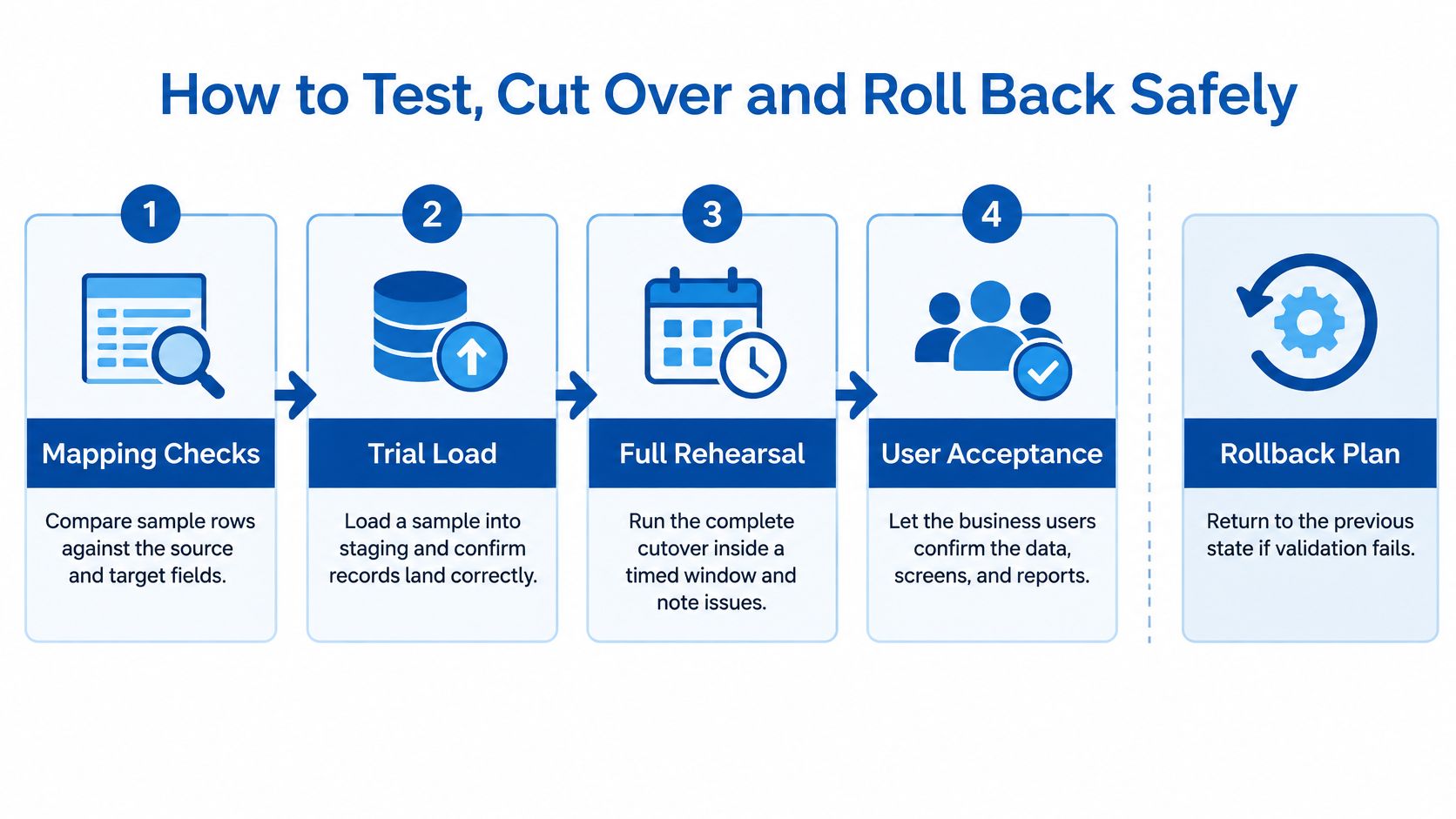
- Mapping checks: Compare sample source rows with expected target values. Include edge cases and retain the expected result beside the actual result.
- Trial load: Load representative, appropriately masked records into staging. Capture source and target counts, relationship checks and role-based access results.
- Full rehearsal: Execute the complete runbook in a timed window. Record extraction, loading, reconciliation and restore timings, plus every manual intervention.
- User acceptance: Ask real users to complete jobs, locate attachments, run reports and exercise integrations. Record failed outcomes as owned exceptions.
Use checksums for unchanged files or consistently normalised table extracts. Where transformation changes the content, compare the expected transformed result rather than expecting raw source and target hashes to match.
The process diagram keeps the testing layers separate from the fallback decision.
Execute the signed runbook
- Announce and enforce the source write freeze. Include integrations, scheduled imports and mobile clients, not just logged-in staff.
- Take the final snapshot and record the run ID. Tie the extract, mapping version and destination environment to that identifier.
- Run the final load inside the rehearsed window. Log departures from the runbook and stop for unapproved transformations.
- Reconcile counts, applicable checksums and key business totals against the baseline. Account explicitly for approved exclusions and merges.
- Switch users and integrations only after approval. Confirm endpoints, credentials and scheduled jobs before releasing normal work.
- Keep the source read-only for the agreed rollback period. Tell staff where to report faults and which system now owns new entries.
Decide rollback authority before the outage
Name the triggers: reconciliation failure, unexplained missing mandatory records, unacceptable access exposure or failure of a critical workflow. Record the decision deadline as a specific date, time and time zone, leaving enough time to restore service.
Give one named person authority to call rollback, with an available deputy. Don't require an improvised committee decision while the recovery window closes.
A rollback copy is useful only when the team has demonstrated that it can restore it.
Also decide how to handle transactions created after the switch. Capture and reconcile them before returning to the source, or you'll exchange one integrity problem for another.
Privacy escalation belongs in the runbook too. The Office of the Privacy Commissioner's breach-reporting review supports treating notification readiness as an operational responsibility. Name who assesses potential harm, preserves evidence and coordinates communications if the migration exposes personal information.
Secure the Move and Confirm Go-Live
A clean reconciliation report doesn't prove the migration was safe. You can load every record correctly while leaving a complete customer export on a vendor's laptop or a broadly privileged service account active indefinitely.
The National Cyber Security Centre's Cyber Threat Report recorded 5,995 incident reports in 2024/25, with ransomware reports increasing from 63 to 88, and noted suspected or confirmed data exfiltration in most of the more impactful ransomware incidents. Migration security needs to cover copies and access paths, not just availability of the new platform.
Treat the people configuring and supporting the move as part of the access design.

Account for every temporary location
Build a migration-specific threat model covering extraction files, staging databases, test copies, backups, email attachments and vendor devices. For each location, name its custodian, authorised users, permitted transfer method and removal condition.
Apply least-privilege access, strong authentication, encryption in transit and at rest, and administrative logging. Avoid personal email and unmanaged devices for transfer. Use dedicated migration identities rather than sharing a permanent administrator login.
Service accounts need special attention. Scope their permissions to the required operation, protect their credentials and set an expiry or review date. Include these controls in the cybersecurity review, alongside monitoring for unexpected exports and failed access attempts.
Ask a migration partner for evidence at each stage:
- Before cutover: Approved access lists, storage locations, subcontractor access and restore-test results.
- During execution: Transfer logs, administrative actions, failed-load records and a register of copies created.
- After handover: Access-revocation records, secure deletion certificates or equivalent evidence, and documented backup-expiry arrangements.
Don't accept a generic deletion statement without identifying which files, environments and copies it covers. Where backups can't be selectively erased, document restricted access and the approved expiry process.
Sign an evidence-based go-live decision
The decision-maker should confirm:
- Accountability: Business, technical and privacy owners have signed their approvals.
- Acceptance: Agreed thresholds are met and residual exceptions are explicitly accepted.
- Recovery: The rollback copy has been restored successfully in rehearsal.
- Copy control: Temporary datasets have approved deletion dates and accountable custodians.
- Authority: A named person is available to approve release, pause or rollback.
Release test: If the team can't show the evidence, the decision-maker shouldn't treat the control as complete.
Record the decision and its conditions in the project log. A verbal agreement on a busy cutover call isn't a reliable handover record.
Validate After Go-Live and Optimise
The operations lead owns the post-migration phase, with exit criteria agreed before cutover. Keep migration defects separate from requests for new features so urgent corrections don't disappear into a general improvement backlog.
Run a controlled stabilisation period
- Reconcile daily during hypercare. Set a defined support period and compare migrated record counts and key totals with the signed baseline. Separate legitimate new activity from migration discrepancies.
- Log every defect with an owner, root cause, corrective action and closure date. Retain the evidence that proves the correction worked.
- Exercise automations and integrations. Check scheduled reports, notifications, finance transfers and background jobs when they run, not just during manual testing.
- Ask users to find and use fields from the approved dictionary. Keep feedback in a single list, and distinguish unclear training from incorrect data or configuration.
- Close the rollback window formally. Require accepted reconciliation, resolved release-blocking defects, stable critical workflows and the rollback owner's written approval.
- Decommission or lock the source according to the retention decision. Revoke migration accounts, remove legacy exports and extraction files, and retain disposal evidence.
Grumspot's post-migration reconciliation methods provide a useful reference when turning checks into a repeatable validation routine. Assign each check to a person rather than assuming the support team will notice discrepancies.
Improve without reopening the migration
Rank the optimisation backlog by business value, operational risk and effort. A broken customer hand-off deserves attention before cosmetic board changes.
Update the field dictionary, operating instructions and integration ownership register as fixes are approved. Close the migration only when operations can support the system without relying on undocumented knowledge from the delivery team.
Wisely offers migration planning, monday.com implementation, platform integration, and cloud and cybersecurity services. Bring your source-system list, proposed cutover window and critical workflows to a planning discussion, so you can define ownership, validation evidence and recovery requirements before the first export.