53% of New Zealand SMEs with fewer than 50 staff experienced a cyber threat in the past six months. In the same research, 94% said cybersecurity is important, which tells you the actual issue isn't awareness. It's execution.
That gap is where managed IT services earn their keep. Small firms usually know they should patch devices, test backups, enforce MFA, review access, and respond properly when something goes wrong. What they often don't have is a dedicated person to make sure those jobs happen every week, every month, and every time someone joins, leaves, clicks the wrong link, or loses a laptop.
For under-50 teams, managed IT services in New Zealand aren't really about buying "tech support". They're about turning good intentions into operating discipline. That includes security, support, cloud management, onboarding, vendor wrangling, recovery planning, and the boring maintenance work that keeps the business running.
Cost matters too. Most owners don't want another vague technology bill. They want to know what's included, what should stay in-house, what can be outsourced safely, and how to avoid paying for enterprise-grade complexity they won't use. That's the practical lens that matters.
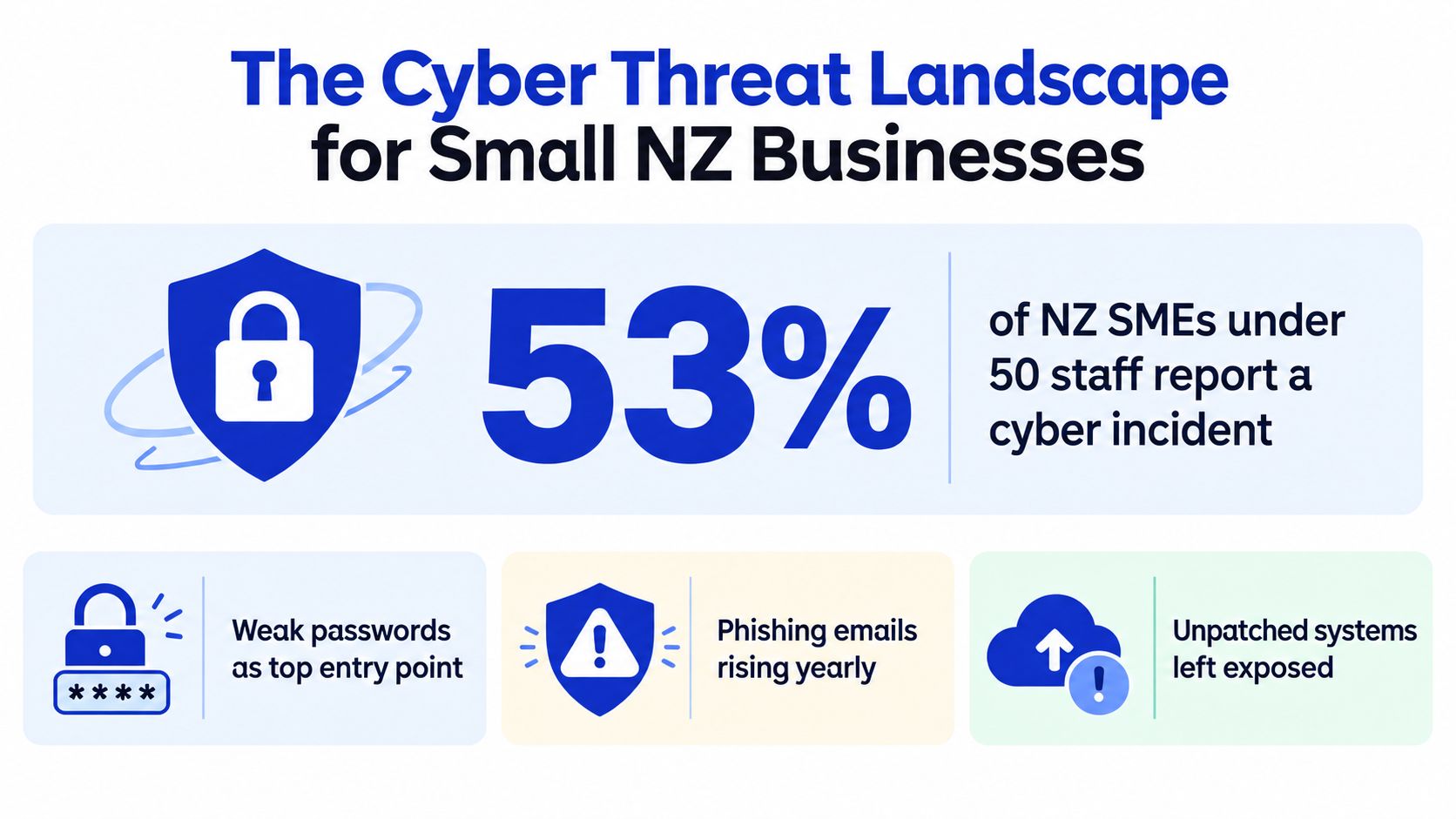
The Cyber Threat Landscape for Small NZ Businesses
A common pattern in small NZ businesses goes like this. The company has Microsoft 365, a firewall that was set up years ago, laptops from different suppliers, a backup product nobody has tested lately, and one staff member who is "good with computers". Then a phishing email lands, a password gets reused, or an old device misses updates. Suddenly the issue isn't IT. It's payroll, customer service, and downtime.
The scale of the problem is hard to ignore. New Zealand's NCSC found that 53% of SMEs with 0 to 49 staff experienced a cyber threat in the previous six months, up from 36% in the prior year, based on a 2025 study of 374 businesses across Aotearoa in a nationally representative online sample. The same tracker found that more than half of businesses that experienced an attack reported at least some business impact. That comes from the NCSC SME cyber security behaviour tracker.
Where small firms usually get caught
Most small businesses don't lose control because attackers used exotic techniques. They get caught on routine weaknesses.
- Identity gaps: Shared logins, weak password habits, no MFA on admin accounts, and departed staff still holding access.
- Patch drift: Laptops and line-of-business apps fall behind because nobody owns update windows and reboots.
- Backup assumptions: Files sync to the cloud, so people assume recovery is covered. That isn't the same as having versioned, access-controlled, tested backups.
- Email exposure: A compromised mailbox can become the entry point for payment fraud, internal phishing, and broader account takeover.
For a grounded explanation of how stolen logins are used in practice, Horus Intelligence on credential exposure is worth reading.
Small businesses aren't too small to be targeted. They're often targeted because attackers expect weaker operational follow-through.
Why managed protection matters day to day
New Zealand firms under this headcount often need monitoring, patching, backups, identity controls, incident response, and staff guidance without employing a dedicated specialist. That's why a service like managed security support tends to matter most when the business has outgrown ad hoc fixes but isn't large enough for a full internal security function.
What Managed IT Services Actually Include
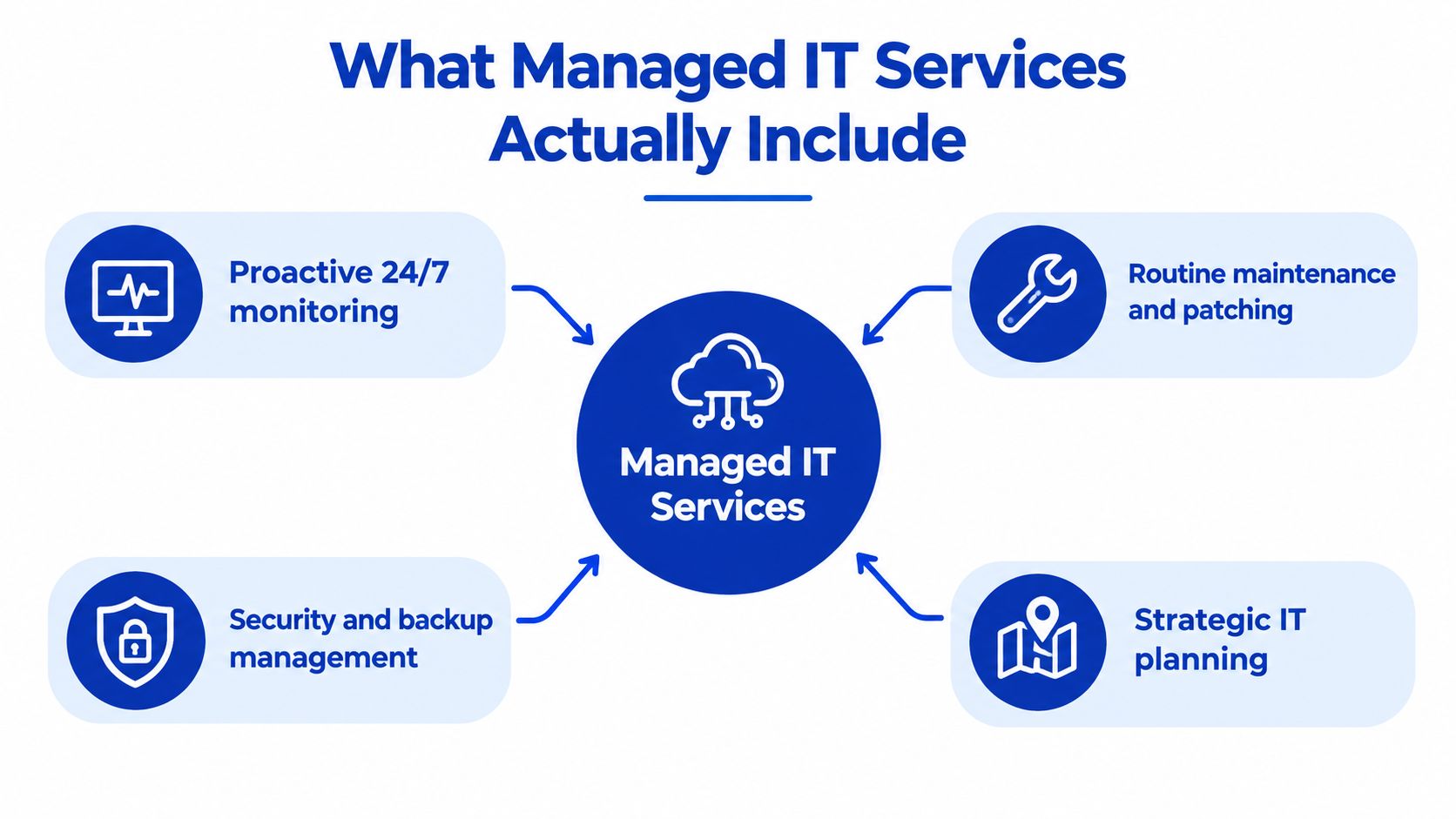
A lot of owners hear "managed IT" and think helpdesk. That's only a slice of it. Good managed IT services New Zealand providers handle the operating rhythm that keeps systems reliable and recoverable, not just the ticket that lands after something breaks.
The core stack that should be included
At minimum, an under-50 business should expect these service areas:
- Endpoint management: Device setup, patching, antivirus or endpoint protection, encryption status, and replacement planning.
- Identity and access control: MFA, user provisioning, leaver processes, admin account restrictions, and login reviews.
- Backup and recovery: Versioned backups in a separate, access-controlled location, central monitoring of backup failures, and documented restore testing.
- Helpdesk and vendor management: User support, liaison with internet providers, software vendors, printers, and line-of-business application providers.
- Security operations basics: Alert handling, suspicious login review, account lockout support, and response coordination when something goes wrong.
- Reporting and planning: Asset visibility, licence reviews, risk discussions, and decisions about what to replace or simplify next.
Later in the engagement, firms often add cloud tenancy hygiene, mobile device management, conditional access, and workflow integration support.
A useful explainer on the service model itself is outsourced IT support for NZ firms, especially if you're comparing one provider's language against another's.
What counts as real protection
The national risk signal is clear. The NCSC recorded NZ$26.9 million in direct financial losses from cyber-security incidents reported during 2024/25, up from NZ$21.6 million the prior year, and 88 ransomware reports compared with 63 in the previous year. Those figures come from the NCSC cyber threat report judgement on incident impacts.
That matters because it changes what "included" should mean. A suitable baseline shouldn't rely on cloud sync alone. It should layer recovery, protect backup administration with MFA and least privilege, retain logs long enough to investigate an incident, and use runbooks so someone knows who can isolate a device, suspend an account, preserve evidence, and notify management.
Here's a short overview of how providers package these services in practice:
Practical rule: If a provider talks more about "unlimited support" than backup verification, identity controls, and recovery testing, you're buying convenience, not resilience.
Managed IT Services vs In-House IT Teams
For under-50 businesses, this usually isn't a battle between two fully formed models. It's a choice between structured outsourced coverage and a patchwork of part-time internal ownership.
Side-by-side comparison
| Factor | Managed IT Services | In-House IT Team |
|---|---|---|
| Coverage | Broader access to multiple disciplines such as endpoint support, identity, backups, cloud admin, and security operations | Usually depends on one person's strengths and available time |
| Cost shape | Predictable monthly service fee with defined inclusions and scope boundaries | Salary, leave cover, training, tools, and contractor overflow can be uneven |
| Scalability | Easier to add or remove users, devices, and service layers as staffing changes | Hiring takes time, and capacity can lag growth or change |
| Availability | Support queues, monitoring, and escalation paths are usually formalised | Coverage may disappear when the key person is away or overloaded |
| Business knowledge | Needs onboarding to learn your systems and workflows | Internal staff already know the quirks, politics, and operational history |
| Control | Strong if responsibilities, approvals, and reporting are clearly documented | Direct control is simpler, but undocumented practices can create hidden risk |
| Specialist depth | Better fit when you need varied skills without multiple hires | Better fit when technology is central to the product or operation itself |
When in-house works better
If your company builds software, runs specialised production systems, or depends on custom integrations that change constantly, internal capability can make sense. You may still outsource pieces like monitoring, security tooling, or after-hours response, but someone inside the business should own architecture and priorities.
When managed services are the smarter call
For most sub-50 firms, the issue isn't vision. It's consistency. Stats NZ's Business Operations Survey found that 6% of businesses reported a direct ICT security attack that caused loss or damage during the previous two financial years. Among those businesses, 60% identified malware as the attack method, and 58% said service downtime was the consequence. It also found 90% of businesses had at least one ICT security measure, with updated antivirus at 86%, firewalls at 68%, and spam filters at 67%. That's from the Stats NZ report on ICT attack damage and security measures.
The important bit isn't whether tools exist. It's whether someone maintains them, checks failures, and closes the gaps between them.
Implementation Checklist for Small Businesses
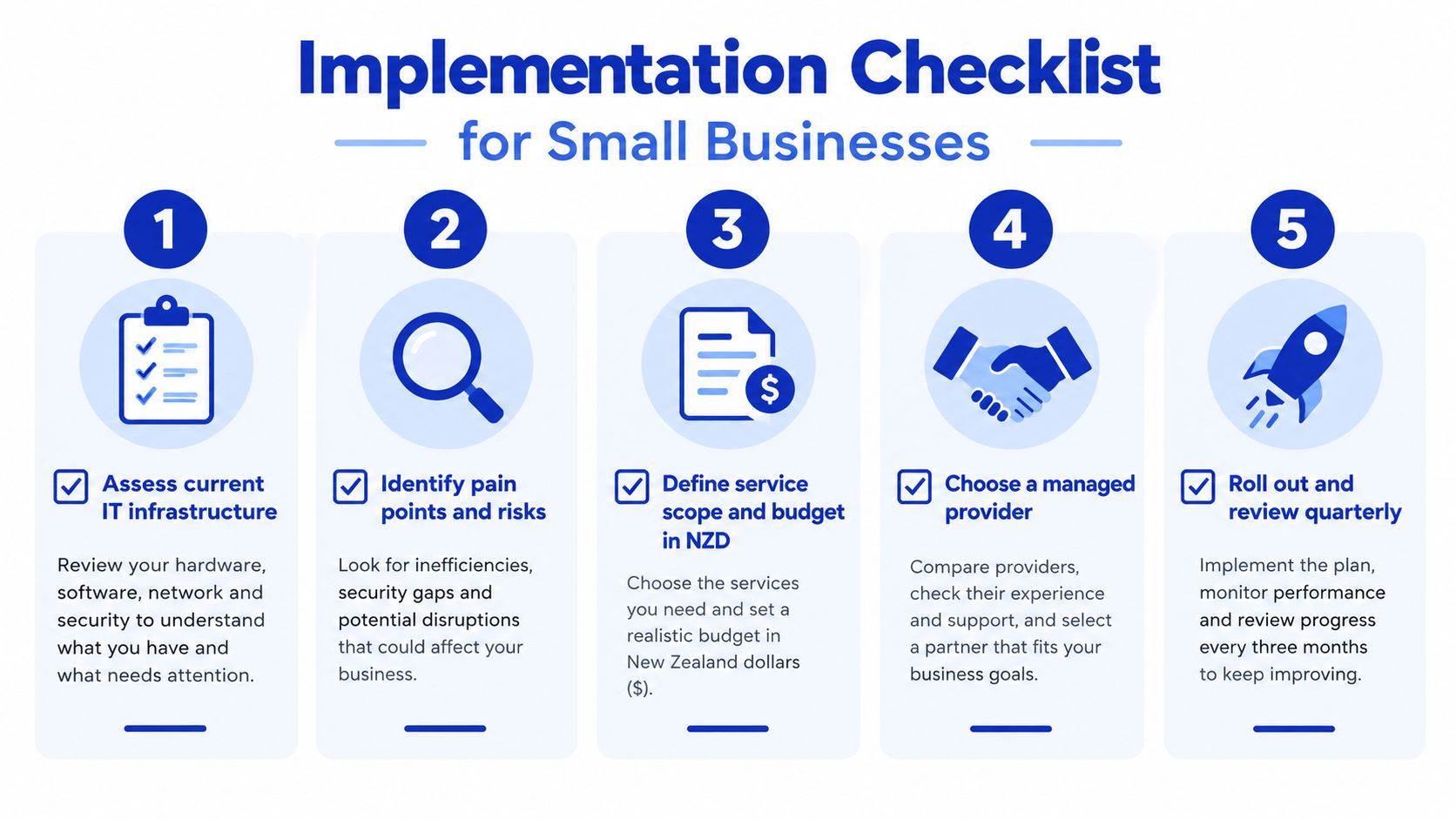
The smoothest managed IT transitions start with honest scoping. Not every under-50 business needs the same service stack, and trying to buy a bigger package than your operating model needs usually creates waste.
Five steps that prevent a messy rollout
Map what you have. List users, devices, software, internet links, shared mailboxes, admin accounts, backup tools, and critical suppliers. If nobody can produce that list quickly, start there.
Separate pain from risk. Slow laptops and printer issues annoy staff. Broken backups, weak identity controls, and poor offboarding create real exposure. Don't let the noisy problems bury the dangerous ones.
Define the service boundary. Decide what stays internal. That might include purchasing approvals, business app ownership, or training for niche systems. Outsource the recurring technical controls first.
Test the provider's operating habits. Ask how they handle backup failures, user offboarding, compromised accounts, and after-hours incidents. A mature answer is specific. A weak answer stays general.
Review after go-live. Check ticket themes, unresolved risks, licence waste, joiner-leaver speed, and whether the provider is reducing admin friction or just processing requests.
Scope by business size, not by marketing label
Stats NZ separates business-size bands into 1 to 5, 6 to 9, 10 to 19, and 20 to 49 employees, which is useful because a five-person firm and a forty-person firm shouldn't buy the same service model. The Business Operations Survey covers organisations with six or more employees, so very small firms often need a lighter stack focused on endpoint protection, backups, identity management, and responsive support rather than a larger-company control set. That comes from the Stats NZ business operations survey data workbook.
Start with the controls that stop disruption. Then add optimisation once the basics are stable.
Cloud Security and Compliance for NZ SMEs
Cloud adoption often improves flexibility, but it also exposes sloppy access control faster than on-prem systems ever did. When staff work across laptops, phones, home networks, and shared SaaS tools, identity becomes the new perimeter.

What secure cloud operations look like
For small NZ businesses, secure cloud use usually comes down to routine discipline:
- Access is tightly managed: MFA on all important accounts, privileged access kept separate, and leavers removed promptly.
- Devices are part of the control plane: Conditional access works better when the business knows which devices are managed and compliant.
- Backups are independent: Don't assume the SaaS vendor covers every recovery scenario you care about.
- Logs are retained: If an account is misused, someone needs enough evidence to investigate what happened.
That operational model matters as much as the platform choice itself. A cloud tenant with weak identity governance is just a faster way to spread a problem.
Compliance doesn't sit outside operations
NZ SMEs don't need a giant governance programme to improve their security posture. They do need repeatable controls that support privacy, staff accountability, and incident handling. In practice, that means documented onboarding and offboarding, clear ownership of admin privileges, a recovery process that has been tested, and a way to review unusual activity before it becomes a business issue.
If your environment is already cloud-heavy, a provider with dedicated cloud service support can help align tenancy management, security controls, and day-to-day support. The value isn't just migration. It's keeping the environment organised after migration, which is where many small firms lose control without noticing.
Why Wisely is Your Ideal IT Partner
Small businesses don't need theatrics from an IT provider. They need clear ownership, sensible scope, and someone who can connect infrastructure, security, and workflow realities rather than treating them as separate projects.
Why the operating model matters
Wisely fits that model because it doesn't sit only in one lane. The business works across managed IT, cybersecurity, cloud, software engineering, financial services, and business process automation. That matters for under-50 teams because many of their IT problems are really workflow problems wearing technical clothing.
Wisely is also an advanced delivery partner of monday.com, which is relevant when the conversation moves beyond devices and support tickets into operational visibility, approvals, handoffs, and reducing manual work. A good provider should be able to see where process redesign is more valuable than another software purchase.
For a practical example of how managed support can be applied in a real client setting, this confidential professional services managed IT case study shows the kind of environment where structured support, security, and operational discipline matter.
What a small business should expect from a partner
- Clarity on inclusions: Support, monitoring, patching, backups, reporting, and escalation paths should be explicit.
- Straight answers on trade-offs: Not every system should move to the cloud, and not every issue needs a new tool.
- Quarterly review discipline: Risk, adoption, workflow friction, and spend should be reviewed together, not in isolation.
Common Misconceptions About Managed IT
The first misconception is that managed IT is only for larger companies. It isn't. Small businesses often benefit more because they feel downtime, staff confusion, and account misuse faster than bigger firms with deeper internal coverage.
The second is that outsourcing means losing control. That only happens when roles are vague. A decent arrangement leaves business decisions, approvals, and priorities with the owner or operations lead, while the provider handles recurring technical execution and escalations.
Three beliefs that usually need challenging
- "It's too expensive." The better question is what unmanaged failure costs in lost staff time, interruption, and rushed recovery work.
- "We already have Microsoft 365, so we're covered." Software licensing doesn't replace configuration, monitoring, access review, backup strategy, or response procedures.
- "Our internal admin can handle it." Sometimes they can. Often they also run onboarding, vendor calls, procurement, office moves, and whatever else lands that week.
Managed IT should remove hidden work from your team, not create another layer of meetings and jargon.
The third misconception is that every provider is basically the same. They aren't. Some are reactive helpdesks with a monitoring tool attached. Others run a tighter operating cadence with documented standards, regular review, and accountability for recurring controls. That difference is where outcomes diverge.
Your Roadmap to Secure and Efficient IT
If you're running a business with under 50 staff, the decision isn't whether technology matters. It already does. The real decision is whether your current setup is managed deliberately or held together by memory, goodwill, and whoever shouts loudest when something breaks.
What to fix first
Start with the controls that reduce operational exposure fastest:
- Lock down identity: MFA, admin separation, and clean onboarding and offboarding.
- Make recovery real: Independent backups, alerting on failures, and restore tests.
- Standardise endpoints: Patch management, encryption, and device visibility.
- Define response ownership: Who isolates a device, who suspends an account, who informs management.
How to judge whether spending is working
MBIE's 2026 digital-capability research found that 51% of New Zealand businesses believe they would benefit from greater use of digital tools, while affordability, ROI, skills, and choosing the right tools remain major barriers. The same source highlighted separate small-business survey results showing that only 26% of New Zealand small businesses said technology investment improved profitability in 2025, compared with 56% across surveyed Asia-Pacific markets, and only 32% generated more than 10% of revenue from online sales. That's in the MBIE digital capability of New Zealand businesses research.
So don't judge managed IT by uptime alone. Judge it by onboarding speed, fewer hours lost to incidents, cleaner licence use, successful recovery tests, and whether staff can get work done without dragging the office manager into every minor issue.
Stats NZ also reports that the 20 to 49 employee group saw a 3.4% decline in enterprise numbers and a 3.1% decline in employee numbers in the year to February 2025, which is a good reminder to prefer flexible agreements with clear per-user or per-device pricing as headcount changes. That comes from the New Zealand business demography statistics at February 2025 release.
If you're weighing managed IT services in New Zealand for under 50 staff, Wisely offers managed IT, cybersecurity, cloud support, and process automation in one operating model, which is useful when your technical issues overlap with workflow and business visibility. If you'd like a practical starting point, visit Wisely and book a free cyber or IT infrastructure review to see what needs tightening first and what can wait.